167 Vulnerabilities, One Exploited Zero-Day, and a Secure Boot Clock: Microsoft April 2026 Patch Tuesday
167 Vulnerabilities, One Exploited Zero-Day, and a Secure Boot Clock: Microsoft April 2026 Patch Tuesday
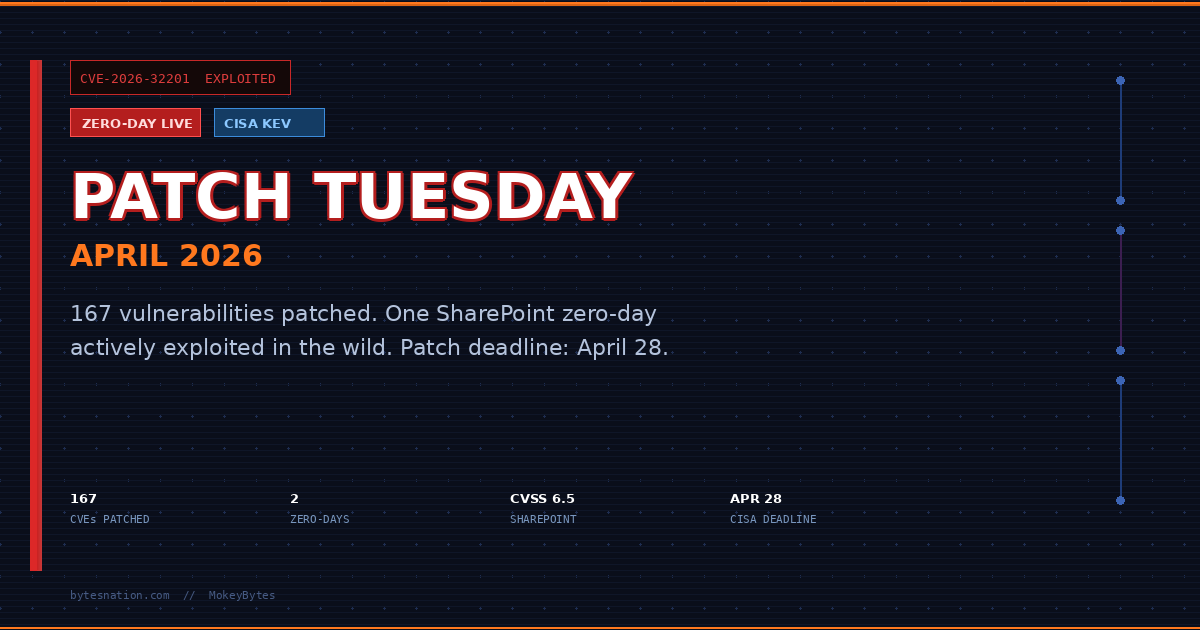
One zero-day is being actively exploited right now. A second was publicly disclosed before Microsoft had a fix ready. A third vulnerability has working exploit code sitting on GitHub. And in 71 days, Secure Boot certificates issued in 2011 expire across every Windows device that has not applied this week’s update.
That is the state of Microsoft’s April 2026 Patch Tuesday, released April 14.
167 vulnerabilities. Eight rated Critical. Two zero-days. One of them landed in CISA’s Known Exploited Vulnerabilities catalog the same day the patches dropped.
This is not a routine monthly update.
What Patch Tuesday Actually Is
Every second Tuesday of the month, Microsoft releases security updates for Windows, Office, SharePoint, Defender, and dozens of other products. It is the primary mechanism through which Microsoft closes vulnerabilities that researchers, its own teams, and sometimes attackers have identified.
Most months, a typical enterprise IT team reviews the list, triages by severity, and schedules deployments. Home users with automatic updates enabled get it in the background without thinking about it.
This month, triage means acknowledging that at least one of these flaws is already being used against real targets. The clock started before the patches dropped.
The SharePoint Zero-Day
CVEA standardized identifier for publicly known cybersecurity vulnerabilities, enabling organizations to track and prioritize security patches. Read more →-2026-32201 is a spoofing vulnerability in Microsoft SharePoint Server. CVSS score: 6.5. That rating sounds moderate, but the exploitation status changes the calculus entirely.
The flaw stems from improper input validation in SharePoint. An unauthenticated attacker can reach it over the network with no privileges required and no user interaction needed. That is the most dangerous combination on the CVSS attack vector scale. No phishingA social engineering attack that uses fraudulent emails, messages, or websites to trick people into revealing passwords, financial information, or installing malware. Read more → email. No employee clicking anything. An attacker with network access triggers the flaw and gains the ability to view sensitive information and modify it.
Affected versions are the on-premises deployments: SharePoint Enterprise Server 2016, SharePoint Server 2019, and SharePoint Server Subscription Edition. Organizations running SharePoint Online through Microsoft 365 are not affected by this CVE. Microsoft patches the cloud version on their side.
For SMBs and organizations that host SharePoint Server on their own infrastructure, this vulnerability is actively being weaponized. Microsoft confirmed exploitation in the wild but has not released attribution, indicators of compromise, or details about the scale of attacks. CISA added CVE-2026-32201 to its Known Exploited Vulnerabilities catalog on April 14, the same day patches were published. Federal agencies have until April 28 to remediate. That 14-day window signals how seriously the vulnerability is being treated.
The information CISA does not release matters here too. The absence of public indicators means your detection capability for active exploitation of this flaw is limited until more telemetry surfaces. Patching eliminates the exposure. Waiting to patch while hoping logs will catch it is not a viable strategy.
The Remote Desktop Spoofing Zero-Day
CVE-2026-26151 is a spoofing vulnerability in Remote Desktop Protocol with a CVSS score of 7.1. It was publicly disclosed before Microsoft had a patch available. The disclosure came from the UK National Cyber Security Centre.
Public disclosure before a patch means every threat actor with access to the NCSC advisory had a description of the flaw and days or weeks to develop exploit capability before a fix existed. Microsoft rates CVE-2026-26151 as “Exploitation More Likely,” which is a specific internal determination that their analysts believe the technical barrier to weaponizing this flaw is low.
RDP spoofing vulnerabilities allow an attacker to intercept or impersonate remote sessions. In an environment where remote work is standard and RDP is the primary access mechanism for thousands of SMBs, a spoofing flaw creates the conditions for credential theft, session hijacking, and lateral movement through an internal network.
This one was patched without known active exploitation confirmed. That window narrows the moment the exploit development community finishes analyzing the diff between the patched and unpatched binaries.
The Defender Flaw with Code on GitHub
CVE-2026-33825 is an elevation of privilege vulnerability in Microsoft Defender. It was publicly disclosed before the patch, and working exploit code was posted to GitHub on April 3. That is eleven days of public exposure before today’s fix.
Elevation of privilege vulnerabilities are rarely standalone attacks. An attacker uses initial access through phishing, an unpatched RCE, or a compromised credential to gain a low-privileged foothold, then runs the EoP to escalate to SYSTEM or Administrator. CVE-2026-33825 is the escalation half of that chain.
The difference between a disclosed EoP with no public exploit and one with code on GitHub is operational. Attackers do not need to develop their own. They copy, compile, and run. That lowers the skill floor for exploitation significantly.
Microsoft Defender is installed on essentially every modern Windows system. The reach of this vulnerability is total.
The New RDP Phishing Protection
Beyond the zero-days, KB5083769 introduces a behavioral change to how Windows handles .rdp files.
When a user opens a Remote Desktop configuration file, Windows now displays all requested connection settings before establishing any connection. Each setting is shown and disabled by default. A one-time security warning fires the first time an .rdp file is opened on a given device.
This matters because .rdp files have become a common phishing payload. Attackers craft configuration files that point the victim’s machine at an attacker-controlled RDP server. When the victim opens the file, their machine connects, presenting credentials that the attacker captures. The session itself may be invisible to the user if the connection parameters are set to minimize the window or redirect input silently.
The previous default behavior allowed .rdp files to connect silently with no user review of the connection parameters. Tax season phishing campaigns documented by Proofpoint in early 2026 included RDP file delivery as one of their payload methods, alongside RMM tools and malware loaders. The new Windows behavior surfaces the connection request and gives the user a chance to reject it.
It does not prevent someone from ignoring the warning. It does eliminate the silent, automatic execution that made .rdp phishing effective.
The Secure Boot Certificate Clock
The April update also begins the migration away from Secure Boot certificates issued in 2011. Those certificates expire on June 26, 2026. That is 71 days from today.
Secure Boot is the firmware-level protection that validates the digital signature of boot-critical components before the operating system loads. It is the primary defense against bootkit malware that installs itself below the OS level and survives full reinstalls.
BlackLotus is the concrete example. It was confirmed active in the wild in 2023 and 2024, capable of bypassing Secure Boot on unpatched systems, persisting through OS reinstallation, and disabling security software before the OS fully initializes. Protecting against BlackLotus requires specific Secure Boot certificate revocations that depend on the updated certificate infrastructure. Once the 2011 certificates expire in June, devices without updated Secure Boot certificates lose that protection layer entirely.
This is not a vulnerability in the traditional sense. It is scheduled expiration of foundational cryptographic infrastructure. The impact is structural: it removes a core layer of boot-level defense across every unpatched Windows device simultaneously on June 26.
A prior patch cycle had introduced a bug where applying the Secure Boot certificate update triggered BitLocker Recovery mode on affected devices, forcing users to enter their BitLocker recovery key on every reboot. That bug is resolved in KB5083769. Devices that avoided the earlier update due to the BitLocker loop can now apply the April patch without that risk.
What to Do Right Now
For home Windows users:
-
Open Settings and navigate to Windows Update. Install all pending updates now. KB5083769 applies to Windows 11 versions 24H2 and 25H2. Windows 10 has a corresponding update in the same release cycle.
-
Verify the update installed. Go to Settings, then Windows Update, then Update History. Confirm KB5083769 appears in the list as successfully installed.
-
Locate your BitLocker recovery key before rebooting after the update. The known bug that caused BitLocker Recovery loops is fixed in this patch, but systems in a partial update state from earlier cycles may still trigger it. Your BitLocker recovery key is stored in your Microsoft account at account.microsoft.com under the Devices section if you connected your device to a Microsoft account. Write it down or save it somewhere accessible from another device before you update.
-
Expect a new dialog when opening .rdp files. If you use Remote Desktop for work or home lab access and store .rdp configuration files, Windows will now prompt you to review connection settings before connecting. This is intentional. Review what the file is requesting before accepting.
For SMBs running SharePoint Server on-premises:
-
Patch immediately. CVE-2026-32201 is under active exploitation. Every hour without the patch is exposure. Microsoft has released updates for SharePoint 2016, 2019, and Subscription Edition. Apply them now, not during the next maintenance window.
-
Pull SharePoint access logs for the past 30 days and look for requests from unfamiliar IPA unique numerical label assigned to every device on a network, used to identify it and route traffic to the correct destination. Read more → addresses, unusual authentication patterns, or access to documents by accounts that do not normally access them. You may not find indicators, but you need to look.
-
If your SharePoint Server is reachable from the public internet, evaluate whether that exposure is operationally necessary. Network-layer controls and access restrictions reduce exposure while patching is being staged.
-
Monitor CISA’s KEV catalog and Microsoft’s Security Response Center for updated indicators as more becomes known about the active exploitation campaign.
For anyone using Remote Desktop:
-
If you received an .rdp file by email that you were not expecting, do not open it. Verify with the sender through a separate channel before touching the file.
-
Ensure your system has applied the April update to get the CVE-2026-26151 patch. Home users with automatic updates enabled are covered. Check your update history to confirm.
-
If you run an RDP server for home lab access or remote work, confirm it is behind a VPNA virtual private network that creates an encrypted tunnel between your device and a remote network, protecting your traffic from interception. Read more → or network-level authentication and not directly exposed to the internet on portA numbered endpoint on a device that identifies a specific application or service, allowing multiple network services to run on the same IP address. Read more → 3389. Direct internet exposure of RDP is a persistent attack surface.
The Bigger Picture
April 2026 Patch Tuesday is among the largest in Microsoft’s history by CVE count. The trend line is not favorable. Monthly patch volumes have grown year over year, the proportion of vulnerabilities rated Important or Critical has not declined, and active exploitation at patch release is increasingly the norm rather than the exception.
The gap between patch availability and actual deployment is where attackers operate. For CVE-2026-32201, CISA’s 14-day federal remediation mandate reflects the reality that exploitation is live and the window is short. Organizations that treat Patch Tuesday as a routine two-week cycle are already inside that window.
The Secure Boot certificate expiry is a different kind of pressure. It is not a vulnerability someone discovered. It is scheduled infrastructure failure. The deadline is on the calendar. Devices that do not apply the chain of updates before June 26 lose their boot-level defense against one of the most persistent malware categories known. That outcome is preventable with updates that are already available.
The new RDP file protection is a small change with meaningful impact on a real attack vector that has been in active use. Microsoft making this the default behavior across Windows 11 closes a door that should have been closed earlier.
Patch Tuesday arrives on a schedule. The threats that exploit the gap do not.
Sources:
- Microsoft April 2026 Patch Tuesday Fixes 167 Flaws, 2 Zero-Days (BleepingComputer)
- Microsoft Issues Patches for SharePoint Zero-Day and 168 Other New Vulnerabilities (The Hacker News)
- CVE-2026-32201 Detail (National Vulnerability Database)
- CISA Known Exploited Vulnerabilities Catalog
- Microsoft’s April 2026 Patch Tuesday Addresses 163 CVEs (Tenable)
- Windows 11 KB5083769 Update Adds Critical RDP Security Warnings (Windows News)
- April 14, 2026 - KB5083769 (Microsoft Support)
- Windows 11 April 2026 Update Fixes Secure Boot and RDP Phishing (CybrDef)
- Medium-Severity Flaw in Microsoft SharePoint Exploited (Cybersecurity Dive)
- Microsoft Patch Tuesday for April 2026 Fixed Actively Exploited SharePoint Zero-Day (Security Affairs)
- The April 2026 Security Update Review (Zero Day Initiative)
- Active SharePoint Spoofing and Legacy Office RCE: CISA Alerts on New KEV Exploits (Security Online)