10 Tools. One Brain. The Stack That Actually Builds Things.
10 Tools. One Brain. The Stack That Actually Builds Things.
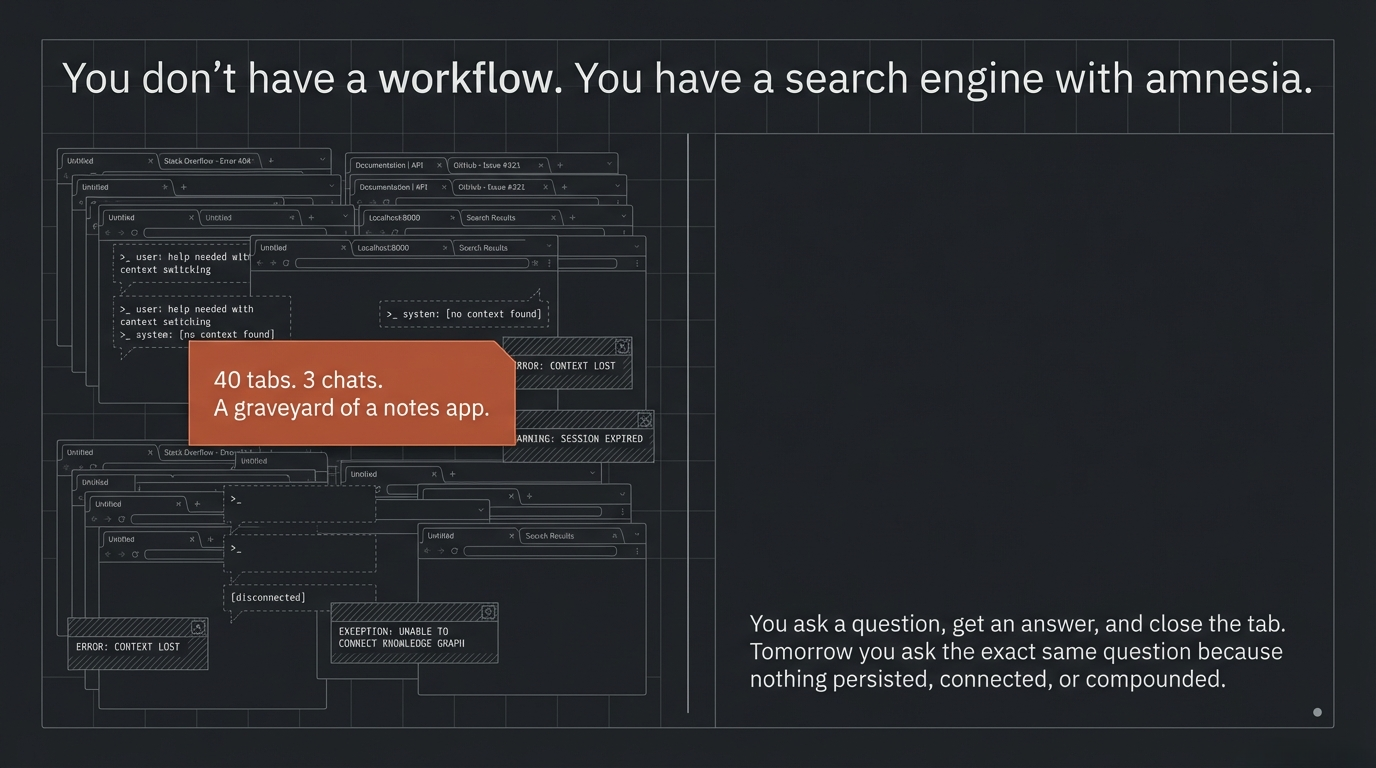
You have forty tabs open. Three AI chats going. A notes app you stopped trusting two weeks ago. A folder called “research” that is actually a graveyard. You ask an AI a question, get an answer, close the tab. Tomorrow you ask the same question because nothing persisted. Nothing connected. Nothing compounded.
That is not a workflow. That is a fancy search engine with amnesia.
The people actually shipping things are not smarter than you. They are not using secret tools. They wired their tools together. Their AI does not answer questions and vanish. It reads context, calls other tools, writes outputs that feed the next step, and remembers what happened yesterday.
AI is not the destination. It is the nervous system. The tools are the organs. And the whole thing is useless until it is connected.
The Foundation
Before any of this matters, you need a place where what you learn stops disappearing.
Obsidian is that place. Not because it is the best note-taking app. Because it is plain markdown files on your machine. Nothing proprietary. No subscription required to access your own thoughts. No company between you and your data.
Your vault is your external memory. Every note, every research output, every AI conversation worth keeping lives there. You organize it your way. You search it your way. It is yours.
But here is where it gets real. Obsidian has a Model Context ProtocolAn open standard for connecting AI assistants to external data sources and tools, enabling them to access real-time information and take actions. Read more → server. That means your AI can read your vault, search it, and write to it directly. The moment you connect that, Obsidian stops being a notes app and becomes a living knowledge base. Your AI has memory that persists between sessions, grounded in your actual work, not some cloud-hosted summary it generated about itself.
Start here. Everything else plugs into this.
The Nervous System
Claude Code is the orchestration layer. It does not answer questions and wait for the next one. It reads your vault through MCP. It calls external tools as servers. It writes code, executes it, handles errors, and chains outputs across the entire stack.
Think of it as the central nervous system. Obsidian is the memory. The tools below are the limbs. Claude Code is the thing that coordinates all of them, decides what to call, when, and what to do with the result.
Nothing else in this list runs without it. Every tool below connects to Claude Code as an MCP server or gets called directly from the terminal. One orchestrator. Ten capabilities. One brain.
The Stack
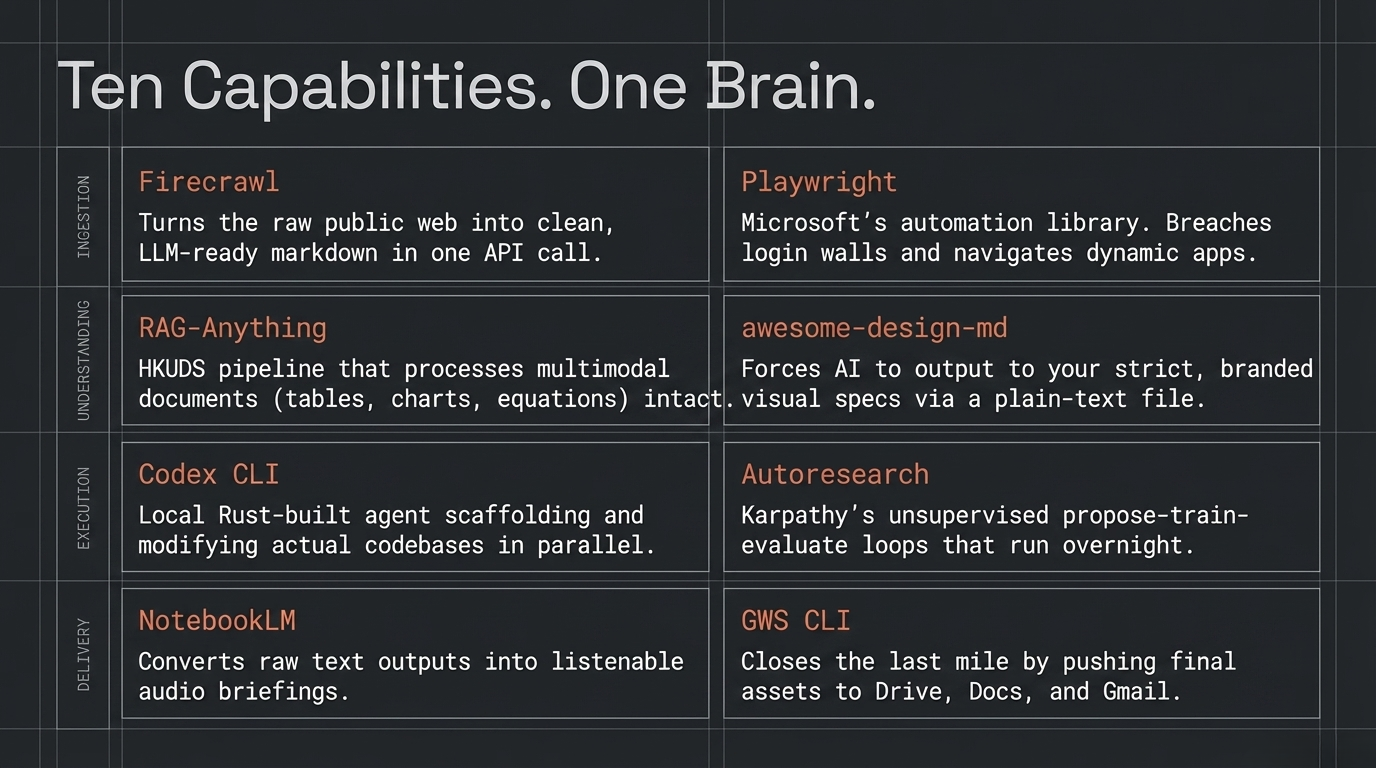
You do not need to learn these in order. You do not need all of them. Each one exists because a specific friction point demanded a solution.
The web is your richest data source, and copy-pasting is killing you.
You need clean, structured content from websites, and you need it fast. Firecrawl turns entire sites into LLMA neural network trained on massive text datasets that can understand and generate human language, powering tools like ChatGPT and Claude. Read more →-ready markdown in one APIA set of rules and protocols that allows different software applications to communicate with each other and share data or functionality. Read more → call. JavaScript-heavy pages, dynamic content, nested links. It handles all of it and returns clean structured output your agent can actually use. It runs as an MCP server directly inside Claude Code. Point it at a URL. Get back usable data. No scraping scripts, no BeautifulSoup, no regex nightmares.
Then you hit a login wall.
Firecrawl handles public pages. But the moment authentication is required, a form needs filling, or you need to interact with a live application, you need a browser that can act. Playwright is Microsoft’s browser automation library. It drives real browser sessions: clicking, typing, navigating, waiting for elements. When Firecrawl cannot reach something because it is behind a login, Playwright walks through the door.
You collected everything. Now it is a mess of PDFs, charts, tables, and diagrams.
Standard retrieval pipelines choke on anything that is not clean text. Charts get ignored. Tables get mangled. Diagrams disappear. RAG-Anything from HKUDS processes text, images, tables, and equations together in one pipeline. Your AI understands the whole document, not the 60% of it that happened to be paragraphs.
You need to write code, scaffold projects, and stop babysitting the terminal.
Codex CLI from OpenAI runs locally on your machine. Built in Rust. Reads and modifies files in your working directory. It is not a chatbot that generates snippets you paste somewhere. It is an agent that operates on your actual codebase. Pair it alongside Claude Code when you want two agents running in parallel on different parts of a project. One writes the backend. The other writes the tests. You review.
You want research loops that run overnight without you.
You describe what good looks like. The metrics, the evaluation criteria, the goal. Autoresearch from Karpathy runs propose-train-evaluate cycles, keeping only changes that improve the target metric, and loops without human intervention. You go to sleep. It keeps working. You wake up to results, not prompts asking what to do next.
You have raw research dumps and zero desire to read every word.
You spent the day collecting. Now there are twenty documents in your vault you need to absorb. NotebookLM from Google takes your Obsidian outputs and generates briefings, summaries, and audio overviews. The Audio Overview feature turns a stack of research into a listenable briefing you can absorb on a walk, on a drive, wherever you are not staring at a screen.
Your AI generates code that looks like a programmer made it, not a designer.
Every AI-generated UI looks the same. Generic spacing. Default everything. No personality. awesome-design-md is a plain-text DESIGN.md file that AI agents read to generate consistent, branded interfaces. No Figma exports, no JSONA lightweight, human-readable data format used to exchange structured information between systems, based on JavaScript object syntax. Read more → schemas, no special tooling. Drop it in your project root. Claude Code reads it and builds to your design spec, not its own defaults.
Your outputs are stuck in a local folder nobody sees.
The pipeline produces results. Reports sit in a directory. Summaries live in your vault. Nobody else can see them. Google Workspace CLI pushes reports to Drive, sends summaries via Gmail, populates spreadsheets. It closes the last mile between “done” and “delivered.”
The Full Loop
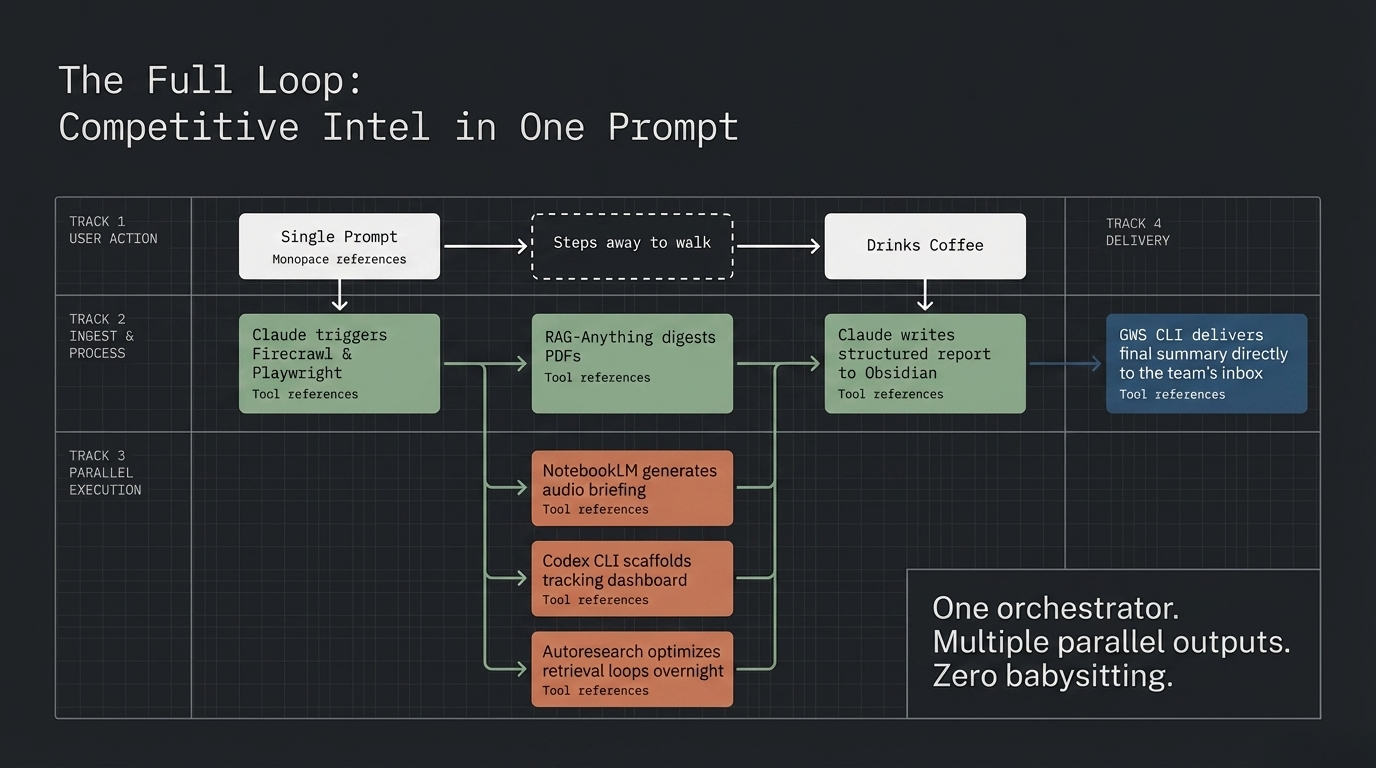
Here is what this looks like when it is all wired together.
You are running competitive intelligence on three companies entering your market. One prompt to Claude Code: “Research these three companies. Build a comparison report. Drop it in the vault.”
Claude Code calls Firecrawl to ingest the companies’ public web presence. One of them has pricing behind a login wall. Playwright opens a browser session, authenticates, and pulls the gated content. Everything lands in your vault as clean markdown.
The sources include investor decks with charts and a product comparison table buried in a PDF. RAGA technique that improves AI responses by retrieving relevant information from your own documents and feeding it to the model alongside the question. Read more →-Anything indexes all of it, charts, tables, and text, into a retrieval layer that actually understands the full picture.
Claude Code synthesizes the findings. It reads the existing notes in your vault for context on your own positioning. It writes a structured competitive analysis and drops it into Obsidian with proper tags and backlinks.
You feed that report to NotebookLM. It generates an audio briefing you listen to on your morning walk. While you walk, Codex CLI is scaffolding a dashboard to track these competitors over time. Autoresearch is running overnight loops to refine the retrieval pipeline itself, optimizing the system that produced today’s report for tomorrow’s run.
The final report hits Google Drive via GWS CLI. A summary lands in your inbox. Your team has it before you finish your coffee.
One brain. Ten organs. One prompt started it.
Start Somewhere
Nobody needs all ten of these on day one. That is the trap. You see a stack like this and think you need to learn everything before you can build anything.
Wrong.
You start with Obsidian. You build one habit: capture what you learn in markdown. That is it. You do that for a week.
Then you notice the friction. Maybe it is manual web research. So you add Firecrawl. Maybe it is losing AI conversations. So you wire up Claude Code to your vault. Maybe it is drowning in documents. So you point NotebookLM at your output folder.
The stack reveals itself as you grow into it. Each tool earns its place by solving a problem you actually have, not a problem someone told you to worry about.
The goal was never ten tools. The goal was to stop being passive. Stop consuming and start building. Stop asking AI one-off questions and start wiring it into a system that compounds.
Start somewhere. The rest follows.
Stay wired.