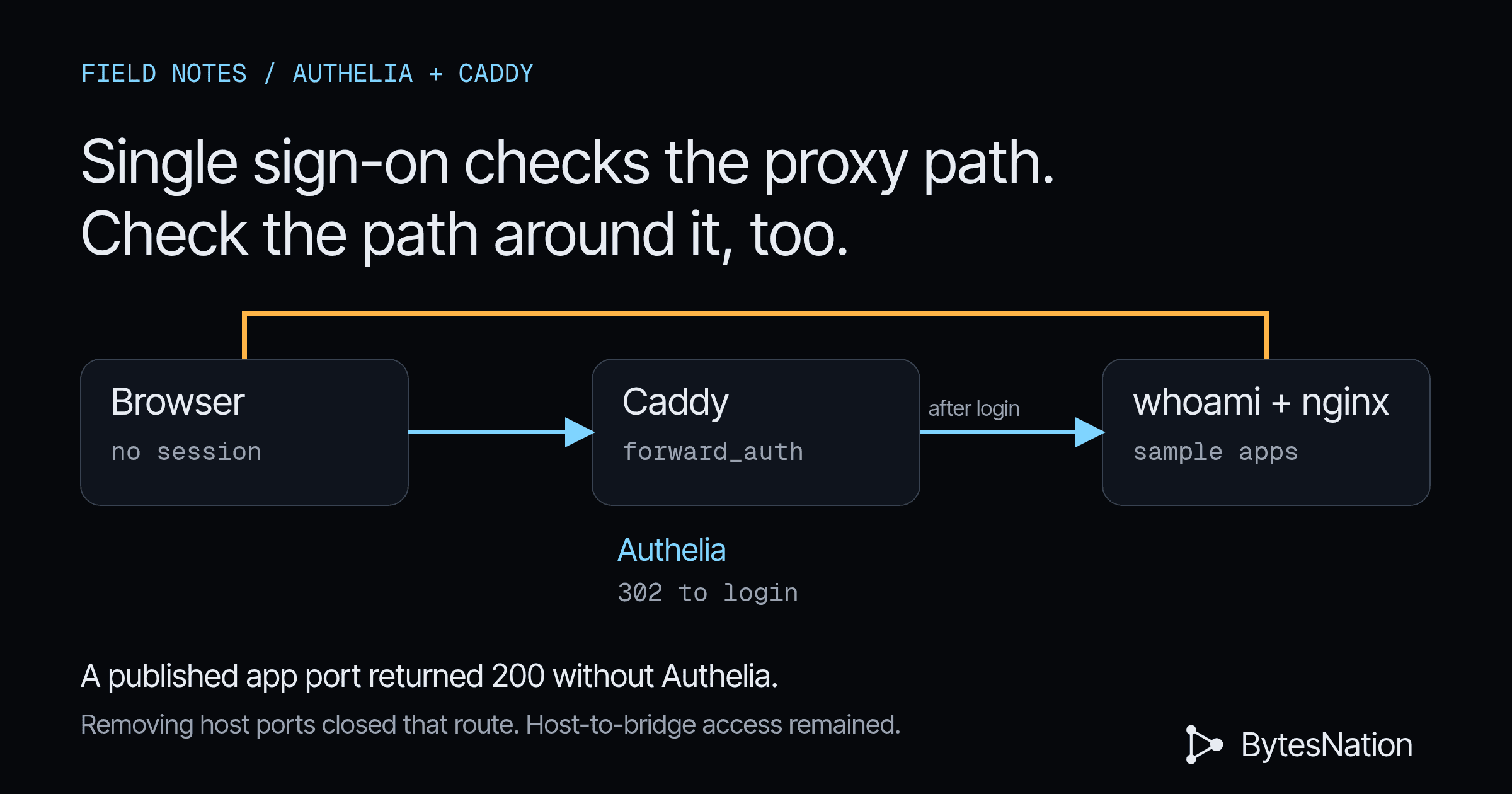
Most homelab “SSOAn authentication scheme that lets users log in once and gain access to multiple independent systems without re-entering credentials for each one. Read more →” posts stop at the first successful login redirect. That proves the happy path. It says nothing about the app portA numbered endpoint on a device that identifies a specific application or service, allowing multiple network services to run on the same IP address. Read more → you accidentally published next to Caddy, or about what happens when a client sends Remote-User: admin and hopes the upstream believes it. I wanted the failure modes on the wire, so I built Authelia and Caddy in DockerA platform that packages applications into containers, providing a standardized way to build, ship, and run software consistently across any environment. Read more → on one Debian box, put two throwaway apps behind forward-auth, and tried to walk around the gate. Everything below is the real output from that run on November 7, 2026. Nothing here touched a real network or any production device.
Concepts at a Glance
What You Will Build
- Caddy 2.9.1 terminating TLSThe encryption protocols that secure data in transit between a client and server, powering HTTPS and most encrypted internet communication. Read more → on
127.0.0.1:443forauth,app1andapp2underlab.localhost - Authelia 4.38.19 with a file user database, filesystemThe structure an operating system uses to organize data on a disk into files and folders, tracking names, sizes, permissions, and where each piece is stored. Read more → notifier and TOTP (two_factor policy)
- Two sample apps:
traefik/whoami:v1.10.3andnginx:1.27.3-alpineserving one static page (chosen over Uptime Kuma because RAMRandom Access Memory: the fast, temporary working memory that holds the programs and data a computer is using right now, cleared when power is lost. Read more → was tight) - A deliberate vulnerable phase where apps publish
127.0.0.1:8081and:8082 - Bypass tests: direct port hit, forged
Remote-User/X-Forwarded-*through Caddy - A fixed compose where apps sit only on an internal Docker network and publish nothing
- Teardown that stops the stack and dockerd, checked afterwards
| Service | Image tag | Role | Host publish (vulnerable / fixed) |
|---|---|---|---|
| caddy | caddy:2.9.1 | TLS + forward_auth + reverse_proxy | 127.0.0.1:443, :80 / same |
| authelia | authelia/authelia:4.38.19 | SSO portal + /api/authz/forward-auth | none / none |
| whoami | traefik/whoami:v1.10.3 | App1, echoes request headers | 127.0.0.1:8081 / none |
| nginx-static | nginx:1.27.3-alpine | App2, one HTML page | 127.0.0.1:8082 / none |
Peak container RSS during the run: Authelia about 92 MiB, Caddy about 12 MiB, nginx about 7 MiB, whoami about 1.5 MiB.
Prerequisites
Parts and cost:
- One Linux host or VM with passwordless sudo and outbound pulls to Docker Hub. I used a Debian 13 VM with 8 vCPU and 15 GB RAM (about 5 GB available during the run).
- Cost: $0. Packages from Debian apt. Images from Docker Hub free tiers.
Packages:
sudo apt install docker.io docker-compose curl oathtool- Candidate on this box:
docker.io 26.1.5+dfsg1-9+deb13u1, Compose plugin2.26.1-4
Required knowledge:
- Comfortable reading
curl -D-output and a Compose file - You know what a reverse proxy and a session cookie are
docker.io 26.1.5+dfsg1-9+deb13u1, docker compose 2.26.1-4, caddy:2.9.1 (digest sha256:748016f285ed8c43a9ce6e3aed6d92d3009d90ca41157950880f40beaf3ff62b), authelia/authelia:4.38.19 (digest sha256:46021dc20efdcc5cdc38a29e3050b8835429a155ae6215388ed3b793a02eb0ab), traefik/whoami:v1.10.3, nginx:1.27.3-alpine. Kernel 6.12.94+. PID 1 on this VM is tini, so dockerd was started by hand.
Part 1: Docker Without systemd
sudo apt install docker.io docker-compose curl oathtool
sudo dockerd --host=unix:///var/run/docker.sock --bip=172.18.0.1/16 &
sudo chmod 666 /var/run/docker.sock   # lab only; use the docker group on a real box
docker version
Expected: Client and Server both report 26.1.5.
What broke: container-to-container TCP timed out
First bring-up looked fine (docker compose ps healthy) but Caddy returned 502 on every app request. From inside the Caddy container, nc to authelia:9091 and whoami:80 timed out. tcpdump on the compose bridge showed SYN with no SYN-ACK. Host-to-container worked.
Root cause: net.bridge.bridge-nf-call-iptables was 1 (br_netfilter). Combined with a hand-started dockerd on a host without systemd, inter-container bridge traffic was getting mangled. Fix for this session:
echo 0 | sudo tee /proc/sys/net/bridge/bridge-nf-call-iptables
echo 0 | sudo tee /proc/sys/net/bridge/bridge-nf-call-ip6tables
After that, nc from Caddy to Authelia and whoami succeeded, and forward-auth started returning 302s instead of 502s. If you run dockerd under systemd with the Distro packages, you may never see this. Document it if you do.
What broke: bind 127.0.0.1 inside the Caddyfile
Putting bind 127.0.0.1 on each site block made Caddy listen on the container loopback. Docker’s published 127.0.0.1:443:443 then forwarded into a socket nothing was accepting on the container’s eth0. TLS ClientHellos died with Broken pipe. Fix: drop bind from the Caddyfile and keep the host pin on the Compose ports: line only.
Part 2: Compose the Vulnerable Stack
Hostnames (add once, remove at teardown):
echo '127.0.0.1 auth.lab.localhost app1.lab.localhost app2.lab.localhost' | sudo tee -a /etc/hostsPassword hash for lab user labuser / change-me, generated with the Authelia image:
docker run --rm authelia/authelia:4.38.19 \
  authelia crypto hash generate argon2 --password 'change-me'
Authelia runs without Redis (in-memory sessions) and with a filesystem notifier so enrollment links and one-time codes land in /config/notification.txt. Session cookie domain is lab.localhost. Access control is default_policy: deny with two_factor on both apps.
Caddyfile (vulnerable and fixed phases share this shape; TLS is Caddy tls internal):
{
	admin off
	auto_https disable_redirects
	local_certs
}

auth.lab.localhost {
	tls internal
	reverse_proxy authelia:9091
}

app1.lab.localhost {
	tls internal
	forward_auth authelia:9091 {
		uri /api/authz/forward-auth
		copy_headers Remote-User Remote-Groups Remote-Email Remote-Name
	}
	reverse_proxy whoami:80
}

app2.lab.localhost {
	tls internal
	forward_auth authelia:9091 {
		uri /api/authz/forward-auth
		copy_headers Remote-User Remote-Groups Remote-Email Remote-Name
	}
	reverse_proxy nginx-static:80
}
Vulnerable Compose publishes the apps:
whoami:
  image: traefik/whoami:v1.10.3
  ports:
    - "127.0.0.1:8081:80"
  networks: [proxy]

nginx-static:
  image: nginx:1.27.3-alpine
  ports:
    - "127.0.0.1:8082:80"
  networks: [proxy]
cd configs
docker compose up -d
docker compose psReal status from the run:
NAME              IMAGE                       STATUS
bn-authelia       authelia/authelia:4.38.19   Up (healthy)
bn-caddy          caddy:2.9.1                 Up
bn-nginx-static   nginx:1.27.3-alpine         Up   127.0.0.1:8082->80/tcp
bn-whoami         traefik/whoami:v1.10.3      Up   127.0.0.1:8081->80/tcp
Unauthenticated hit through Caddy (after the bridge-nf fix):
$ curl --http1.1 -skS -D- https://app1.lab.localhost/ -o /dev/null
HTTP/1.1 302 Found
Location: https://auth.lab.localhost/?rd=https%3A%2F%2Fapp1.lab.localhost%2F&rm=GET
Set-Cookie: authelia_session=...; domain=lab.localhost; path=/; HttpOnly; secure; SameSite=Lax
That is the gate working.
Part 3: Enroll TOTP Without a Phone
I could not scan a QR on this box. Authelia’s register API returns the base32 secret as text, which is what you want for a lab.
Flow that worked on 4.38.19:
- First factor:
POST /api/firstfactorwithlabuser/change-me(session cookie required). - Elevate:
POST /api/user/session/elevation, read the one-time code fromnotification.txt, thenPUT /api/user/session/elevationwith body{"otc":"THECODE"}(the JSON field isotc, notcode). - Start register:
PUT /api/secondfactor/totp/registerwith{"algorithm":"SHA1","length":6,"period":30}. Response includesbase32_secret. - Confirm:
oathtool --totp -b "$SECRET", thenPOST /api/secondfactor/totp/registerwith{"token":"......"}.
Enrollment secret from this run (lab throwaway, box was wiped after):
VBPM77X2TPKQH2F6KWPV7KYLQA3VYZIZIGIYFUIK7PP3Q4KR5ZJAFirst TOTP login attempt reused the enrollment code and Authelia refused it (the user has already used this code recently). Waiting one 30-second window fixed it:
$ curl ... -X POST https://auth.lab.localhost/api/secondfactor/totp \
    -d '{"token":"527548","targetURL":"https://app1.lab.localhost/"}'
{"status":"OK","data":{"redirect":"https://app1.lab.localhost/"}}

$ curl ... https://auth.lab.localhost/api/state
{"status":"OK","data":{"username":"labuser","authentication_level":2,...}}
Authenticated whoami body (headers Authelia injected via Caddy copy_headers):
Remote-Email: labuser@lab.localhost
Remote-Groups: admins
Remote-Name: Lab User
Remote-User: labuser
Part 4: Bypass Attempts (Vulnerable Phase)
Bypass A: direct published port
$ curl -sS -D- http://127.0.0.1:8081/ -H 'Remote-User: admin' -H 'X-Forwarded-User: admin'
HTTP/1.1 200 OK
Content-Length: 234

Hostname: 1cae41dadbb4
...
Remote-User: admin
X-Forwarded-User: admin
X-Remote-User: admin
Same story on 127.0.0.1:8082 for the static nginx (200, full HTML). No Authelia, no redirect, no TOTP. Any local process on the box could do this. If you had published 0.0.0.0:8081 instead of 127.0.0.1:8081, the LAN could do it too.
Bypass B: forged headers through Caddy
$ curl --http1.1 -skS -D- https://app1.lab.localhost/ \
    -H 'Remote-User: admin' \
    -H 'Remote-Groups: admins' \
    -H 'X-Forwarded-User: admin' \
    -H 'X-Forwarded-For: 10.0.0.1'
HTTP/1.1 302 Found
Location: https://auth.lab.localhost/?rd=https%3A%2F%2Fapp1.lab.localhost%2F&rm=GET
Blocked. forward_auth runs before the upstream sees the request. Caddy’s default (no broad trusted_proxies) is doing the right thing here for the unauthenticated case.
Detail: forged headers after a real login
With a valid Authelia session, whoami still showed a client-supplied X-Forwarded-User: evil-admin next to Authelia’s Remote-User: labuser. Caddy copy_headers overwrites the Remote-* set from Authelia’s 200 response. It does not strip arbitrary X-Forwarded-User from the client. Apps that key off Remote-User are fine. Apps that trust X-Forwarded-User from the incoming request are not. Strip what you do not need on the reverse_proxy block, or make the app read only the headers Authelia sets.
Part 5: Fix Network Isolation
Fixed Compose puts whoami and nginx on an internal: true network only, with no ports:. Caddy and Authelia join both proxy and internal. Caddy stays published on 127.0.0.1:443.
cd configs
docker compose down
cd fixed
docker compose up -d
After the switch:
$ ss -ltnp | grep -E ':8081|:8082' || echo "(no listeners on 8081/8082)"
(no listeners on 8081/8082)

$ curl -sS -m 3 http://127.0.0.1:8081/
curl: (7) Failed to connect to 127.0.0.1 port 8081 after 0 ms: Could not connect to server

$ curl --http1.1 -skS -D- https://app1.lab.localhost/ -H 'Remote-User: admin'
HTTP/1.1 302 Found
Location: https://auth.lab.localhost/?rd=...
Memory sessions died with the Authelia container restart (no Redis). Re-login with password + fresh TOTP still reached whoami through Caddy with Remote-User: labuser and authentication_level: 2.
Residual: host to bridge IP
internal: true stops containers reaching the internet. It does not stop the docker host from routing to the bridge. After the fix, curl http://172.19.0.3/ (whoami’s address on bn-internal) still returned 200 from the host. Anyone with a shell on the docker host can do that, and that person can already docker exec. The published-port bypass is the one that bites when you expose 0.0.0.0 or share the host with untrusted local users. If you need to block host-to-bridge for untrusted local accounts, add DOCKER-USER iptables rules; that is outside what this lab automated.
Leave Caddy’s trusted_proxies unset unless you actually have another proxy in front. The Authelia docs warn against trusting whole RFC1918 ranges.
Results
| Test | Vulnerable (apps published) | Fixed (internal network, no publish) |
|---|---|---|
| curl app via Caddy, no session | 302 to Authelia | 302 to Authelia |
| curl app via Caddy, forged Remote-User, no session | 302 to Authelia | 302 to Authelia |
| curl 127.0.0.1:8081 / :8082 | 200, full app | connection refused |
| curl 127.0.0.1:8081 -H ‘Remote-User: admin’ | 200, header echoed | connection refused |
| curl app via Caddy after TOTP login | 200, Remote-User=labuser | 200, Remote-User=labuser (after re-login) |
| Host curl to whoami bridge IP | 200 (expected) | still 200 (residual; see above) |
Teardown and Rollback
cd configs/fixed
docker compose down -v
sudo kill $(pgrep dockerd)
sudo sed -i '/lab.localhost/d' /etc/hosts
Checked afterwards on this box:
$ docker ps -a --filter name=bn-
(no containers)

$ pgrep -a dockerd || echo "dockerd stopped"
dockerd stopped

$ ss -ltnp | grep -E ':443|:8081|:8082|:9091' || echo "(none listening)"
(none of 443/8081/8082/9091 listening)
Lab configs, logs and this note live under labs/2026-11-14-authelia-sso/ on the shared box. Secrets in the shipped configuration.yml are placeholders; run configs/gen-secrets.sh before a fresh bring-up.
Common Pitfalls
ports: ["8081:80"] on whoami is the whole bypass. Only Caddy needs a host port. If a dashboard image defaults to publishing 3000 or 8080, delete that line.
Copy-pasting trusted_proxies 10.0.0.0/8 172.16.0.0/12 192.168.0.0/16 into Caddy trusts every RFC1918 client as if it were a proxy. That is how forged X-Forwarded-For starts winning Authelia network rules. Default (trust nobody) is correct for a single-host compose.
Authelia 4.38 expects {"otc":"..."} on PUT /api/user/session/elevation. code and one_time_code return a generic operation-failed response that wastes time.
The code you used to finish enrollment cannot be reused for login in the same window. Wait for the next 30-second step or you will chase a false “authentication failed”.
Summary
Forward-auth SSO is only as strong as the path around the proxy. In this lab, Authelia and Caddy held the front door: forged Remote-User through Caddy never reached the apps unauthenticated, and a real TOTP login produced the right identity headers. The hole was the published app ports. Hitting 127.0.0.1:8081 returned whoami with whatever headers I sent, including Remote-User: admin. Moving the apps onto an internal network with no host ports closed that path. Leave trusted_proxies tight, make apps trust Remote-User from the proxy overwrite rather than client-supplied X-Forwarded-User, and remember that root on the docker host still bypasses all of this.
Sources
- Authelia, “Caddy integration”, https://www.authelia.com/integration/proxies/caddy/, accessed Nov 7, 2026
- Authelia, “Forwarded Headers”, https://www.authelia.com/integration/proxies/forwarded-headers/, accessed Nov 7, 2026
- Authelia, “Time-based One-Time Password”, https://www.authelia.com/configuration/second-factor/time-based-one-time-password/, accessed Nov 7, 2026
- Authelia, “Elevated Session”, https://www.authelia.com/configuration/identity-validation/elevated-session/, accessed Nov 7, 2026
- Authelia lite example configuration, https://github.com/authelia/authelia/tree/v4.38.19/examples/compose/lite, accessed Nov 7, 2026
- Caddy documentation,
forward_authandtrusted_proxies, https://caddyserver.com/docs/, accessed Nov 7, 2026 - RFC 6238, “TOTP: Time-Based One-Time Password Algorithm”, May 2011