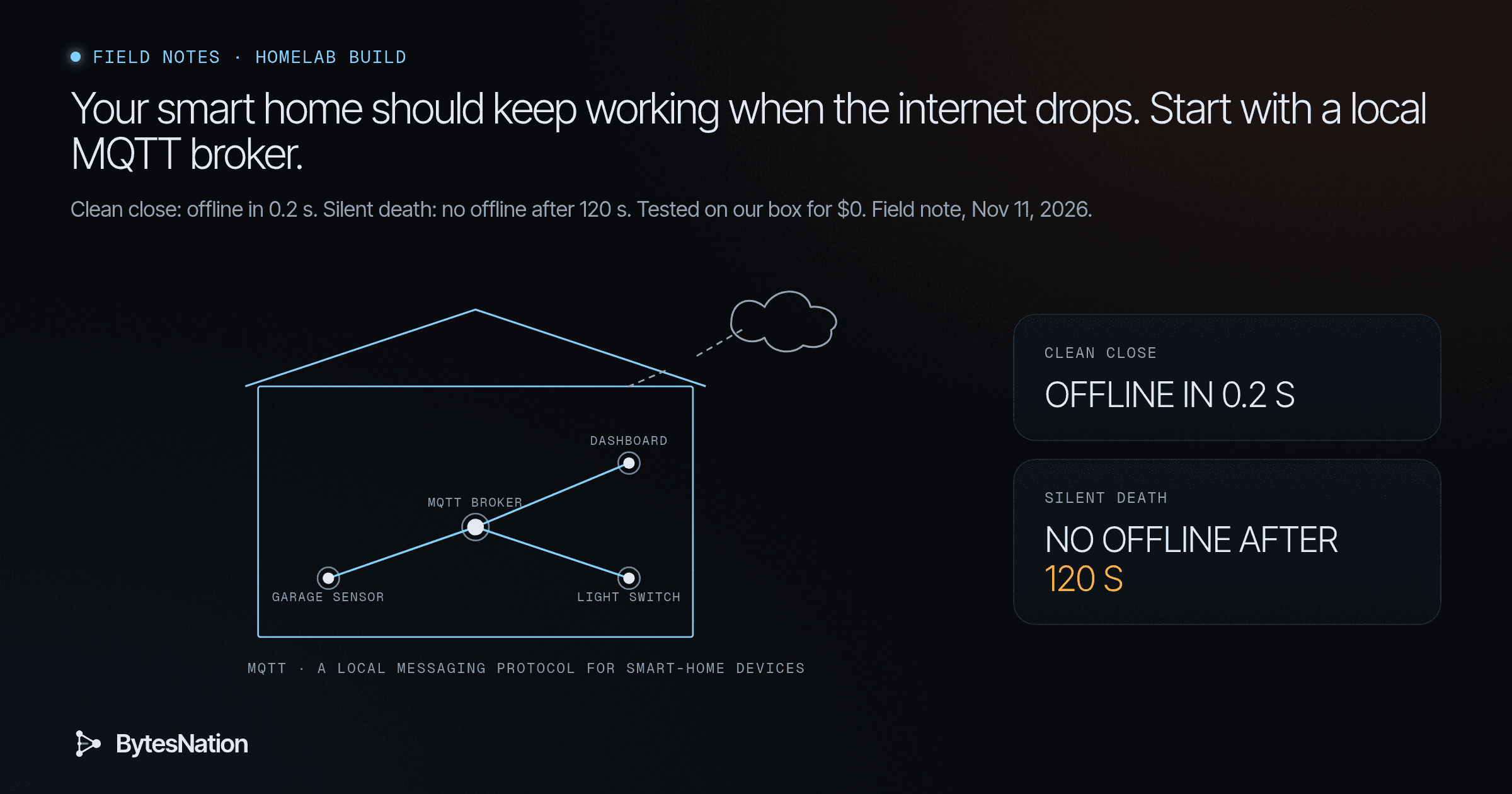
A field note on local-first home automation. Every timestamp and result in the test section came from scripts we ran on our box on Nov 11, 2026, around 7:49 AM ET. The scripts ship with this note.
The short version
Most smart plugs, thermostats and cameras work by phoning a company’s server. Your phone asks the cloud, the cloud asks the device. When the internet drops, the vendor changes its APIA set of rules and protocols that allows different software applications to communicate with each other and share data or functionality. Read more →, or the company shuts down, the device gets dumb or stops.
Spencer Kittleson has run his house on one rule for about ten years: if the internet goes down, the lights still turn on. His postPower-On Self-Test: the quick hardware check firmware runs every time a computer starts, before it looks for an operating system. Read more → lists the failures that taught him. His Nest integration worked until Google broke the API. A Samsung fridge showed a TLSThe encryption protocols that secure data in transit between a client and server, powering HTTPS and most encrypted internet communication. Read more → certificate error on its own screen. Readers added a meat thermometer that only worked through its app and stopped when the company went out of business. The post reached the front page of Hacker News, with 1,038 points and 366 comments when we checked this morning.
The piece that makes his rule possible is boring and small: an MQTT broker running on hardware he owns. Put a local broker in the middle, and your devices talk to each other inside your house instead of through someone else’s data centerA physical facility that houses servers, networking equipment, and storage systems, providing the power, cooling, and connectivity they need to operate. Read more →.
There is a catch we found while testing, and it is the useful part. A local broker can tell you a device died, but only if you set it up to, and only if the broker actually enforces the rule. Our test broker missed one kind of death entirely.
Four terms, then the reasoning
- MQTT is a tiny messaging protocol built for sensors and switches. Devices publish messages to named topics. Anything interested subscribes.
- The broker is the post office in the middle. Mosquitto is the common one, and it runs fine on a Raspberry Pi.
- A retained message is one the broker keeps as the last known value on a topic. Anything that connects later gets it right away.
- A Last Will is a message a device leaves with the broker when it connects. If the device vanishes without saying goodbye, the broker publishes it for them, usually “offline”.
Think of a bulletin board in your hallway. The garage sensor pins a note: “door closed”. Anyone walking by reads it, even someone who just got home. The sensor also hands the board a pre-signed note: “if you stop hearing from me, post that I’m offline.”
Kittleson’s rule 10 is that devices talk pub/sub over MQTT instead of point to point. The sensor never knows who is listening. Adding a dashboard, an alert or a log is a new subscriber, not a change to the device.
The question that matters: is the door closed, or is the sensor dead?
Here is the troubleshooting habit worth building. When your dashboard says “closed”, ask what that word is actually telling you. It is the last value the broker heard. If the sensor lost power an hour ago, the retained “closed” is still sitting there, looking exactly as confident as a live reading.
So every device needs two topics, not one:
- A state topic, retained:
home/garage/door = closed - A status topic, retained, with a Last Will of “offline”:
home/garage/sensor/status = online
Now the dashboard can show the difference between “door closed” and “sensor offline, last known closed”. That is the minimum state model for a house you can trust.
The next question is how fast “offline” shows up. The MQTT 3.1.1 spec gives two paths. If the device’s connection closes, the broker sees it and fires the Last Will. If the device just goes silent, as with a power cut or a Wi-Fi drop where nothing gets to say goodbye, the broker is supposed to wait one and a half times the keepalive interval the client asked for, then drop the connection “as if the network had failed” and fire the Will.
That second path is the one that matters in a real house. It is also the one we could not take on faith.
What we ran
The Debian mirror on our box was returning errors this morning, so Mosquitto would not install. We used amqtt 0.12.1, a Python broker and the current release on PyPI, bound to 127.0.0.1 only, with paho-mqtt 2.2.0 as the client on Python 3.13.5. No internet in the loop.
A fake garage sensor connected with a Last Will, published “online” and “closed” as retained, and sent one non-retained event. Then a dashboard connected late.
Test 1, late subscriber. The dashboard got online and closed the instant it subscribed. It never saw the one-off event. Lesson: if a dashboard is blank after a reboot, check whether the publisher sets retain.
Test 2, clean death. We closed the sensor’s socket without a proper MQTT goodbye. The dashboard got offline within 0.2 seconds.
Test 3, silent death. We put a small relay between sensor and broker and stopped it passing traffic while leaving the broker’s side of the connection open. That is what a yanked power cord looks like from the broker’s chair. Keepalive was 5 seconds, so the spec says about 7.5 seconds. We waited 120 seconds. No “offline” ever arrived. A second run at a 10 second keepalive waited 30 seconds with the same result.

We read the broker’s code to find out why. In amqtt 0.12.1 the read loop does time out on the keepalive, logs it, and calls a handler that in the broker is an empty pass. The connection stays up, so the Will never fires. That is a gap in this broker, not in MQTT.
We did not run Mosquitto, so we are not claiming how it behaves on this test. What we are claiming is the method: test the failure you actually have. A spec tells you what should happen. Pulling the plug tells you what does.
Your first step
Put Mosquitto on a Linux box you already own, like a Pi or a homelab VMA software-based emulation of a complete computer that runs its own operating system and applications, isolated from the host hardware. Read more →, and watch retained state work. These are the standard Mosquitto client commands. We did not run them on our box today because apt was down.
sudo apt install mosquitto mosquitto-clients
mosquitto_sub -h localhost -t 'home/#' -v                     # terminal 1
mosquitto_pub -h localhost -t home/garage/door -m closed -r    # terminal 2
Open a third terminalThe window or screen where you type text commands and read their output, connected to a shell that runs those commands. Read more →, run the same mosquitto_sub, and watch “closed” show up instantly. Now unplug the box from the internet and do it again. Nothing changes, which is the whole point.
Then run our silent-death test against your Mosquitto: point silent_death.py at it and see how long “offline” takes. If you get roughly 1.5 times the keepalive, your house can tell a dead sensor from a closed door.
One line on safety. Per the Mosquitto 2.0 migration notes, a broker started with no listener configured only accepts connections from the same machine, and once you add a listener for the LAN, anonymous clients are refused until you set up authentication. Set up a password file for that, and keep port 1883 on your LAN.
If running a service like this is new to you, BNLC Phase 8, Services and Self-Hosting covers installing and managing a service on your own machine.
Go deeper: the scripts, the raw output, and where to go next
The Last Will in code. This is the line that makes a dashboard honest. The Will must be set before connect():
sensor.will_set("home/garage/sensor/status", "offline", qos=1, retain=True)
sensor.connect("127.0.0.1", 1883, keepalive=5)
sensor.publish("home/garage/sensor/status", "online", qos=1, retain=True)
Raw output, tests 1 and 2. From test_local_mqtt.py, Nov 11, 2026, times in ET:
[07:49:31] sensor published: status=online (retained), door=closed (retained), event (not retained)
[07:49:32] dashboard got home/garage/sensor/status = online retain=True
[07:49:32] dashboard got home/garage/door = closed retain=True
[07:49:34] late subscriber missed the non-retained event: True
[07:49:34] pulling the sensor's plug (socket closed, no DISCONNECT)
[07:49:34] dashboard got home/garage/sensor/status = offline retain=False
[07:49:35] waited 0.2s for the broker to act on the Last Will
Note retain=False on the live “offline” even though the Will was set retained. Brokers send retained messages to already-connected subscribers as normal messages. A client that connects afterward gets the stored “offline” with the retain flag set.
Raw output, test 3. From silent_death.py 5 120:
[07:50:38] keepalive=5s. cutting the sensor's link silently (no FIN, no DISCONNECT)
[07:52:39] no offline after 120s
Why amqtt missed it. In amqtt/mqtt/protocol/handler.py the reader waits with asyncio.wait_for(..., timeout=keepalive). On timeout it logs “Input stream read timeout” and calls handle_read_timeout(), which in broker_handler.py is pass. The loop then keeps reading. This is from the 0.12.1 source installed on our box. Check a newer release before you rely on it, and treat amqtt as a test tool here, not a recommendation for your house.
Two failure modes from Kittleson’s rules. He once had four scheduled triggers hitting the same garden pump, so give every actuator one owner. And the broker is now a single point of failure, which is why his rule 2 says don’t remove the old way while adding the new one. The wall switch should still work when the Pi doesn’t.
Where his house goes from here: Tasmota on ESP boards, Node-RED for logic and Grafana for history, all on a Raspberry Pi. His full post has both talks, the sprinkler controller build and the parts list.
Files. The note’s src/ folder has test_local_mqtt.py, silent_death.py, broker.yaml (amqtt bound to 127.0.0.1:1883), and the raw output files. Setup: python3 -m venv .venv && .venv/bin/pip install amqtt==0.12.1 paho-mqtt==2.2.0, then .venv/bin/amqtt -c broker.yaml in one terminal and the scripts in another.
Sources
- Spencer Kittleson, “Smart home devices should work without the internet”: https://docodethatmatters.com/home-automation-overnight-success/
- Hacker News discussion: https://news.ycombinator.com/item?id=50441707
- MQTT 3.1.1 spec (Keep Alive, Will, retain): https://docs.oasis-open.org/mqtt/mqtt/v3.1.1/os/mqtt-v3.1.1-os.html
- Mosquitto: https://mosquitto.org/
- Mosquitto 2.0 migration notes (listener and anonymous defaults): https://mosquitto.org/documentation/migrating-to-2-0/
- Mosquitto authentication methods: https://mosquitto.org/documentation/authentication-methods/
- amqtt on PyPI: https://pypi.org/project/amqtt/
- paho-mqtt on PyPI: https://pypi.org/project/paho-mqtt/
Scripts
src/test_local_mqtt.py
# Local-only MQTT demo: retained state, a late subscriber, and Last Will on a dead device.
# Broker: amqtt on 127.0.0.1:1883 (started separately). No internet involved.
import time, paho.mqtt.client as mqtt
from paho.mqtt.enums import CallbackAPIVersion as V
H, P = "127.0.0.1", 1883
def log(*a): print(f"[{time.strftime('%H:%M:%S')}]", *a, flush=True)

# 1. "Sensor" device with a Last Will: broker announces offline if it vanishes.
sensor = mqtt.Client(V.VERSION2, client_id="garage-sensor")
sensor.will_set("home/garage/sensor/status", "offline", qos=1, retain=True)
sensor.connect(H, P, keepalive=5); sensor.loop_start(); time.sleep(0.5)
sensor.publish("home/garage/sensor/status", "online", qos=1, retain=True)
sensor.publish("home/garage/door", "closed", qos=1, retain=True)      # retained state
sensor.publish("home/garage/event", "door-closed 05:58", qos=1)      # NOT retained
log("sensor published: status=online (retained), door=closed (retained), event (not retained)")
time.sleep(1)

# 2. Dashboard subscribes AFTER the publishes. What does it get?
got = []
def on_msg(c, u, m): got.append(m.topic); log(f"dashboard got {m.topic} = {m.payload.decode()} retain={m.retain}")
dash = mqtt.Client(V.VERSION2, client_id="wall-dashboard"); dash.on_message = on_msg
dash.connect(H, P); dash.subscribe("home/garage/#", qos=1); dash.loop_start(); time.sleep(1.5)
log("late subscriber missed the non-retained event:", "home/garage/event" not in got)

# 3. Kill the sensor without a clean DISCONNECT (like pulling its power).
log("pulling the sensor's plug (socket closed, no DISCONNECT)")
sensor.loop_stop(); sensor.socket().close()
t0 = time.time()
while time.time() - t0 < 15:
    if any("status" in t for t in got[2:]): break
    time.sleep(0.2)
log(f"waited {time.time()-t0:.1f}s for the broker to act on the Last Will")
dash.loop_stop(); dash.disconnect()
src/run-clean-close.txt
[07:49:31] sensor published: status=online (retained), door=closed (retained), event (not retained)
[07:49:32] dashboard got home/garage/sensor/status = online retain=True
[07:49:32] dashboard got home/garage/door = closed retain=True
[07:49:34] late subscriber missed the non-retained event: True
[07:49:34] pulling the sensor's plug (socket closed, no DISCONNECT)
[07:49:34] dashboard got home/garage/sensor/status = offline retain=False
[07:49:35] waited 0.2s for the broker to act on the Last Will
src/silent_death.py
# Silent death: the sensor's link goes dead with no TCP close (like a power cut or Wi-Fi drop).
# A tiny relay sits between sensor and broker. "Pulling the plug" stops relaying but keeps the
# broker-side socket open, so the broker only notices when the keepalive lapses.
import socket, threading, time, paho.mqtt.client as mqtt
from paho.mqtt.enums import CallbackAPIVersion as V
B=("127.0.0.1",1883); RELAY=("127.0.0.1",18830); KEEPALIVE=int(__import__("sys").argv[1]) if len(__import__("sys").argv)>1 else 5
WAIT=int(__import__("sys").argv[2]) if len(__import__("sys").argv)>2 else KEEPALIVE*3; dead=threading.Event(); TOPIC=f"home/shed{KEEPALIVE}/sensor/status"
def log(*a): print(f"[{time.strftime('%H:%M:%S')}]",*a,flush=True)
def pipe(a,b):
    try:
        while True:
            d=a.recv(4096)
            if not d: return
            if not dead.is_set(): b.sendall(d)
    except OSError: pass
def relay():
    s=socket.socket(); s.setsockopt(socket.SOL_SOCKET,socket.SO_REUSEADDR,1); s.bind(RELAY); s.listen(1)
    c,_=s.accept(); u=socket.create_connection(B)
    threading.Thread(target=pipe,args=(c,u),daemon=True).start(); threading.Thread(target=pipe,args=(u,c),daemon=True).start()
threading.Thread(target=relay,daemon=True).start(); time.sleep(0.2)
got=[]
def on_msg(c,u,m):
    got.append((time.time(),m.payload.decode())); log(f"dashboard got {m.topic} = {m.payload.decode()}")
dash=mqtt.Client(V.VERSION2,client_id="wall-dashboard-2"); dash.on_message=on_msg
dash.connect(*B); dash.subscribe(TOPIC,qos=1); time.sleep(0.5); dash.loop_start()
sensor=mqtt.Client(V.VERSION2,client_id="shed-sensor")
sensor.will_set(TOPIC,"offline",qos=1,retain=True)
sensor.connect(*RELAY,keepalive=KEEPALIVE); sensor.loop_start(); time.sleep(0.5)
sensor.publish(TOPIC,"online",qos=1,retain=True); time.sleep(1)
log(f"keepalive={KEEPALIVE}s. cutting the sensor's link silently (no FIN, no DISCONNECT)")
dead.set(); sensor.loop_stop(); t0=time.time()
while time.time()-t0<WAIT:
    if any(p=="offline" and t>t0 for t,p in got): break
    time.sleep(0.1)
off=[t for t,p in got if p=="offline" and t>t0]
log(f"offline arrived after {off[0]-t0:.1f}s" if off else f"no offline after {WAIT}s")
dash.loop_stop(); dash.disconnect()
src/run-silent-death-k5.txt
[07:49:36] dashboard got home/garage/sensor/status = offline
[07:49:36] dashboard got home/garage/door = closed
[07:49:37] dashboard got home/shed5/sensor/status = online
[07:49:38] keepalive=5s. cutting the sensor's link silently (no FIN, no DISCONNECT)
[07:49:53] no offline after 15s
src/run-silent-death-k10.txt
[07:49:55] dashboard got home/shed10/sensor/status = online
[07:49:56] keepalive=10s. cutting the sensor's link silently (no FIN, no DISCONNECT)
[07:50:26] no offline after 30s
src/run-silent-death-k5-120s.txt
[07:50:37] dashboard got home/shed5/sensor/status = offline
[07:50:37] dashboard got home/shed5/sensor/status = online
[07:50:38] keepalive=5s. cutting the sensor's link silently (no FIN, no DISCONNECT)
[07:52:39] no offline after 120s
src/broker.yaml
listeners:
  default:
    type: tcp
    bind: 127.0.0.1:1883