Building a Proxmox Cluster on Beelink Mini PCs
Rack Servers Are Overrated
Here is the pitch most homelab content gives you: buy a decommissioned Dell R720, shove it in a closet, and pretend you are running a datacenter. Then your power bill spikes, your spouse hears a jet engine at 2am, and you realize you are cooling a server that idles at 200W to run three containers.
Stop that.
Mini PCs changed the game. Low power draw, dead silent, and enough compute for everything short of heavy GPU workloads. Two Beelink nodes running Proxmox VE give you a real cluster with HA, live migration, and room to grow.
The Hardware
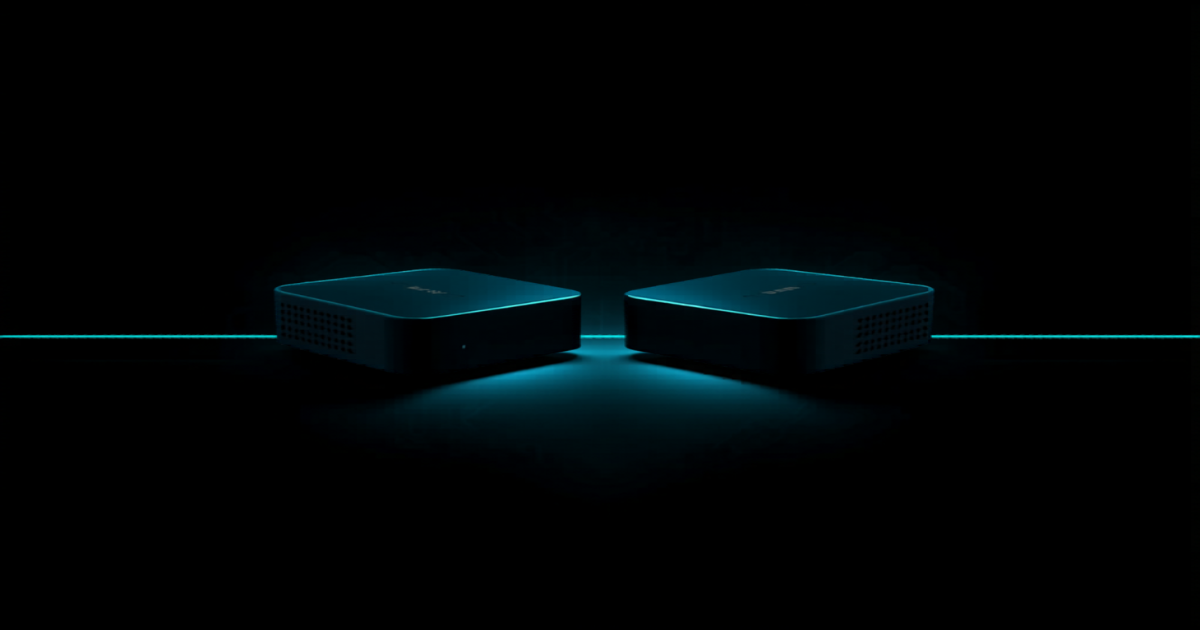
Beelink SER5 MAX (AMD Ryzen 7 5800H)
| Spec | Value |
|---|---|
| CPU | AMD Ryzen 7 5800H, 8C/16T, up to 4.4 GHz |
| TDP | 54W (upgraded from the standard 45W 5800H config) |
| RAM | 32 GB DDR4 |
| Storage | 1 TB NVMe M.2 2280 SSD |
| Networking | WiFi 6, Gigabit Ethernet |
| Bluetooth | BT 5.2 |
| Display | 4K triple output (HDMI + DP + USB-C) |
| Form Factor | Desktop mini PC, roughly 5” x 5” |
Two of these. That is your cluster. 64 GB total RAM, 16 cores / 32 threads, 2 TB NVMe. Quiet enough to sit on your desk.
Total hardware cost: under $700 for both units.
Compare that to a used R720 at $300+ that pulls 150W idle and sounds like a leaf blower. The math is not close.
Why Proxmox VE
Proxmox is a Type 1 hypervisorSoftware that creates and manages virtual machines by abstracting physical hardware resources and allocating them to isolated guest operating systems. Read more → built on Debian. KVMA Linux kernel module that turns the Linux operating system itself into a Type 1 hypervisor, enabling hardware-accelerated virtual machines. Read more → for full VMs, LXC for lightweight containers, and a web UI that does not make you want to throw your keyboard. Free tier is production-ready. No license keys, no feature gates.
What matters for this build:
- Native clustering with two or more nodes
- Live migration between nodes
- ZFSA combined filesystem and volume manager that provides built-in data integrity verification, snapshots, compression, and RAID-like redundancy. Read more → support for snapshots and replication
- Web management on portA numbered endpoint on a device that identifies a specific application or service, allowing multiple network services to run on the same IP address. Read more → 8006
- LXC containers that boot in seconds and use minimal overhead
If you have used ESXi, Proxmox is the same weight class without the licensing headache. VMware killed their free tier. Proxmox never had one to kill because the whole thing is free.
Cluster Architecture
Two Proxmox nodes on a dedicated management VLANA virtual local area network that segments a single physical switch into multiple isolated broadcast domains without needing separate hardware. Read more →. Nothing else lives on this segment.
PVE-01: 10.10.10.10  |  pve01.bytesnation.com:8006
PVE-02: 10.10.10.20  |  pve02.bytesnation.com:8006
Both nodes joined into a single Proxmox cluster. Corosync handles quorum and inter-node communication. With two nodes, quorum is the critical design decision.
The Two-Node Quorum Problem
In a standard three-node cluster, losing one node still leaves two votes. Quorum holds. With two nodes, losing one means the survivor has one vote out of two. That is not a majority. The cluster goes read-only. HA stops. VMs will not start.
Three options:
-
QDevice (recommended). A lightweight Corosync daemon running on a third machine (a Raspberry Pi, a NAS, an LXC containerA lightweight, portable package that bundles an application with its dependencies and runs in an isolated process on the host OS, sharing the kernel. Read more → on a different host). It acts as a tie-breaking voter. It does not run VMs or store data. It just votes. The QDevice must be physically separate from both nodes and reachable by both. If you put it on one of the nodes, you have solved nothing.
-
Manual quorum override. Set
expected_votesto 1 on the surviving node during an outage. This works but requires SSHA cryptographic protocol for secure remote login, command execution, and file transfer over an unsecured network. Read more → access and manual intervention. Not ideal at 2am. -
Accept the limitation. If HA is not critical and you are fine manually starting VMs after a node failure, skip the complexity.
For a homelab that runs real services, option 1 is the right call. A Raspberry Pi running the QDevice daemon costs $35 and eliminates the split-brain risk entirely.
Network Segmentation
This is not a flat network. Every workload type gets its own VLAN with firewallA security device or software that monitors and controls incoming and outgoing network traffic based on predefined rules. Read more → rules controlling east-west traffic.
| VLAN | ID | Subnet | Purpose |
|---|---|---|---|
| Management | 10 | 10.10.10.0/24 | Proxmox nodes, infrastructure management |
| Security Ops | 20 | 10.10.20.0/24 | Wazuh, security tooling |
| Workstations | 30 | 192.168.30.0/24 | User machines |
| IoT | 40 | 172.16.40.0/24 | IoT devices, fully isolated |
| Cameras | 50 | 192.168.50.0/24 | Surveillance, no internet egress |
| DMZ | 66 | 192.168.66.0/24 | Public-facing services |
| Lab | 99 | 192.168.99.0/24 | Hands-on testing and breakable things |
Core routing handled by a UniFi Dream Machine Pro. Inter-VLAN firewall rules enforce least privilege. The Proxmox management interface is only accessible from VLAN 10. Nothing else touches it.
If you are running a homelab on a flat network with everything on the default VLAN: fix that before you do anything else. Segmentation is not optional. It is baseline hygiene.
Installation
Download the Proxmox VE ISO. Flash it to USB with Balena Etcher or Ventoy. Boot from USB. Follow the installer. Set a static IP on the management VLAN.
Post-install on each node:
apt update && apt full-upgrade -yThen hit the web UI at https://<node-ip>:8006. Create the cluster on PVE-01:
pvecm create bytesnation-clusterJoin PVE-02:
pvecm add 10.10.10.10Verify:
pvecm statusYou should see two nodes, two votes, quorum achieved. The whole process takes about 20 minutes per node.
Proxmox community helper scripts can automate post-install housekeeping: removing the enterprise repo nag, enabling the no-subscription repo, disabling the subscription notice. Worth running on a fresh install.
Storage Strategy
Each node has 1 TB NVMe local storage. For this cluster size, local ZFS is the right call.
ZFS gives you:
- Copy-on-write snapshots (instant, zero-cost)
- Built-in compression (LZ4 default, roughly 1.5x space savings on VMA software-based emulation of a complete computer that runs its own operating system and applications, isolated from the host hardware. Read more → disks)
- Data integrity checksums on every block
- Replication between nodes for disaster recovery
One thing to know: ZFS is memory-hungry. The general guidance is 1 GB of ARC cache per 1 TB of storage. With 32 GB per node and 1 TB drives, you have plenty of headroom. But if you expand storage later, account for it or you will watch your VMs swap.
For bulk storage (media, backups, ISOs), a separate TrueNAS box handles that over NFS or SMB. The Proxmox nodes stay compute-focused.
Backup strategy follows 3-2-1: three copies, two different media types, one off-site. Proxmox Backup Server integrates natively and handles incremental, deduplicated backups. For off-site, Restic or Duplicati push encrypted snapshots to cloud storage.
What Runs on the Cluster
The cluster is not a science project. It runs real workloads.
Full VMs (KVM):
- Wazuh: XDR and SIEM for threat detection across the entire network
- GitLab: self-hosted source control and CI runners
- Fedora workstations: testing and development
LXC Containers:
- Nginx Proxy Manager: reverse proxy with automatic Let’s Encrypt SSL
- Docker host: runs lightweight containerized services
- K3s: single-node Kubernetes for orchestration experiments
- Dev/test environments that get rebuilt constantly
LXC containers are the force multiplier here. They boot in under a second, share the host kernel, and use a fraction of the resources a full VM needs. For anything that does not require a custom kernel or Windows, LXC is the move. A container running Nginx Proxy Manager uses about 128 MB of RAM. The equivalent VM would burn 512 MB minimum just on the OS.
Power and Thermals
Two Beelink SER5 MAX nodes under moderate load pull roughly 70 to 100W combined. The 54W TDP is per-node max, but sustained homelab workloads rarely pin the CPU. Real-world draw sits closer to 25 to 35W per node.
Compare that to a single rack server idling at 150 to 200W doing nothing.
No fans screaming. No dedicated cooling. No heat buildup in a closet. These sit on a shelf and do their job.
At $0.12/kWh, two Beelink nodes cost roughly $8 to $10 per month in electricity. A rack server idles at $15 to $20. Over a year, the savings cover a meaningful chunk of the hardware cost.
Lessons Learned
Start with VLANs. Retrofitting network segmentation after you have 20 services running is painful. Design your VLAN scheme before you deploy the first VM.
Plan quorum before you need it. A two-node cluster without a QDevice will bite you during the one outage you did not plan for. Spend the $35 on a Pi and set it up on day one.
LXC over VMs when possible. Every full VM you replace with an LXC container frees up RAM and CPU for workloads that actually need isolation. Most services do not.
ZFS replication is your safety net. Schedule replication jobs between nodes. If a drive fails, you have a recent copy on the other node ready to promote. This is not backup. This is continuity.
Document everything. Your future self at 2am troubleshooting a VLAN firewall rule will thank you. If it is not written down, it does not exist.
Bottom Line
You do not need enterprise hardware to run enterprise workloads at home. Two Beelink mini PCs, Proxmox VE, and deliberate network design give you a cluster that is silent, efficient, and capable of running security monitoring, source control, reverse proxies, and Kubernetes.
Total investment: under $700 in hardware and zero in software licensing.
Stop overbuilding. Start operating.