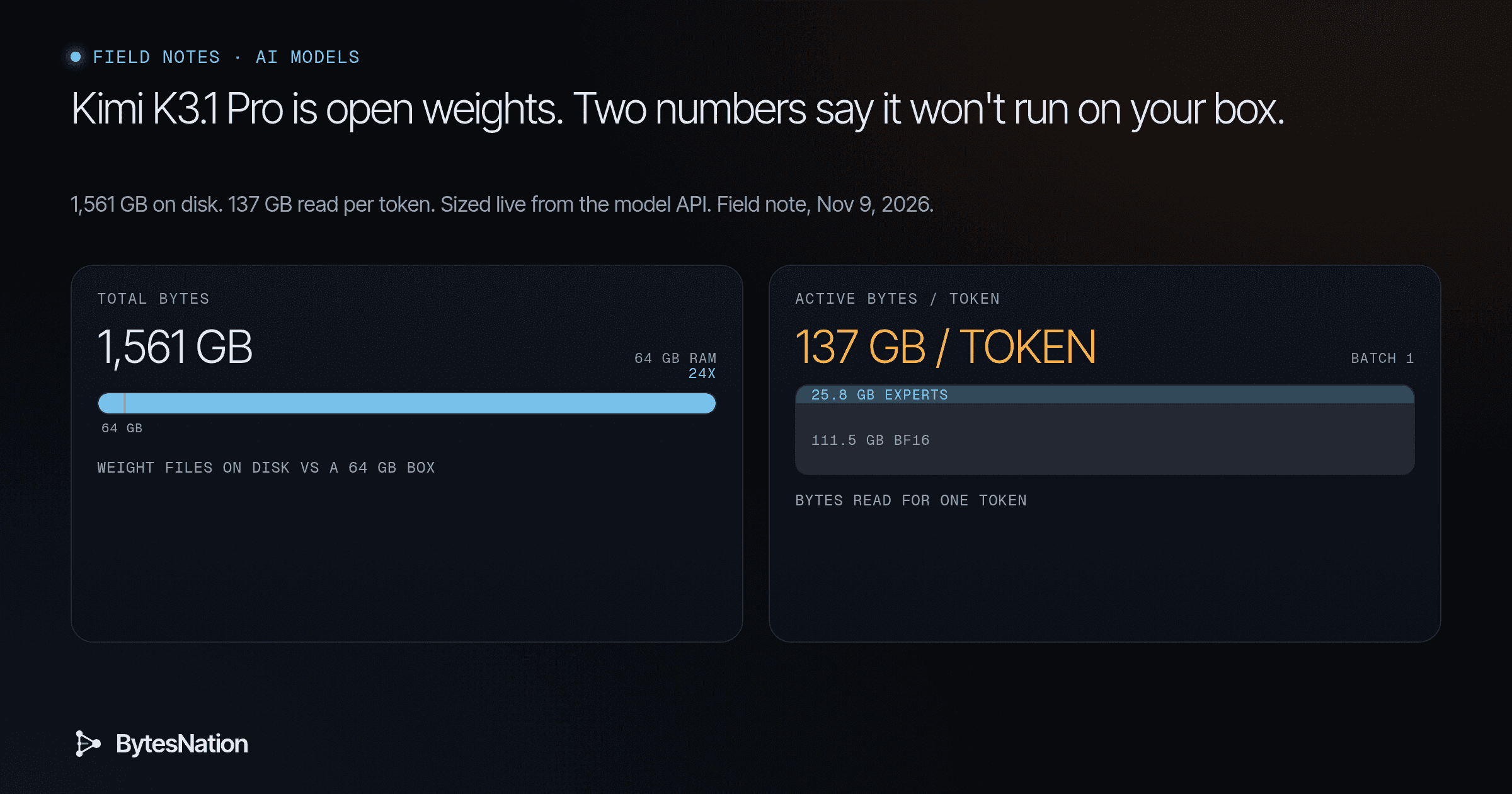
A field note on sizing a model before you download it. Every number below came from the Hugging Face APIA set of rules and protocols that allows different software applications to communicate with each other and share data or functionality. Read more → on our box the morning of Nov 9, 2026.
The short version
Moonshot AI put the full Kimi K3.1 Pro weights on Hugging Face. The repo was created Nov 2, the weights landed by the Nov 4 date the Kimi tech blog promised, and the Hacker News thread sat at 640 points and 191 comments this morning. The card lists 1,763 likes and 27,926 downloads.
“Open weights” gets read as “I can run it at home.” For this model, the file sizes say otherwise. The model card says so too, in its own way. Its deployment section points you to the Kimi API or to vLLM, SGLang and TokenSpeed. It says nothing about a laptop.
You do not need to trust me or the card on this. Two numbers tell you whether a model fits your machine, and you can pull both with a few free API calls. This note does that for Kimi, shows the real output, and then contrasts it with llama-modchip, a project that hit Hacker News on Sunday and runs a 284B model on a 64 GB CPUCentral Processing Unit: the chip that executes program instructions, measured by its cores, threads, clock speed, and cache. Read more → box. Same math, opposite answer.
Terms worth pinning down
Parameters. The learned numbers inside the model. Kimi K3.1 Pro has about 2.8 trillion.
TokenThe smallest unit of text that a language model processes, typically a word, part of a word, or a punctuation mark. Read more →. The unit a model reads and writes, usually a word or a piece of one. Speed is quoted in tokens per second.
Open weights. You can download those numbers and run them yourself. Kimi ships under a custom license named kimi-k3.1-pro, not Apache or MIT. More on that below.
Mixture-of-Experts, or MoE. Instead of one giant block that every token passes through, each layer holds many smaller “expert” blocks plus a router. The router picks a few experts per token. Kimi has 896 experts per MoE layer and picks 16 per token, plus 2 shared experts that always run.
Active parameters. How many parameters actually do math for one token. Kimi’s card says 104B active out of 2.8T total.
Think of a 2.8T MoE as a library with thousands of specialists. Each question only goes to a handful of them. You still have to house the whole building.
Quantization. Storing each weight in fewer bits. BF16 is 16 bits per weight. Kimi stores its expert weights in MXFP4, a 4-bit float format with one shared scale per block of 32 weights. The card says Moonshot used quantization-aware training, so the model learned to work at 4 bits. The 4-bit files are the intended format.
Shards. Big checkpoints split into many .safetensors files so downloads can resume and load in parallel. Kimi has 96.
KV cache. Memory the model keeps for every token of context so it doesn’t recompute the past. It grows with context length and with concurrent users. It sits on top of the weights.
Memory bandwidthThe maximum amount of data that can be transmitted over a network connection in a given period, typically measured in megabits or gigabits per second. Read more →. How many bytes per second your RAMRandom Access Memory: the fast, temporary working memory that holds the programs and data a computer is using right now, cleared when power is lost. Read more → or GPUGraphics Processing Unit: a processor with thousands of small cores built for parallel math, used for displaying graphics and increasingly for AI workloads. Read more → memory can feed the processor. For generating text one token at a time, this is usually the speed limit.
The two numbers that tell you if a model fits
- Total bytes on disk. That is your memory floor. The weights have to live somewhere fast, all of them, even the experts that sit idle most of the time.
- Active bytes per token. That is your speed ceiling. Each generated token has to stream those bytes through the processor.
Total params set the storage bill. Active params set the speed bill. Everything else, like context length, batch size and runtime overhead, adds to those two.
First step, on your own box
This is free, needs no account, and downloads nothing but JSONA lightweight, human-readable data format used to exchange structured information between systems, based on JavaScript object syntax. Read more →:
curl -s https://huggingface.co/api/models/moonshotai/Kimi-K3.1-Pro \
  | python3 -c "import json,sys;d=json.load(sys.stdin);print(d['safetensors'])"
Real output, Nov 9, 2026:
{'parameters': {'F32': 11122432, 'BF16': 57358410752, 'U8': 2722740830208}, 'total': 2780110363392}Then get the actual file sizes from the tree API:
curl -s "https://huggingface.co/api/models/moonshotai/Kimi-K3.1-Pro/tree/main" \
  | python3 -c "import json,sys;t=json.load(sys.stdin);s=[f['size'] for f in t if f['path'].endswith('.safetensors')];print(len(s),'shards',round(sum(s)/1e9,1),'GB')"
96 shards 1561.3 GBDivide that by your RAM or VRAM. You are done with the first question.
The full sizing run from our box
I wrapped those two calls in a short script that does the division for a few common machines and link speeds. It is in the article folder as src/kimi_math.py. It uses only the Python standard library. Here is the unedited output:
repo           moonshotai/Kimi-K3.1-Pro
license        other / kimi-k3.1-pro
total params   2,780,110,363,392
  U8           2,722,740,830,208  (97.94%)
  BF16         57,358,410,752  (2.06%)
  F32          11,122,432  (0.00%)
shards         96
weight files   1,561,293,160,568 bytes = 1,561.3 GB = 1,454.1 GiB
bits/param     4.49 (whole checkpoint, scales included)

fit check (weights only, no KV cache, no runtime overhead)
  64 GB RAM     24.4x too big
  128 GB RAM    12.2x too big
  24 GB GPU     65.1x too big
  80 GB GPU     19.5x too big

download time at full line rate
  100 Mbps    34.70 h
  300 Mbps    11.57 h
  1 Gbps       3.47 h
  10 Gbps      0.35 h
A 64 GB workstation is 24 times too small before you allocate a single token of context. A 24 GB gaming card is 65 times too small. Even the download is a project. On a 1 Gbps line running flat out it takes three and a half hours. On 100 Mbps you are looking at a day and a half.
The U8 count is not bytes
Look at that dtype breakdown again. Hugging Face reports 2.72 trillion parameters as U8. If you multiply by one byte you get 2.72 TB, which is wrong. If you take the 2.8T headline and multiply by half a byte for 4-bit, you get 1.39 TB, which is also wrong.
The API counts the logical 4-bit expert weights and labels them with the storage type of the packed tensor. Each byte holds two 4-bit weights, and every block of 32 weights carries a one-byte scale. That works out to 4.25 bits per expert weight. The 57B BF16 parameters cost 2 bytes each. Blend it all and the checkpoint averages 4.49 bits per parameter.
The operator rule is short. The param count tells you what the model is. The file sizes tell you what it costs. When they disagree, trust the bytes.
Where the active bytes actually live
The second number takes more work. The API does not tell you which tensors run for every token. The safetensors headers do. Each shard starts with an 8-byte length and a JSON header listing every tensor, its dtype, shape and byte range. You can read just that header with an HTTP range request.
The second script, src/kimi_active.py, does that for all 96 shards. It pulls about 76 MB of headers and no weights, buckets every tensor by name, and uses config.json for the expert counts. Real output:
experts per MoE layer 896, picked per token 16, MoE layers 92
  routed experts (MXFP4)                                        1446.5 GB
  always-on BF16 (attention, shared experts, router, lm_head)     111.5 GB
  embedding table                                                  2.3 GB
  vision tower                                                     0.9 GB
routed expert weights (logical) 2,722,740,830,208
MXFP4 bits per expert weight    4.250

active params per token (our estimate)  104.4 B   (card says 104B)
  routed experts touched                 25.8 GB
  always-on BF16 touched                111.5 GB
  weight bytes read per token, batch 1  137.3 GB
My estimate of the active parameters lands at 104.4B, which matches the card’s 104B. That tells me the bucketing is right.
Here is the part that surprised me. Our research brief’s back-of-envelope said 104B active at about 4 bits is roughly 52 GB per token. That assumes every active weight is 4-bit. It isn’t. Only the routed experts are MXFP4, and the 16 experts a token picks are just 25.8 GB. The parts that run for every token, meaning attention, the two shared experts, the router, the latent MoE projections and the output head, stay in BF16. The quant config lists them in its ignore list, and the vLLM recipe says the same thing in plain words. That always-on slice is 111.5 GB.
So one token at batch 1 reads about 137 GB of weights. The quick estimate was off by more than 2.5x, and only the headers showed it.
What 137 GB per token means for speed
Decode speed at batch 1 is roughly memory bandwidth divided by bytes per token. These are theoretical peaks, so real numbers come in lower.
- Dual-channel DDR5-5600 is 5600 MT/s x 8 bytes x 2 channels = 89.6 GB/s. That is about 1.5 seconds per token, if you could even hold 1.5 TB in a desktop. You can’t.
- A 12-channel DDR5-6000 server is 576 GB/s peak, so about 4 tokens per second at best. That box needs well over 1.5 TB of RAM, and the card lists vLLM, SGLang and TokenSpeed as the engines. llama.cpp is not on that list, so a CPU path is not a tested option today.
This is why MoE models feel fast on GPUs with high-bandwidth memory and crawl everywhere else. FLOPs are rarely the problem at batch 1. Bytes are. If memory stalls are new to you, our note on a CPU that says 100% while it waits on RAM walks through the same wall on a smaller scale.
Why batching changes the economics
The 111.5 GB of always-on BF16 gets read once per decode step no matter how many sequences share that step. Put 32 users in one batch and each of them pays a thirty-second of that read. The routed experts work differently. Each token picks its own 16 per layer, so the bigger the batch, the more of the 896 experts each step has to read.
That is most of the business case for an API provider. They keep the weights resident on a GPU node and spread every byte read across many users. You at home, generating for one person, pay the full 137 GB per token.
What the card actually recommends
The card’s deployment note gives two paths. One is the API at platform.kimi.ai, with OpenAI and Anthropic compatible endpoints. The other is self-hosting on vLLM, SGLang or TokenSpeed.
The API
The K3.1 Pro quickstart says the model “is unlocked after a successful top-up (minimum $1).” There is no free API tier for this model. BytesNation doesn’t pay for API calls in field notes, so I did not call it, and I have no latencyThe time delay between sending a request and receiving the first byte of the response, typically measured in milliseconds. Read more → or quality numbers of my own to show you. A few API details from the docs matter if you wire it into an agent:
- Thinking is always on.
reasoning_efforttakeslow,highormax, and the default ismax. temperature,top_pand several other sampling fields are fixed. Leave them out of requests.- On multi-turn and tool calls, send back the whole assistant message,
reasoning_contentandtool_callsincluded. The docs say not to keep onlycontent.
Self-hosting on rented nodes
The vLLM recipe baseline is one tensor-parallel group of 8 GPUs: two GB300 trays, one B300 node, or one MI355X node. The recipe lists 268 GB per B300 and 288 GB per MI355X. Do the multiplication:
- 8 x 268 GB = 2,144 GB on a B300 node
- 8 x 288 GB = 2,304 GB on an MI355X node
- Weights take 1,561 GB, which leaves roughly 580 to 740 GB for KV cache, activations and CUDA graphs
On 80 GB cards the weights alone need at least 20 GPUs, which means a third 8-GPU node before you budget any KV cache. The multi-node launch in the recipe needs InfiniBand between nodes. That is rented-cluster territory, not a rack in the basement.
The recipe also has real numbers on context. One InferenceX run quoted on the page reported about 2.8M tokens of FP8 KV cache on a single 8-GPU MI355X node at concurrency 1. With decode context parallelism, vLLM shards the attention cache across the 8 GPUs and holds about 7x the KV tokens of plain TP8, at the cost of 7 to 25% slower decode steps. Long-lived agent sessions and 1M-token prompts are where that trade pays off.
Whichever path you pick, pin the exact repo revision you validated. The repo’s lastModified was Nov 5, three days after creation. Weights repos do change.
The license is custom
The LICENSE file starts out MIT-like and then adds conditions. Read it yourself before commercial use. The parts a senior engineer will want to flag:
- If you or your affiliates run a “Model as a Service” business and your combined revenue tops $20M over any 12 months, you need a separate agreement with Moonshot before commercial use.
- If a commercial product built on it passes 100 million monthly active users or $20M in monthly revenue, you must display “Kimi K3.1-Pro” prominently in its UI.
- Internal use, defined as not exposing the model, its outputs or its capabilities to third parties, is exempt from both.
For a homelab or an internal tool, none of that bites. For a product, it is a legal review item, not an engineering one.
llama-modchip runs the same math the other way
On Nov 8, llama-modchip hit Hacker News as “284B DeepSeek on 64GB RAM, no GPU”. It had 436 points and 193 comments this morning. It is an Apache-2.0 set of llama.cpp kernelThe core of an operating system that runs with full hardware control and decides how every program gets CPU time, memory, and device access. Read more → patches and quantization tools. The repo has 654 stars.
The README’s headline numbers are the developer’s own. I have not reproduced them.
- DeepSeek-V4-Flash: 284.33B total, 13.17B active
- Squeezed to 56.56 GiB at an average of 1.71 bits per weight
- 57.61 to 58.9 GiB resident memory at 256K context, on a 64 GB Linux box with no swap
- 9.06 to 9.95 tokens per second decode with all 6 experts and up to 44.36 tokens per second prefill, on a 16-core Zen 5 Ryzen 9 9955HX
Run the same two-number test:
- Total. Kimi has 9.8x the parameters. Even at modchip’s 1.71 bits per weight, 2.78T parameters would be about 594 GB. That is still 9 times a 64 GB box, and no such Kimi checkpoint exists that I know of.
- Active. Kimi activates 104B per token against DeepSeek-V4-Flash’s 13.17B, which is 7.9x. And Kimi’s always-on slice ships in BF16, not 1 to 2 bits.
Same MoE math. modchip shrinks both numbers until they fit a desktop. Kimi’s numbers were sized for an 8-GPU node from the start.
Two caveats on modchip before you go buy RAM. First, 1.71 bits per weight is an aggressive trade. The README’s “lossless” claim compares the patched runtime against the unpatched one on the same 1-bit-class checkpoint. It is not a comparison against the original model. Second, the speed and quality numbers are self-reported on the author’s hardware. Treat them as a starting hypothesis and measure on yours. The README also lists 30B MoE models with about 3B active that run in 16 to 32 GB of RAM, and that is the realistic entry point for most home boxes.
How to use this on the next model
The next big open-weights release will spread the same way. Before you click download:
- Curl
/api/models/<repo>and readsafetensors.parameters. Note the dtypes. - Curl
/api/models/<repo>/tree/mainand sum the.safetensorssizes. Divide by your RAM or VRAM. - Read the card for total and active params, then find out which parts stay in high precision. The quant config’s
ignorelist or the safetensors headers will tell you. - Estimate bytes per token at batch 1 and divide your memory bandwidth by it. That is your best-case tokens per second.
- Check which engines the card lists. If your engine is not there, plan time for porting.
- Read the license file. “Open” covers a wide range.
If step 2 comes back 20x over, the answer is the API or a rented node. If it comes back under 1x with room for context, you have a weekend project.
No BNLC lesson covers model sizing yet. The two scripts in this note are the lab.
Sources
All pages read and API calls made on Mon Nov 9, 2026, between 7:40 and 8:00 AM ET.
- Moonshot AI, Kimi K3.1 Pro model card: architecture table, deployment section, quantization note.
- Hugging Face API: model metadata and file tree, plus safetensors headers from all 96 shards via range requests.
- config.json and LICENSE in the model repo.
- Moonshot AI, Kimi K3.1 Pro tech blog: availability and weights release date.
- Kimi API, K3.1 Pro quickstart: access requirements and request rules.
- vLLM, Kimi-K3.1-Pro recipe: baseline hardware, per-GPU memory, KV cache notes.
- Hacker News 50366999, posted Nov 4: 640 points, 191 comments via the Firebase API.
- synchopate, llama-modchip README, v2.4.0. Hacker News 50411961, posted Nov 8: 436 points, 193 comments.