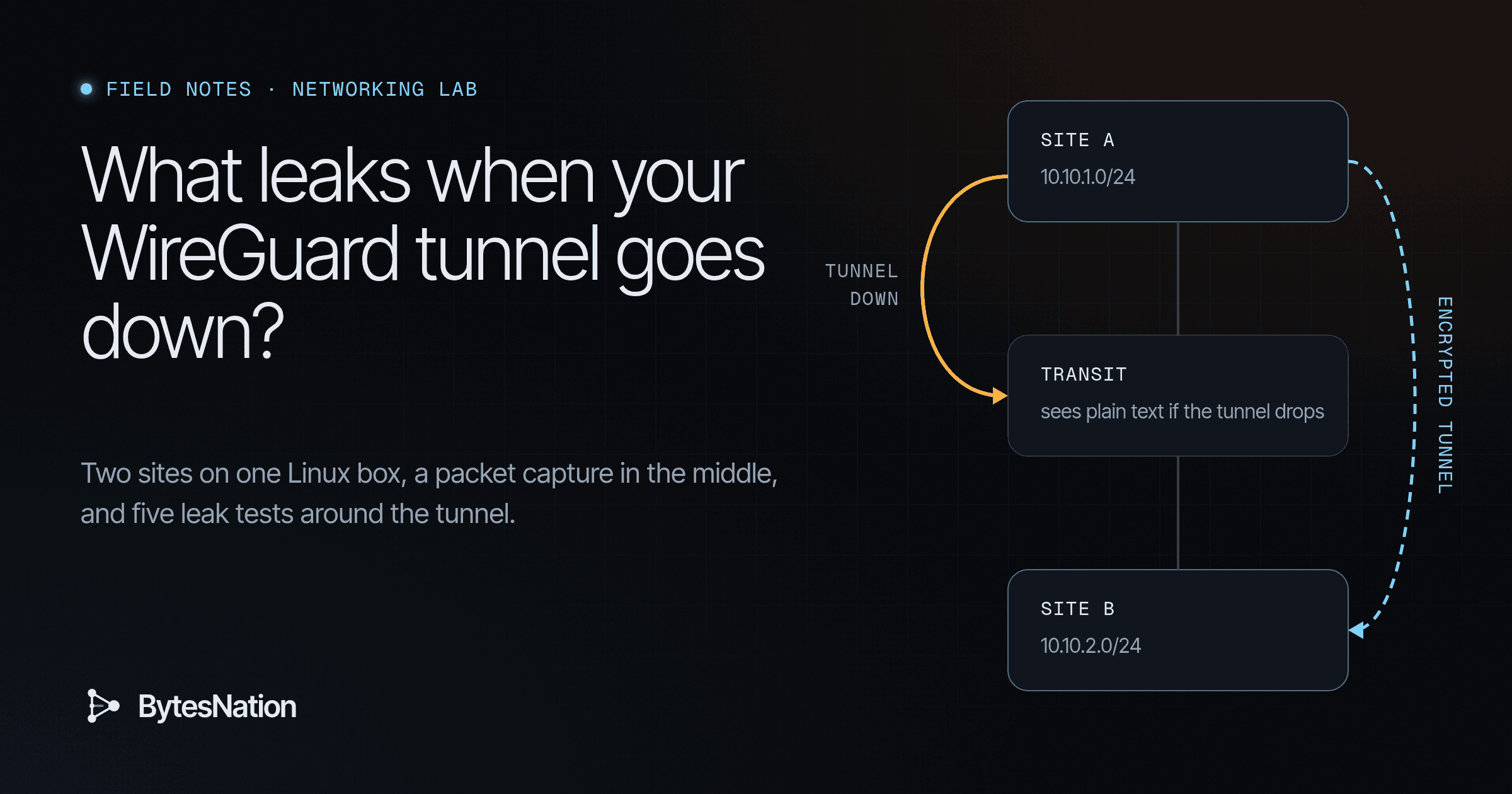
Most WireGuard guides stop at the first successful pingA tool that checks whether another device on a network is reachable and how long the round trip takes. Read more →. That proves the happy path. It says nothing about where your packets go when the interface is down, when the handshake fails, or when a lookup quietly goes to the ISP resolver. I wanted to see it on the wire, so I built two sites and an “internet” in network namespaces on one Linux box, put tcpdump in the middle, and sent a plaintext marker string through every failure I could think of. Everything below is the real output from that run on November 1, 2026. Nothing here touched a real network.
Concepts at a Glance
What You Will Build
- Three namespaces:
siteA,transitandsiteB, joined by two veth links, withtransitrouting between them like an ISP - A WireGuard site-to-site tunnel joining LAN 10.10.1.0/24 at site A and 10.10.2.0/24 at site B
- A tcpdump capture point on the transit side of site A’s uplink, the place an ISP would see
- Five leak tests: no tunnel, tunnel down, handshake failure, DNSThe system that translates human-readable domain names into IP addresses so devices can find each other on a network. Read more →, MTU
- An nftablesThe modern Linux kernel packet-filtering framework, managed with the nft command, replacing iptables. Read more → kill switch that went through three versions before it held
- A teardown that leaves the host as it was, checked afterwards
| Namespace | Interface | Address | Role |
|---|---|---|---|
| siteA | a-t | 192.0.2.2/30 | Site A uplink |
| siteA | lo | 10.10.1.1/24 | Site A LAN |
| siteA | wg0 | 10.99.0.1/30 | Tunnel |
| transit | t-a / t-b | 192.0.2.1/30, 198.51.100.1/30 | The internet, with a resolver on 192.0.2.1 |
| siteB | b-t | 198.51.100.2/30 | Site B uplink |
| siteB | lo | 10.10.2.1/24 | Site B LAN, resolver on 10.10.2.1 |
| siteB | wg0 | 10.99.0.2/30 | Tunnel |
The uplink addresses come from the RFC 5737 documentation ranges, so they can never collide with anything real.
Prerequisites
Parts and cost:
- One Linux host or VMA software-based emulation of a complete computer that runs its own operating system and applications, isolated from the host hardware. Read more → you can run sudoA Linux command that runs a single command with administrator (root) privileges, after checking that your account is allowed to do so. Read more → on. I used a Debian 13 VM with 8 vCPU and 15 GB RAM. The lab uses almost none of that.
- Kernel with the WireGuard module (in mainline since 5.6). Test with
sudo ip link add wgtest type wireguard && sudo ip link del wgtest - Cost: $0. Every tool is in the Debian archive.
Packages:
sudo apt install wireguard-tools nftables tcpdump tshark dnsmasq-base dnsutils netcat-openbsd iputils-ping
Required knowledge:
- Comfortable with
ip addr,ip routeand reading tcpdump output - You know what a WireGuard key pair and peer section look like
wireguard-tools v1.0.20210914, nftables v1.1.3, tcpdump 4.99.5, kernel 6.12.94. On Debian, nft lives in /usr/sbin, so a plain user shell may not find it. Run it through sudo.
Part 1: Build the Underlay
sudo ip netns add siteA; sudo ip netns add transit; sudo ip netns add siteB
sudo ip link add a-t netns siteA type veth peer name t-a netns transit
sudo ip link add b-t netns siteB type veth peer name t-b netns transit
sudo ip -n siteA addr add 192.0.2.2/30 dev a-t
sudo ip -n transit addr add 192.0.2.1/30 dev t-a
sudo ip -n siteB addr add 198.51.100.2/30 dev b-t
sudo ip -n transit addr add 198.51.100.1/30 dev t-b
for n in siteA transit siteB; do sudo ip -n $n link set lo up; done
sudo ip -n siteA link set a-t up; sudo ip -n siteB link set b-t up
sudo ip -n transit link set t-a up; sudo ip -n transit link set t-b up
sudo ip netns exec transit sysctl -w net.ipv4.ip_forward=1
sudo ip -n siteA route add default via 192.0.2.1
sudo ip -n siteB route add default via 198.51.100.1
What broke: no dummy interfaces
My plan was a dummy interface for each LAN. The kernel on this VM ships without that driver:
$ sudo ip -n siteA link add lanA type dummy
Error: Unknown device type.
$ sudo modprobe dummy
modprobe: FATAL: Module dummy not found in directory /lib/modules/6.12.94+
The fix was to put each LAN prefix on the namespace’s loopback. A /24 on lo makes the kernel treat every address in it as local, which is what a site gateway with a LAN behind it needs for this test.
sudo ip -n siteA addr add 10.10.1.1/24 dev lo
sudo ip -n siteB addr add 10.10.2.1/24 dev lo
Underlay check, site A to site B’s public address:
$ sudo ip netns exec siteA ping -c2 -W1 198.51.100.2
64 bytes from 198.51.100.2: icmp_seq=1 ttl=126 time=0.111 ms
64 bytes from 198.51.100.2: icmp_seq=2 ttl=126 time=0.042 ms
2 packets transmitted, 2 received, 0% packet loss, time 1021ms
Leak test 0: no tunnel at all
Start tcpdump on the transit side of site A’s link and leave it running for every test:
sudo ip netns exec transit tcpdump -i t-a -nn -U -w no-tunnel.pcapThen send a marker from LAN A to LAN B:
$ echo 'BN-MARKER-PLAINTEXT-01' | sudo ip netns exec siteA nc -u -w1 -s 10.10.1.1 10.10.2.1 9000
$ sudo tcpdump -nn -r no-tunnel.pcap
13:05:50.965806 IP 10.10.1.1.53594 > 10.10.2.1.9000: UDP, length 23
The packet never arrived, because transit has no route to 10.10.2.0/24. It still crossed the “ISP” link with the private addresses and the payload in clear text. Keep that in mind. Not delivered and not seen are two different things.
Part 2: Bring Up the Tunnel
umask 077
wg genkey | tee a.key | wg pubkey > a.pub
wg genkey | tee b.key | wg pubkey > b.pub
Site A’s config, wgA.conf. Site B’s mirrors it with the keys swapped, Endpoint = 192.0.2.2:51820 and AllowedIPs = 10.99.0.1/32, 10.10.1.0/24.
[Interface]
PrivateKey = <contents of a.key>
ListenPort = 51820

[Peer]
PublicKey = <contents of b.pub>
Endpoint = 198.51.100.2:51820
AllowedIPs = 10.99.0.2/32, 10.10.2.0/24
PersistentKeepalive = 25
I used wg setconf with plain ip commands rather than wg-quick, so every route is visible and nothing gets added behind my back:
sudo ip -n siteA link add wg0 type wireguard
sudo ip netns exec siteA wg setconf wg0 wgA.conf
sudo ip -n siteA addr add 10.99.0.1/30 dev wg0
sudo ip -n siteA link set wg0 up
sudo ip -n siteA route add 10.10.2.0/24 dev wg0 src 10.10.1.1
# same on siteB with its own file, 10.99.0.2/30 and a route to 10.10.1.0/24
Verification
$ sudo ip netns exec siteA ping -c3 -W1 -I 10.10.1.1 10.10.2.1
64 bytes from 10.10.2.1: icmp_seq=1 ttl=127 time=0.244 ms
3 packets transmitted, 3 received, 0% packet loss, time 2026ms

$ sudo ip netns exec siteA wg show
peer: +8Jo1XCzEHQYwOhfAgSEIXNj+HNCCmWo6a491Y5zxDg=
  endpoint: 198.51.100.2:51820
  allowed ips: 10.99.0.2/32, 10.10.2.0/24
  latest handshake: 5 seconds ago
  transfer: 676 B received, 752 B sent

$ sudo ip -n siteA link show wg0
3: wg0: <POINTOPOINT,NOARP,UP,LOWER_UP> mtu 1420 ...
What transit saw, with the marker sent through the tunnel:
$ sudo tcpdump -nn -r tunnel-up.pcap
13:05:55.150114 IP 192.0.2.2.51820 > 198.51.100.2.51820: UDP, length 128
13:05:55.150222 IP 198.51.100.2.51820 > 192.0.2.2.51820: UDP, length 128
...
13:05:57.192783 IP 192.0.2.2.51820 > 198.51.100.2.51820: UDP, length 96
$ sudo tcpdump -nn -A -r tunnel-up.pcap | grep -c BN-MARKER
0
Only UDP 51820 between the two public addresses, and zero copies of the marker. The sizes line up with the WireGuard paper. A ping is 84 bytes of inner IP. WireGuard pads that to a multiple of 16, giving 96, then adds a 16-byte header and a 16-byte authentication tag: 128. The 51-byte marker packet pads to 64 and goes out as 96. tshark decodes every one of these as message type 4, transport data. The handshake itself (types 1 and 2) is missing from this capture because PersistentKeepalive had already triggered it before I started tcpdump.
Part 3: The Leak Tests
Leak test 1: tunnel down
$ sudo ip -n siteA link set wg0 down
$ sudo ip -n siteA route get 10.10.2.1 from 10.10.1.1
10.10.2.1 from 10.10.1.1 via 192.0.2.1 dev a-t uid 0
$ echo 'BN-MARKER-PLAINTEXT-03' | sudo ip netns exec siteA nc -u -w1 -s 10.10.1.1 10.10.2.1 9000
$ sudo tcpdump -nn -A -r tunnel-down.pcap | grep -E 'IP |BN-MARKER'
13:06:11.521622 IP 10.10.1.1.46382 > 10.10.2.1.9000: UDP, length 23
....#(...FBN-MARKER-PLAINTEXT-03
This is the main lesson. When wg0 goes down, the kernel removes the route that pointed at it. The next best match is the default route, so the packet goes straight out the uplink in clear text. WireGuard did nothing wrong here. The interface wasn’t there to do anything. The Linux routing table did exactly what it is documented to do.
Kill switch v1: match the destination
table inet bn_ks {
  chain output {
    type filter hook output priority filter; policy accept;
    ip daddr 10.10.2.0/24 oifname != "wg0" counter drop
  }
}
sudo ip netns exec siteA nft -f killswitch-v1.nftWith the tunnel still down, the route still pointed at a-t, the marker went nowhere, and the capture was empty. The counter showed packets 1 bytes 51 drop. That passed. It also only protects the one prefix I remembered to list.
Leak test 2: DNS
I started a resolver in transit on 192.0.2.1 that answers nas.lab with 203.0.113.66, playing the ISP. A second one in site B on 10.10.2.1 answers with the real internal address, 10.10.2.50. Site A’s resolv.conf pointed at the ISP, which is what DHCP hands most routers.
sudo ip netns exec transit dnsmasq --no-resolv --no-hosts --listen-address=192.0.2.1 \
  --bind-interfaces --address=/nas.lab/203.0.113.66
sudo ip netns exec siteB dnsmasq --no-resolv --no-hosts --listen-address=10.10.2.1 \
  --bind-interfaces --address=/nas.lab/10.10.2.50
sudo mkdir -p /etc/netns/siteA && echo 'nameserver 192.0.2.1' | sudo tee /etc/netns/siteA/resolv.conf
Tunnel up, kill switch v1 loaded:
$ sudo ip netns exec siteA dig +short nas.lab
203.0.113.66
$ sudo tcpdump -nn -r dns.pcap 'port 53'
13:07:03.555979 IP 192.0.2.2.45168 > 192.0.2.1.53: 3720+ [1au] A? nas.lab. (48)
13:07:03.556174 IP 192.0.2.1.53 > 192.0.2.2.45168: 3720* 1/0/1 A 203.0.113.66 (52)
Two failures in one lookup. The name of an internal host went to the ISP in clear text, and the answer came back wrong. Kill switch v1 never fired, because the destination was 192.0.2.1, not anything in 10.10.2.0/24. The tunnel was healthy the whole time. Pointing dig at the site B resolver directly, @10.10.2.1, went through the tunnel and returned 10.10.2.50.
My first DNS test used dig -b 10.10.1.1, so the query carried the LAN source address. Transit had no route back to 10.10.1.0/24, the query timed out three times, and it would have been easy to write that down as “blocked”. The capture showed three plaintext A? nas.lab. queries leaving anyway. A real ISP router with NAT would have answered. I reran it from the uplink address, which is how a host normally sends a lookup, and got the result above.
Kill switch v2: allowlist the underlay instead
The lesson from DNS is to stop listing what to block. List the one thing the uplink is allowed to carry.
table inet bn_ks {
  chain output {
    type filter hook output priority filter; policy accept;
    oifname "a-t" ip daddr 198.51.100.2 udp sport 51820 udp dport 51820 accept
    oifname "a-t" meta l4proto icmp ip daddr 192.0.2.1 accept comment "allow next-hop ICMP so PMTU errors still work"
    oifname "a-t" counter drop
  }
  chain forward {
    type filter hook forward priority filter; policy accept;
    oifname "a-t" counter drop
  }
}
The forward chain covers traffic from real LAN hosts behind a router, which this lab doesn’t have but your site does. Results with v2 loaded: the tunnel ping worked, the ISP lookup timed out, the lookup to 10.10.2.1 returned 10.10.2.50, and with wg0 down the marker went nowhere. The transit capture held six packets, all UDP 51820. The drop counter read packets 2 bytes 127: the DNS query and the marker.
v2 had a mistake I caught while writing it up. The ICMP rule’s comment is wrong. Path MTU errors are ICMP messages coming in from the router, and an output chain never sees them. That rule only let site A send ICMP to its next hop, which nothing needed. I removed it in v3.
Leak test 3: handshake failure
To break the handshake I removed the kill switch completely (nft delete table inet bn_ks). That shows what WireGuard does on its own. On site B I replaced site A’s peer with a random public key, so B can no longer authenticate A.
$ sudo ip netns exec siteA ping -c4 -W1 -I 10.10.1.1 10.10.2.1
4 packets transmitted, 0 received, 100% packet loss, time 3075ms
$ sudo ip -n siteA route get 10.10.2.1 from 10.10.1.1
10.10.2.1 from 10.10.1.1 dev wg0 uid 0
$ sudo tcpdump -nn -A -r handshake-fail.pcap | grep -E 'IP |BN-MARKER'
13:08:14.096543 IP 192.0.2.2.51820 > 198.51.100.2.51820: UDP, length 148
No leak, even with no firewall at all. The interface is up, so the route still points into wg0. WireGuard holds packets for a peer it has no session with and sends a handshake initiation (type 1, 148 bytes of UDP payload). B drops it. The data never leaves in clear text. The failure is visible in wg show wg0 latest-handshakes, which kept the old 13:07:52 EST timestamp instead of moving forward.
One thing I can’t fully explain: in about nine seconds of capture I saw a single initiation. The paper says WireGuard retries every Rekey-Timeout, which is 5 seconds. A longer capture would settle it. Either way it doesn’t change the result.
Restoring B’s real config brought the handshake back at 13:08:21 EST and the ping recovered.
So “tunnel down” leaks and “tunnel broken” doesn’t. Which state you end up in depends on whether something takes the interface down. wg-quick’s down, a crashed service or a reboot before the unit starts all put you in the leaking case.
Leak test 4: MTU
I narrowed the transit to site B link to 1400 bytes, roughly what PPPoE or a cellular backhaul gives you, and left wg0 at its default 1420. A 1420-byte inner packet becomes 1480 bytes outside.
sudo ip -n transit link set t-b mtu 1400; sudo ip -n siteB link set b-t mtu 1400I expected a black hole. That isn’t what happened:
$ sudo ip netns exec siteA ping -c3 -W1 -M do -s 1392 -I 10.10.1.1 10.10.2.1
1400 bytes from 10.10.2.1: icmp_seq=1 ttl=127 time=0.504 ms
3 packets transmitted, 3 received, 0% packet loss
$ sudo tcpdump -nn -v -r mtu-1420.pcap
IP (tos 0x0, ttl 126, id 50597, offset 0, flags [+], proto UDP (17), length 1396)
    192.0.2.2.51820 > 198.51.100.2.51820: UDP, length 1452
IP (tos 0x0, ttl 126, id 50597, offset 1376, flags [none], proto UDP (17), length 104)
$ sudo ip netns exec transit nstat -az IpFragCreates IpFragOKs
IpFragOKs                       6
IpFragCreates                   12
The -M do flag sets Don’t Fragment on the inner packet. WireGuard’s outer UDP packets went out with DF clear, so transit fragmented each one into two pieces and site B put them back together. It worked, at the cost of twice the packets and a reassembly at the far end.
Plenty of real paths drop fragments: carrier NAT, some cloud edges, cheap firewalls. I simulated one in transit:
table ip transit_path {
  chain forward {
    type filter hook forward priority filter; policy accept;
    ip frag-off & 0x3fff != 0 counter drop comment "path that drops IP fragments"
  }
}
$ sudo ip netns exec siteA ping -c3 -W1 -M do -s 1392 -I 10.10.1.1 10.10.2.1
3 packets transmitted, 0 received, 100% packet loss
$ sudo ip netns exec siteA ping -c3 -W1 -s 56 -I 10.10.1.1 10.10.2.1
3 packets transmitted, 3 received, 0% packet lossThat’s the black hole. Small packets work and large ones disappear, with no error anywhere. It isn’t a confidentiality leak, but it’s the failure people blame on WireGuard most often.
The fix is to size wg0 for the smallest link: 1400 minus 60 bytes of IPv4 overhead is 1340. Use 80 if either endpoint might be IPv6.
$ sudo ip -n siteA link set wg0 mtu 1340; sudo ip -n siteB link set wg0 mtu 1340
$ sudo ip netns exec siteA ping -c3 -W1 -M do -s 1392 -I 10.10.1.1 10.10.2.1
ping: sendmsg: Message too long
$ sudo ip netns exec siteA ping -c3 -W1 -M do -s 1312 -I 10.10.1.1 10.10.2.1
1320 bytes from 10.10.2.1: icmp_seq=1 ttl=127 time=0.551 ms
3 packets transmitted, 3 received, 0% packet loss
$ sudo ip netns exec siteA ping -c3 -W1 -s 3000 -I 10.10.1.1 10.10.2.1
3 packets transmitted, 3 received, 0% packet loss
Now the error happens at the sender, loudly, where TCP can react to it. The 3000-byte ping is split into fragments inside the tunnel, each small enough to encrypt into one unfragmented outer packet, and the drop counter on transit didn’t move.
A detail worth knowing: at MTU 1420, a 1340-byte packet gets padded to 1344 and goes out as 1404 bytes, so it fragments too. At MTU 1340 it doesn’t, because the kernel caps padding at the interface MTU. That’s in calculate_skb_padding() in drivers/net/wireguard/send.c.
Part 4: The Final Kill Switch
#!/usr/sbin/nft -f
table inet bn_ks
delete table inet bn_ks
table inet bn_ks {
  chain output {
    type filter hook output priority filter; policy accept;
    oifname "a-t" ip daddr 198.51.100.2 udp sport 51820 udp dport 51820 accept
    oifname "a-t" counter drop
  }
  chain forward {
    type filter hook forward priority filter; policy accept;
    oifname "a-t" counter drop
  }
}
The table then delete table lines at the top make the file safe to load again. The first line creates the table if it’s missing, so the delete never fails.
Results
| Test | No kill switch | v1 (destination match) | v3 (underlay allowlist) |
|---|---|---|---|
| Tunnel up, LAN to LAN | Encrypted | Encrypted | Encrypted |
| Tunnel interface down | Plaintext on the wire | Dropped | Dropped |
| Handshake failure | Held in wg0, no leak | Held in wg0 | Held in wg0 |
| Lookup to ISP resolver | Plaintext on the wire | Plaintext on the wire | Dropped |
| MTU 1420 over a 1400 path that drops fragments | Large packets vanish | Same | Same, fixed by MTU 1340 |
Final run with v3: tunnel ping fine, internal lookup through the tunnel returned 10.10.2.50, ISP lookup timed out, a link-local IPv6 ping out the uplink was dropped, and with wg0 down the marker went nowhere. The capture had six packets, all UDP 51820. The drop counter read packets 3 bytes 231. The inet family is why one rule covers IPv4 and IPv6.
On a real gateway, a-t is your WAN. v3 as written blocks DHCP renewals, NTP, package updates and your own SSH to the box over that interface. Add explicit accepts for each of those before you deploy it, or the first lease renewal will drop the link. If your endpoint uses a dynamic address, use the fwmark method from the wireguard.com routing page below instead of a fixed IP.
wg-quick installs routes from AllowedIPs and, for a full tunnel, uses an fwmark and policy rules so packets that skip the tunnel get caught. The wg-quick(8) man page shows a kill switch built on that mark. Read what it actually installs with ip rule and nft list ruleset before you trust it. In a site-to-site setup like this one, with specific prefixes in AllowedIPs, nothing stops the tunnel-down fallback by default.
Teardown and Rollback
sudo kill $(cat /tmp/dns-transit.pid) $(cat /tmp/dns-siteB.pid)
sudo ip netns del siteA; sudo ip netns del siteB; sudo ip netns del transit
sudo rm -rf /etc/netns/siteA
Deleting a namespace destroys its interfaces, routes, WireGuard device and nftables tables with it. Checked afterwards:
$ ip netns list | wc -l
0
$ ip link | grep -cE 'wg0|a-t|t-a|b-t|t-b'
0
$ pgrep -a dnsmasq | wc -l; pgrep -a tcpdump | wc -l
0
0
$ sudo nft list ruleset | grep -c bn_ks
0
The host network was untouched throughout. Every address and rule lived inside the three namespaces.
Common Pitfalls
Capture on the transit side of the uplink. Capturing on wg0 shows plaintext by design, because that is the inside of the tunnel, and it will scare you for no reason.
A timeout means no answer came back. It doesn’t mean nothing left. Check the pcap every time.
In each chain, the first matching rule with a verdict wins. The accept for UDP 51820 has to come before the catch-all drop. nft -a list table inet bn_ks shows rule handles if you need to insert in a specific place.
Summary
A WireGuard tunnel is only as safe as the routing and firewall around it. In this lab, the tunnel itself never leaked: a broken handshake kept traffic inside wg0. Both real leaks came from Linux doing what it’s told. A route vanished and the default route took over. A resolver outside the tunnel answered a question it never should have heard. A destination-based kill switch caught the first leak and missed the second. An allowlist on the uplink caught both. Set the MTU from your smallest link, and confirm all of it in a packet capture, not with ping alone.
Sources
- WireGuard, “Quick Start”, wireguard.com/quickstart, accessed Nov 1, 2026
- WireGuard, “Routing and Network Namespace Integration”, wireguard.com/netns, accessed Nov 1, 2026 (fwmark and policy routing for leaks)
- Jason A. Donenfeld, “WireGuard: Next Generation Kernel Network Tunnel”, whitepaper, wireguard.com/papers/wireguard.pdf, draft revision e2da747 dated June 1, 2020, accessed Nov 1, 2026 (zero padding of the encapsulated packet, Rekey-Timeout)
- wg(8) and wg-quick(8) man pages, wireguard-tools v1.0.20210914, git.zx2c4.com/wireguard-tools (MTU auto-detection, kill switch example)
- Linux kernel source, drivers/net/wireguard/send.c,
calculate_skb_padding(), git.zx2c4.com/wireguard-linux, accessed Nov 1, 2026 - nftables wiki, “Quick reference: nftables in 10 minutes”, wiki.nftables.org, page last edited Apr 21, 2024, accessed Nov 1, 2026
- RFC 5737, “IPv4 Address Blocks Reserved for Documentation”, January 2010