Field notes · Security · Updated Nov 1, 2026
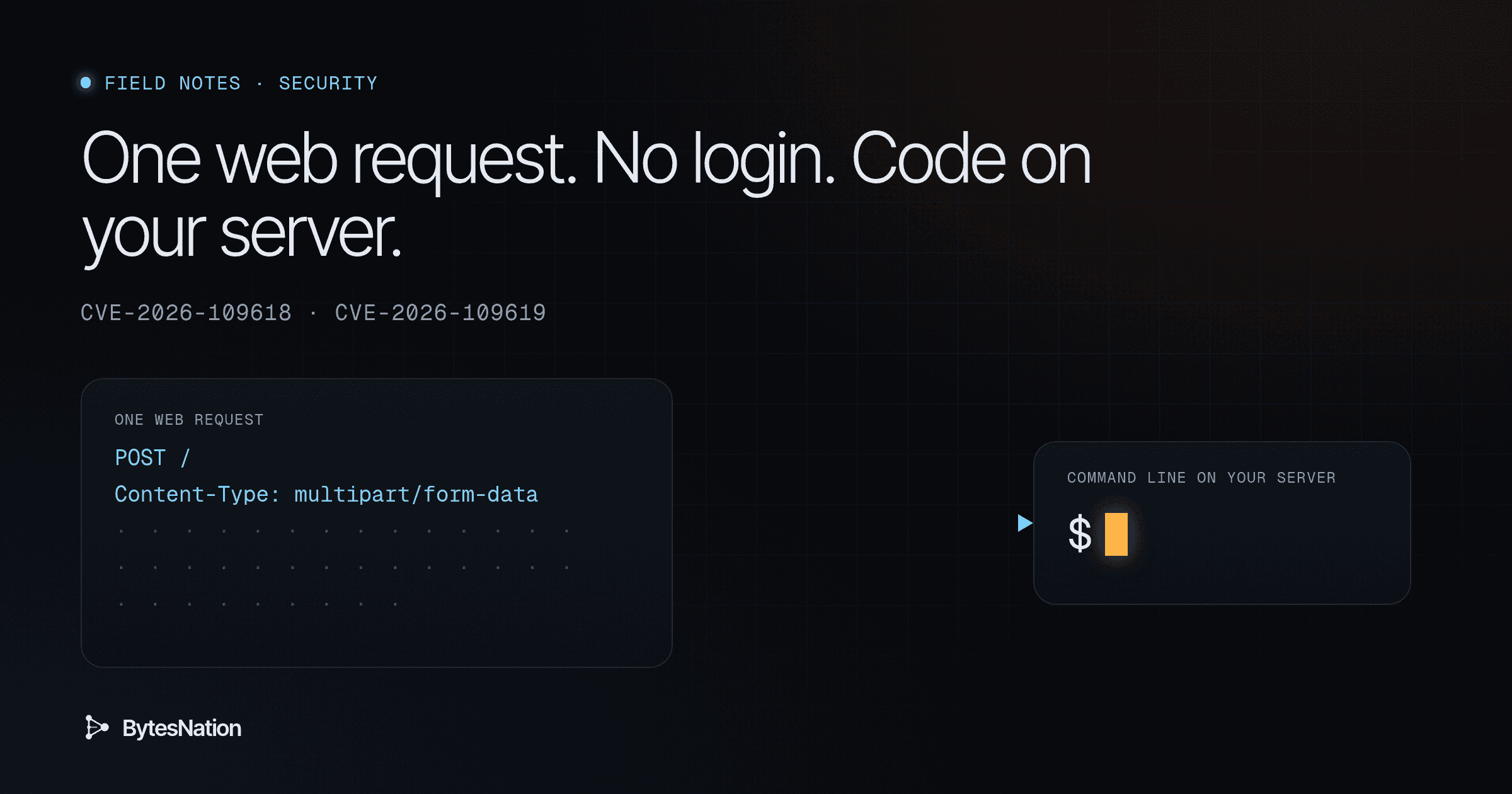
PHP fixed two bugs on Oct 21 that let a stranger run their own code on a web server. No account, no password, just web requests. Five days later CISA put both on its list of bugs attackers are using right now. If you run a WordPress site, a Nextcloud box, or any other PHP app on an old build, a bot can take it over.
The fix is a version upgrade: 8.2.35, 8.3.36, 8.4.27 or 8.5.12. The catch is that the PHP your web server runs is often not the PHP you see when you type a command. This note covers what the bugs do, which setups are most exposed, how to check the right PHP, and what PHP itself says to do if you can’t patch today.
Status in this note is as of Nov 1, 2026. Exploitation status, scores and vendor fixes change. Check the linked sources before you act on any line marked with a date.
The plain version
PHP is the language that builds a web page on the server before it reaches your browser. WordPress, Drupal, Nextcloud and a long list of hosting control panels run on it.
The researchers nicknamed these two bugs PHP2Shell. “ShellThe program that reads the commands you type, runs them, and shows the results; Bash is the default on most Linux systems. Read more →” means a command line on the server. Get one, and you can do anything the web server account can do.
Here is an analogy. A restaurant kitchen takes orders on a clipboard. If the clipboard overflows, the cook rips off the page and starts the next order. One of these bugs is like ripping the page halfway, so the next cook reads a mix of the old order and whatever an attacker scribbled on the scrap. The other bug is a sticky note one shift leaves on the counter that points at a drawer the next shift already emptied and refilled. Either way, the kitchen ends up cooking the attacker’s recipe.
Here is what that looks like in practice. Arctic Wolf Labs logged a request that ran id, printed the marker PHP2SHELL_CONFIRMED, moved to /tmp, and tried to download a file with wget from 92.118.112[.]100 (Arctic Wolf, Oct 22). In plain terms, a bot knocked, checked it was inside, then tried to bring in more tools. Do not visit that address.
If you pay for hosting, ask your host whether its PHP is on a fixed build. If you run your own server, keep reading.
Words you need
PHP. A programming language that runs on the server and produces web pages.
SAPI. Server APIA set of rules and protocols that allows different software applications to communicate with each other and share data or functionality. Read more →. The piece that connects PHP to a web server. Apache’s mod_php, PHP-FPM, FrankenPHP and LiteSpeed’s LSAPI are all SAPIs. The command line php is a SAPI too, called CLI.
Remote code execution (RCE). Someone on the internet makes your machine run their commands.
Unauthenticated. The attacker needs no account or password.
Out of memory (OOM). A program hits the memory cap it was given. CVEA standardized identifier for publicly known cybersecurity vulnerabilities, enabling organizations to track and prioritize security patches. Read more →-2026-109618 abuses what PHP does at that moment.
Use-after-free. A program keeps using memory it already gave back. If an attacker can place their own data in that memory first, they can steer the program.
CVE. The public ID number for a security bug.
KEV. CISA’s Known Exploited Vulnerabilities catalog. A bug lands there when CISA has evidence of real attacks. U.S. federal agencies must fix KEV entries by a due date.
Botnet. A crowd of hacked machines one attacker controls. Often used to flood other sites or spread malware.
This is not a zero-day anymore. The fix shipped before CISA confirmed attacks. The danger now is the gap between the fix and your server.
What the two bugs are
PHP published two advisories on Oct 21, 2026, both rated critical by PHP and both credited to the same group of reporters (GHSA-w8hw, GHSA-6wmf).
CVE-2026-109618, RCE via OOM corruption
PHP uses longjmp() to bail out when it runs out of memory. In some spots, request memory is reachable before it is fully set up. If any allocation fails right then, PHP jumps out and leaves that memory half built. Request shutdown later reads it and branches on it. That is the corruption.
The advisory lists ways to hit OOM while a request still looks like it is inside PHP’s limits:
- A multipart request with no usable declared content length can pass the first
post_max_sizecheck and keep sending decoded body data. - A single multipart part can carry an unlimited number of headers. PHP’s internal copy of those headers takes far more memory than the bytes on the wire.
- Empty file fields don’t count against
max_file_uploadsbut still build file metadata arrays. Nested field names multiply that work.
The fix removes longjmp() for OOM. PHP now does a soft stop at the next safe point, and a hard _exit() if memory crosses a second, higher threshold (GHSA-w8hw).
CVE-2026-109619, RCE via stale global state
A PHP worker keeps some global state between requests: error, session, object and extension state. Some of it points into memory owned by one request. If that request dies early, from a fatal error or OOM, the pointer is never reset. The worker frees the request memory and keeps the pointer. The next request on the same worker touches that stale pointer before normal setup replaces it. That is a use-after-free.
Exploiting it takes two steps. One request is the producer that leaves the stale state behind. A later request on the same worker is the consumer that reads it. PHP confirmed two consumers (GHSA-6wmf):
- A warning, notice or deprecation raised while INI settings are applied before request startup. It does not have to be displayed or logged.
- Session upload progress, which touches session state before normal session setup. It is on by default and needs no
session_start()in your code.
The strongest confirmed case is PHP 8.5 with fatal_error_backtraces enabled. That path is the basis of the confirmed mod_php exploit.
Which setups are most exposed
The SAPI decides how bad this is. PHP’s own analysis, from the two advisories:
| SAPI | CVE-2026-109618 (OOM) | CVE-2026-109619 (stale state) |
|---|---|---|
| Apache mod_php | Full RCE validated over HTTP with default input and memory limits. Triggers during body parsing, before any app code runs. | Confirmed RCE through both the backtrace and session upload paths. .htaccess and Apache php_value settings are applied early and can be the consumer. |
| PHP-FPM | Susceptible after normal startup, by source analysis. No complete FPM exploit shown. FPM kills a child whose startup fails, which blocks the pre-app path. | Session upload RCE validated against FPM, but it needs a suitable app operation. INI consumer applies only if the frontend sends PHP_VALUE or PHP_ADMIN_VALUE that raises a warning. |
| FrankenPHP | Likely susceptible, like mod_php, by source analysis. | No early INI consumer found in the default config. PHP says that does not make it immune. |
| LiteSpeed (LSAPI) | Behaves like FPM. App-specific exploits likely but unvalidated. | Conditional candidate through early environment INI values. |
Arctic Wolf also lists php-cgi among affected setups (Arctic Wolf, Oct 22). PHP’s advisories don’t call out php-cgi by name, so treat that as Arctic Wolf’s read.
In every case the code runs as the web worker account. That is usually www-data, apache or nginx, not root. Don’t relax because of that. That account can read your app’s database credentials and write anywhere the app can.
My take is that mod_php is the one to fix tonight. It is the only setup where PHP validated full RCE from a bare HTTP request with no help from the application.
Affected and fixed versions
Both advisories list the same ranges (GHSA-w8hw, GHSA-6wmf):
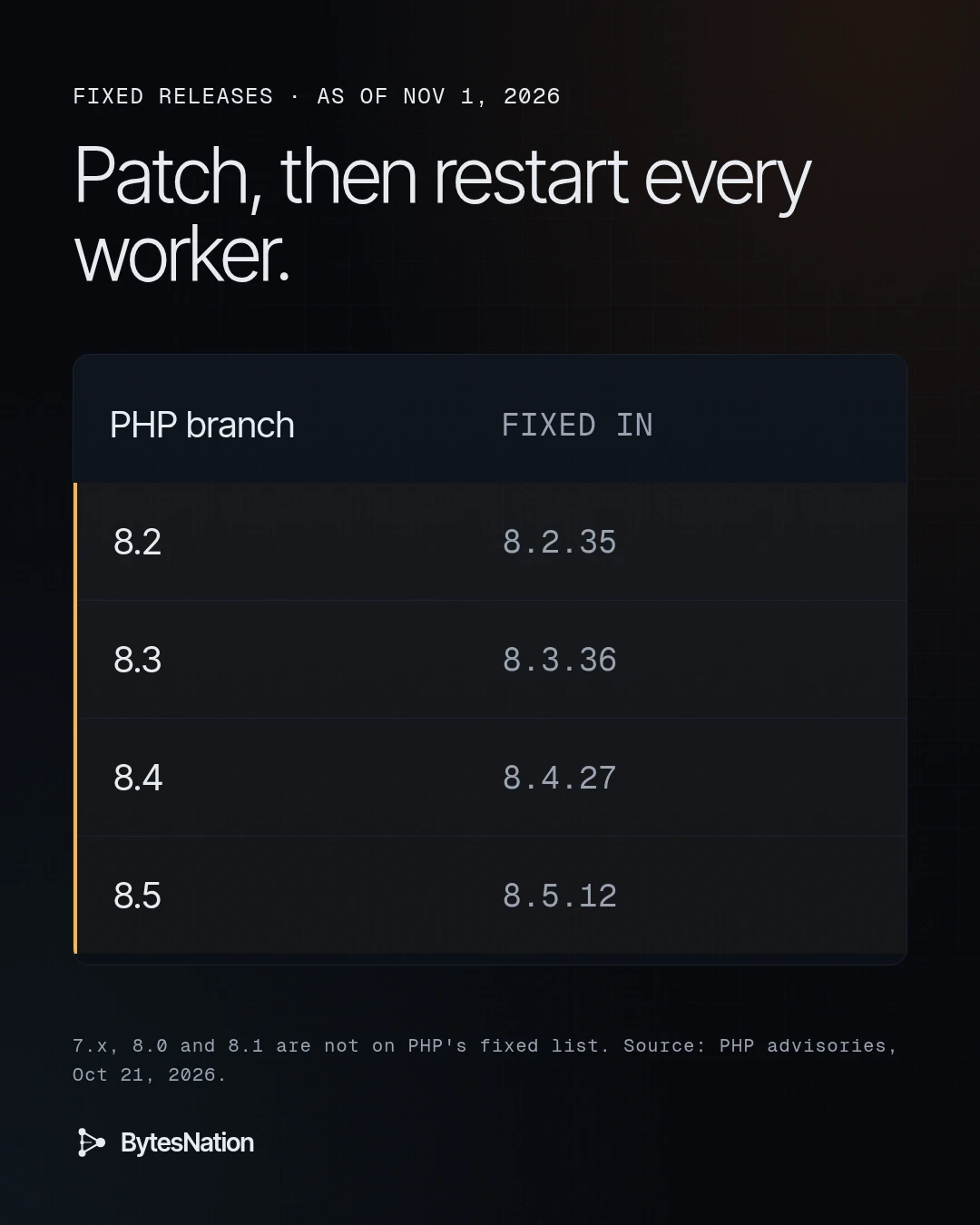
| Branch | Affected | Fixed in |
|---|---|---|
| 8.2 | below 8.2.35 | 8.2.35 |
| 8.3 | below 8.3.36 | 8.3.36 |
| 8.4 | below 8.4.27 | 8.4.27 |
| 8.5 | below 8.5.12 | 8.5.12 |
On dates. The advisories were published Oct 21, 2026. The PHP 8 ChangeLog dates all four releases Oct 22, 2026, and each lists both advisories under Core. Arctic Wolf writes that the PHP team released the updates on Oct 21. I go with php.net for the release date.
PHP 7.x, 8.0 and 8.1 are not in either advisory’s patched list. I found no primary source that says whether they are affected or will get a fix. If you run one of them, assume you are exposed and plan a branch upgrade.
Distro packages often backport fixes under their own version strings, so a Debian or RHEL PHP package can be fixed while showing an older upstream number. I did not verify distro, DockerA platform that packages applications into containers, providing a standardized way to build, ship, and run software consistently across any environment. Read more → image or NAS app status for this note. Check your vendor’s security tracker for both CVE IDs.
Scores and exploitation status
As of Nov 1, 2026:
- PHP, as the CNA, scores both bugs CVSS 4.0 9.2, vector
AV:N/AC:H/AT:P/PR:N/UI:N/VC:H/VI:H/VA:H/SC:N/SI:N/SA:N(GHSA-w8hw, GHSA-6wmf). Arctic Wolf repeats the 9.2. - NVD has added its own CVSS 3.1 scores. It lists 9.8 for CVE-2026-109618 and 8.1 for CVE-2026-109619. Both records still show the status “Undergoing Analysis” (NVD 109618, NVD 109619).
- CISA added both to KEV on Oct 26, 2026, with a federal due date of Oct 29 (CISA KEV). CISA also put out an alert on Oct 21 (CISA alert).
- Arctic Wolf Labs reported wide scanning and exploitation attempts soon after disclosure, including second-stage downloads (Arctic Wolf, Oct 22).
Arctic Wolf also tied the payload server to Potassium, which it calls a Mirai-derived botnetA network of compromised devices (bots) controlled remotely by an attacker to carry out coordinated attacks like DDoS, spam, or credential stuffing. Read more →. That link comes from Arctic Wolf alone, and Arctic Wolf itself says its telemetry did not show the PHP2Shell requests downloading or running those samples. Treat Potassium as a single-source report.
How to tell whether you are exposed
You need three answers. Which PHP version the web server runs. Which SAPI it uses. Which risky settings are live.
Step 1. The CLI version
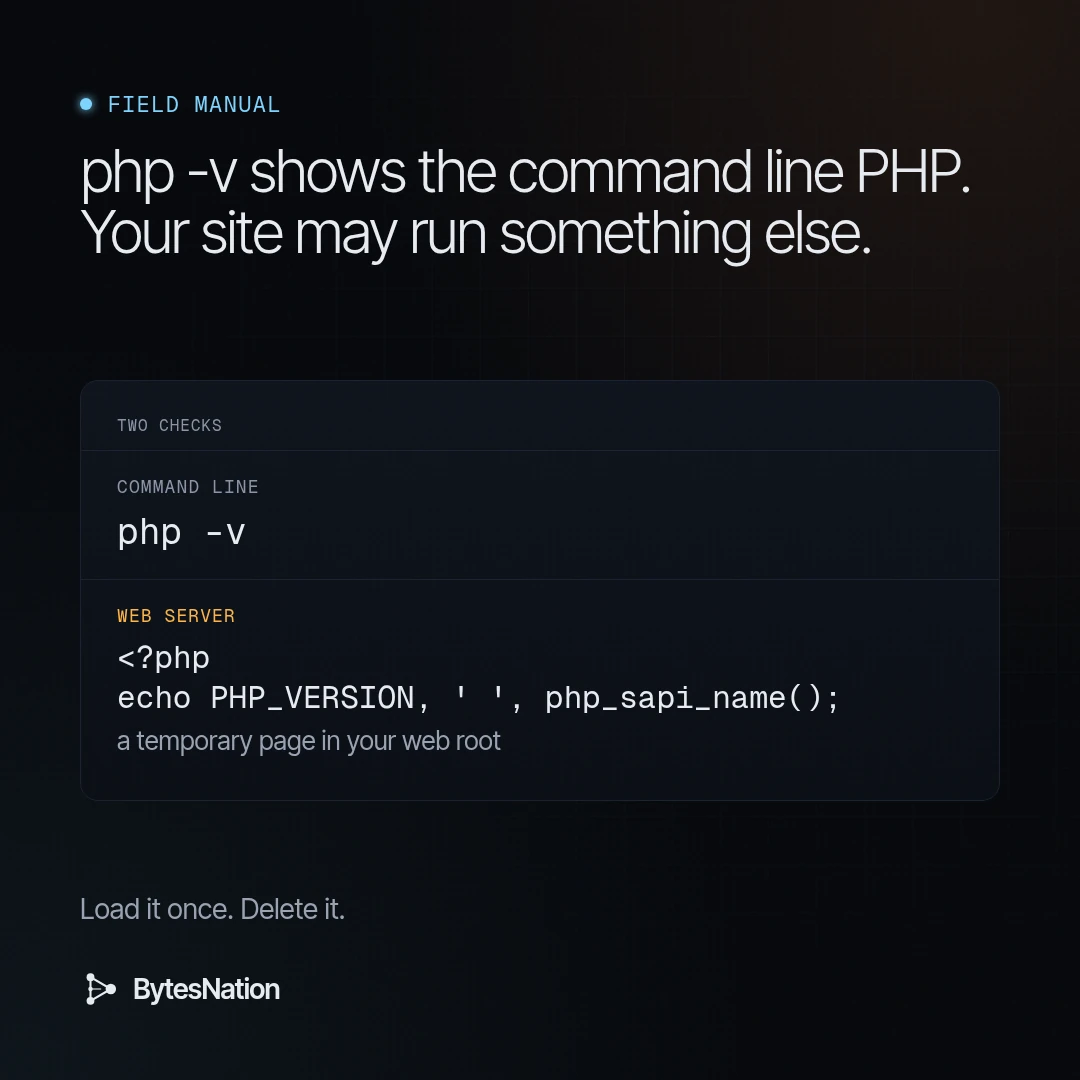
php -vThe PHP manual documents -v as printing the PHP version and the SAPI name. The SAPI it shows here is cli.
That number can be wrong for your website. A server can have several PHP builds side by side. Apache may load a different mod_php, FPM may run another package, and a containerA lightweight, portable package that bundles an application with its dependencies and runs in an isolated process on the host OS, sharing the kernel. Read more → has its own PHP. The CLI tells you about the CLI.
Step 2. The version the web server runs
Ask PHP from inside the web server. Drop a temporary file in the web root, load it once, then delete it.
<?php
echo PHP_VERSION, ' ', php_sapi_name();
PHP_VERSION is the running version as a string (PHP manual). php_sapi_name() returns the SAPI, such as apache2handler for mod_php, fpm-fcgi for FPM or litespeed (PHP manual).
You can use phpinfo() instead. It shows the version, the SAPI and the master and local value of every setting (PHP manual). It also dumps environment data and headers, so never leave it on a public site. Delete the file the minute you have your answer.
If you run several FPM pools or vhosts, check each one. They can point at different PHP builds.
Step 3. Settings that feed the second bug
GHSA-6wmf names ordinary INI settings that raise a warning before request startup and can act as the consumer. Look for these in php.ini, conf.d files, Apache php_value/php_admin_value lines, .htaccess files and any PHP_VALUE your nginx or proxy sends to FPM:
auto_detect_line_endings=1filter.defaultset to anything but the default- legacy
assert.*settings on 8.3 and later - legacy session settings on 8.4 and later
report_memleaks=0or a nonzerointl.error_levelon 8.5- any explicit
mbstring.http_input,mbstring.http_output,mbstring.internal_encoding,iconv.input_encoding,iconv.output_encodingoriconv.internal_encoding - invalid or conflicting
zend.assertions,memory_limitordate.timezone - malformed or overflowing sizes such as a bad
memory_limitor body size value, on 8.2 and later - log, mail, session or SOAP cache paths that
open_basedirrejects
The advisory is blunt about one thing. Turning off display_errors or log_errors, changing error_reporting, or using @ does not protect you. PHP touches the stale state before it decides whether to show the warning.
Grep for these. Search every config path for those names and clean out anything obsolete, even after you patch.
Patch first
GHSA-w8hw says updating to a patched release “is the only complete mitigation.” GHSA-6wmf says the same for its bug and adds that there is no complete configuration fix.
- Install a fixed build from your distro or from php.net.
- Restart every PHP worker. Apache with mod_php, every FPM pool, FrankenPHP, LiteSpeed. Running workers keep the old code in memory until they restart.
- Rebuild container images on a fixed PHP base and redeploy. Patching inside a running container is lost on the next restart. This step is my general practice, not from the advisory.
- Re-run Step 2 to confirm the web SAPI reports the fixed version.
Stopgaps if you cannot patch today
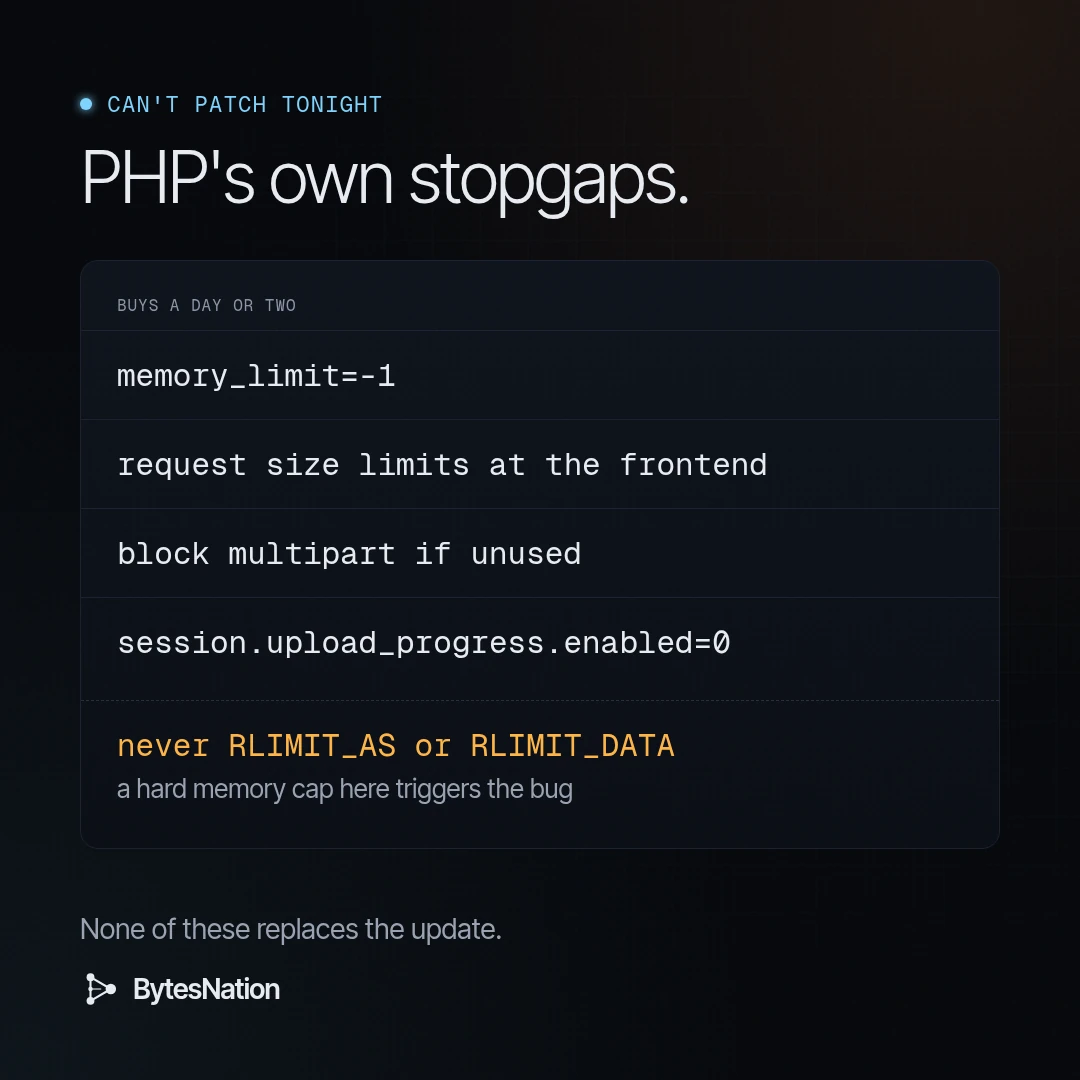
These come from PHP’s advisories. None of them is complete. Use them to buy a day or two.
For CVE-2026-109618
- Set
memory_limit=-1administratively. This removes the predictable per-request cap the confirmed exploit relies on. It is not complete, because anmmap()failure can still hit the badlongjmp()path. Restart every worker, then confirm no pool, directory or app setting brings back a finite limit. - Keep
post_max_sizelow and enforce the decoded request size at the frontend, in your reverse proxy or WAF. - Lower
max_input_nesting_level. Cap the number of input variables, multipart parts, headers per part and uploads. - If your app never takes multipart form data, block multipart requests at the frontend so they never reach PHP.
- A container or cgroup
memory.maxlimit can partly stand in formemory_limit. Know the cost. Killing a cgroup can take down the FPM master and every worker, unless each worker has its own group. - Do not use
RLIMIT_ASorRLIMIT_DATA. They makemmap()fail at the limit, which triggers the exact path you are trying to avoid.
For CVE-2026-109619
- On PHP 8.5, set
fatal_error_backtraces=0administratively and restart every worker. That removes the producer behind the confirmed RCE. - Set
session.upload_progress.enabled=0administratively and restart every worker. PHP suggests leaving it off after you patch, too, if you don’t use it. I agree. Few apps need it. - Remove INI settings that raise warnings before request startup. Prefer
php.iniand pool config over per-request overrides. - Kill fatal errors and timeouts that an attacker can reach on purpose.
- If performance allows,
pm.max_requests=1in FPM makes each worker serve one request, which breaks the producer and consumer chain. Expect a real CPU cost.
What each stopgap costs
memory_limit=-1 trades the RCE path for a memory exhaustion risk. One greedy request can now eat the box. Pair it with frontend size limits and a cgroup limit, or you have swapped one outage for another.
Blocking multipart breaks every upload form. Check before you flip it on a site with a media library.
pm.max_requests=1 means a process spawn for every request. Fine for a low-traffic admin panel. Painful for a busy shop.
Moving from mod_php to FPM shrinks the pre-app exposure. It does not fix either bug.
Finding every PHP you own
The hard part of this one is inventory. PHP hides in places people forget:
- base images in your registry that nobody has rebuilt since spring
- vendor appliances and NAS apps that bundle their own PHP
- the WordPress install from a client project in 2021
- control panels like the one your hosting reseller gave you
Siemens has already published product advisories that reference these CVEs, linked from the NVD records. Expect more vendor bulletins. Watch for them for any appliance with a web admin page.
PHP also suggests an audit. Turn on log_errors=On, a working error_log and error_reporting=E_ALL in startup config during an isolated test, then look for warnings that repeat before your scripts run, fatal errors and Maximum execution time exceeded. A clean log is not proof of safety. It only covers the routes you exercised.
What I would do this week
- List every host, container image and appliance that serves PHP. Mark the SAPI for each.
- Patch mod_php hosts first. Then FrankenPHP, then FPM and LiteSpeed.
- Restart workers and confirm the web SAPI version with
PHP_VERSION, notphp -v. - Where a patch must wait, apply the stopgaps above and write down which ones and why.
- Turn off session upload progress unless something needs it.
- Grep configs for the INI settings in Step 3 and clean them out.
- Check web logs for
PHP2SHELL_CONFIRMED, aphp2shell-scanuser agent and unexpected multipart posts withPHP_SESSION_UPLOAD_PROGRESS. Arctic Wolf saw all three (Arctic Wolf, Oct 22). If you find a hit on an unpatched box, treat it as compromised until you can prove otherwise. - If PHP sits behind a VPN or an internal-only network, it still goes on the list. Internal is not the same as safe.
Gotchas
php -vlying to you. The CLI and the web SAPI can be different builds. Always check from the web side.- Old workers. A package upgrade without a restart leaves the old code running.
- Distro version strings. A backported fix can carry an older upstream number. Check the vendor tracker by CVE ID.
- Hidden overrides. A
.htaccessfile or a proxyPHP_VALUEcan bring back a finitememory_limitor a warning-raising setting after you fixedphp.ini. - Silenced errors. Hiding warnings does not stop CVE-2026-109619.
RLIMIT_AS. It feels like a safe memory cap. Here it makes things worse.
Summary
| Question | Answer as of Nov 1, 2026 |
|---|---|
| What | Two unauthenticated RCE bugs in PHP, CVE-2026-109618 and CVE-2026-109619 |
| Exploited | Yes, per CISA KEV (added Oct 26) and Arctic Wolf |
| Fixed in | 8.2.35, 8.3.36, 8.4.27, 8.5.12 (php.net dates Oct 22) |
| Most exposed | Apache mod_php |
| Check | PHP_VERSION and php_sapi_name() from the web server, plus php -v for the CLI |
| Real fix | Upgrade and restart every worker |
| Stopgaps | memory_limit=-1, request size limits, block multipart if unused, session.upload_progress.enabled=0, fatal_error_backtraces=0 on 8.5, never RLIMIT_AS |
Build it, break it, write down what held.
Difficulty: Intermediate.
Environment: Any server running PHP for the web below 8.2.35, 8.3.36, 8.4.27 or 8.5.12.
Sources:
- PHP security advisory GHSA-w8hw-w9fx-j79w, RCE via OOM corruption (CVE-2026-109618)
- PHP security advisory GHSA-6wmf-4rv5-p3rp, RCE via stale global state (CVE-2026-109619)
- PHP 8 ChangeLog (8.2.35, 8.3.36, 8.4.27, 8.5.12)
- NVD, CVE-2026-109618
- NVD, CVE-2026-109619
- CISA Known Exploited Vulnerabilities catalog
- CISA alert, Critical Vulnerabilities in PHP Require Immediate Patching (Oct 21, 2026)
- oss-security, PHP advisory posts (Oct 21, 2026)
- Arctic Wolf Labs, PHP2Shell (Oct 22, 2026)
- PHP manual, command line options
- PHP manual, predefined constants (PHP_VERSION)
- PHP manual, phpinfo()
- PHP manual, php_sapi_name()