A field note for anyone who runs vCenter at work or in a VMUG lab. The versions and builds come from Broadcom’s advisory and KB articles. We did not run this exploit or test these steps in our lab, so this is a sourced walkthrough, not a lab test.
The short version
vCenter is the server that manages your ESXi hosts and every VMA software-based emulation of a complete computer that runs its own operating system and applications, isolated from the host hardware. Read more → on them. Whoever holds vCenter admin holds the whole cluster. That is why this one matters.
Broadcom’s VMSA-2026-0009, published Nov 19, 2026 and updated Nov 20, rates CVEA standardized identifier for publicly known cybersecurity vulnerabilities, enabling organizations to track and prioritize security patches. Read more →-2026-123890 Critical at CVSS 9.8. It is an authentication bypass in the VMware Directory Service. Anyone with network access to vCenter can skip the login. Mandiant found the bug and says the result is a session as administrator@vsphere.local. It also says the group it tracks as ARMORY CASTLE (formerly UNC5221) used it as a zero-day in early September 2026. CISA added it to the KEV catalog on Nov 20.
Broadcom lists no workaround. The patch is the fix. Until it is in, keep vCenter management off any network that does not need it.
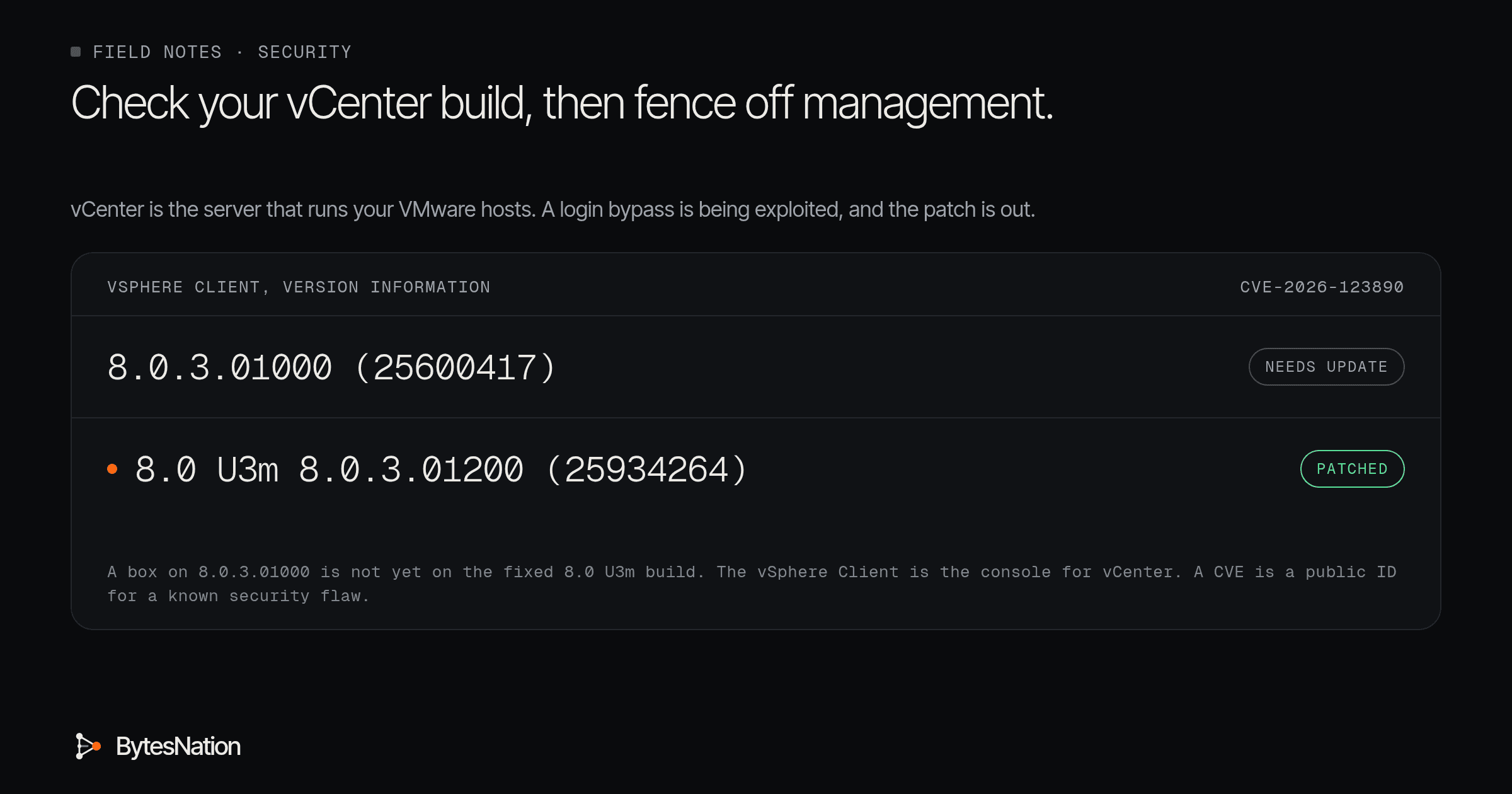
Your first step: open the vSphere Client, select your vCenter, open the Summary tab, and read the build under Version Information. Compare it to the fixed build for your branch below.
Who is affected
The VMSA FAQ says you are affected if you run any vCenter below the fixed versions. That covers standalone vCenter and vCenter inside VMware Cloud Foundation, vSphere Foundation, Telco Cloud Platform and Telco Cloud Infrastructure. ESXi itself is not affected. Not using Enhanced Linked Mode does not save you, because the bug is in vCenter itself. If you are unsure, Broadcom says to presume you are vulnerable.
Check your build
Broadcom KB 345263 gives two ways. In the vSphere Client, select the vCenter, open Summary, and read Version Information. Or log in to the appliance shellThe program that reads the commands you type, runs them, and shows the results; Bash is the default on most Linux systems. Read more → as root and run:
vpxd -vThe VAMI Summary page at portA numbered endpoint on a device that identifies a specific application or service, allowing multiple network services to run on the same IP address. Read more → 5480 also shows the appliance version, per KB 380386. The vSphere Client’s About box can show a different number. That is the client, not the appliance, so trust the appliance build. PowerCLI users can read $global:DefaultVIServer.Build after Connect-VIServer, per the FAQ.
Fixed versions and the patch path
From the VMSA response matrix, with build numbers from KB 326316:
- vCenter 9.1.x: 9.1.1.0200, build 25901347
- vCenter 9.0.x: 9.0.2.0200, build 25901331
- vCenter 8.0: 8.0 U3m, version 8.0.3.01200, build 25934264
- VCF 5.x: apply vCenter 8.0 U3m through the async patching process in KB 88287, and update SDDC Manager to 5.2.5
- Telco Cloud Platform and Telco Cloud Infrastructure: follow KB463116
Patches are cumulative, so newer builds also carry the fix. On 8.0 the fix is built on Update 3, so a U2 box has to move up. You can apply it from the VAMI. The FAQ says running VMs keep going while vCenter updates. You lose the vSphere Client for a short time.
One catch from FAQ question 39: 8.0 U3m and 9.0.2.0200 block upgrades to VCF 9.1.1 until 9.1.2 ships. If you are in the middle of an upgrade, read that answer before you pick a path.
The 7.0 reality
The VMSA lists vCenter 7.0 as affected. The fix column says to contact Broadcom Support if you have an extended support contract. vSphere 7 reached End of General Support on Oct 2, 2025, the FAQ says, so there is no public 7.0 patch. Mandiant also says the exploit tool works against 7.x and 8.x.
If you hold extended support, open the case today. If you do not, this is your upgrade project, and the fence below is your stopgap until it lands. Broadcom’s own advice for older versions is to move to VCF 9.1. Plan the upgrade now. Do not wait for a public 7.0 patch.
No workaround, so fence it
The VMSA workaround field says “None.” FAQ question 19 adds that perimeter and appliance firewalls may be compensating controls, and that each organization decides whether to rely on them. BleepingComputer reports the same: no official workaround, but network restrictions reduce exposure.
Mandiant’s write-up shows what to fence. The attackers scanned internal subnets for ports 443, 2012, 5480 and 9080. Mandiant calls port 2012 the control interface RPC for vCenter Single Sign-OnAn authentication scheme that lets users log in once and gain access to multiple independent systems without re-entering credentials for each one. Read more → and says the exploit goes through it. So:
- Allow 443, 5480 and 2012 on the vCenter appliance only from an admin jump host or management VLANA virtual local area network that segments a single physical switch into multiple isolated broadcast domains without needing separate hardware. Read more →, for example 10.0.50.0/24
- Block those ports from user, server, DMZ and guest networks
- Never publish vCenter to the internet
Check the VMware Ports and Protocols reference linked from the FAQ before you block anything between vCenter and its ESXi hosts, so you do not cut off host management. A fence shrinks who can reach the bug. It does not fix it.
Hunt before you call it done
A patch closes the hole. It does not remove an attacker who is already in, and it does not take back keys that already left.
Know where the file indicators live. Mandiant’s Table 3 lists /tmp/123 (BONESAW), /tmp/sss (SAWSNAKE), /tmp/dbr (BEARBONES) and /usr/bin/vmtoolscs (LAZYBONES). Those were found on internal Linux appliances the attackers used as a pivot, not on vCenter. Check the Linux boxes that can reach vCenter’s management ports:
ls -la /tmp/123 /tmp/sss /tmp/dbr /usr/bin/vmtoolscsA clean result proves little. Mandiant says the attackers deleted SAWSNAKE after use.
On vCenter itself, the narrative gives two hunting leads, not formal IOCs:
- SSO accounts in vsphere.local that nobody created. BONESAW creates an SSO admin account. In one case it was a local admin named sps-<redacted>@vsphere.local.
- SSHA cryptographic protocol for secure remote login, command execution, and file transfer over an unsecured network. Read more → turned on that nobody turned on. The attackers enabled it through the VAMI API with a PUT to /rest/appliance/access/ssh, then turned it off again.
If you find either one, treat it as an incident, not a patch job. Mandiant says BONESAW can pull the STS SAML signing key. SAWSNAKE then forges tokens that skip MFA. Bring in your incident response team and Broadcom support.
Why this jumped the queue
Broadcom calls the fix an emergency change, Mandiant documented real intrusions, and CISA gave federal agencies a due date of Nov 23, 2026. That date is not yours. The bug is the same. Check the build, patch or fence, and hunt.
Go deeper: how the bypass works, and what we could not confirm
Mandiant describes CVE-2026-123890 as an unauthenticated Secure Remote Password (SRP-6a) session key disclosure over DCE/RPC. It is in the vmdir RPC interface, and the rpc_srp_verifier service on port 2012 leaks a shared session key. That key lets an attacker build an authenticated session as administrator@vsphere.local without a password. CISA’s KEV entry classes it as CWE-288, authentication bypass using an alternate path or channel.
BONESAW can then copy the directory database (data.mdb), pull the STS signing key, create an SSO admin, and grant Global Administrator. Mandiant says the intrusion began with a BeyondTrust Remote Support zero-day and moved through a Linux appliance to vCenter, then ESXi.
Broadcom’s FAQ says this is a new issue, separate from CVE-2026-59309, and Mandiant says BONESAW ran against a vCenter already patched for that one.
Mandiant’s hardening table also suggests iptables inbound and egress DROP rules on the appliance and remote syslog. It strongly advises testing and change control before you use them in production. We have not tested those rules.
The VMSA itself does not say the bug was exploited. That evidence comes from Mandiant, and the KEV listing backs it. The same advisory fixes three SDDC Manager bugs and a VMware Tools for Windows bug, which are out of scope here.