A field note for anyone shopping for a homelab box, NAS or always-on server this week. The cost figures come from a small calculator we ran on our build box this morning. The idle readings come from published reviews, linked inline. We did not measure these devices ourselves.
The short version
A box that never sleeps spends most of its life doing almost nothing. A DNSThe system that translates human-readable domain names into IP addresses so devices can find each other on a network. Read more → filter, a Home Assistant host, a small file server: they sit idle most of the day. So the number that decides your power bill is idle watts, not the peak figure in a benchmark chart.
The math is one line:
dollars per year = idle watts x 8,760 hours / 1,000 x your price per kWhA watt is how fast a device uses power right now. A kilowatt-hour (kWh) is what your utility bills: 1,000 watts for one hour. A year has 8,760 hours, so every watt running all year is 8.76 kWh.
At the US average residential price for August 2026, 18.16 cents per kWh (EIA Electric Power Monthly, Table 5.6.A), every 10 watts of always-on draw costs about $15.91 a year.
Two real examples from published reviews. ServeTheHome measured the ASRock Industrial NUC BOX-358H at 4.2 W idle. It measured a Minisforum MS-01 at around 25 to 29 W idle. At the US average rate, that is about $6.68 a year against about $40 to $46 a year, for boxes that are mostly sitting there. Neither is wrong to buy. The MS-01 has a PCIePCI Express: the high-speed connection inside a computer that links the CPU to graphics cards, NVMe drives, network cards, and other expansion devices. Read more → slot and 10 GbE for a reason. The point is to know the running cost before the sale price makes the decision for you.
Your first step: plug your current box into a plug-in power meter, leave it idle for 10 minutes, and run the calculator below with that number.
When your idle number is double the review, check three things in order
This is the part reviews can’t do for you. Your box will not match the review exactly, and the gap is usually the configuration, not a bad unit.
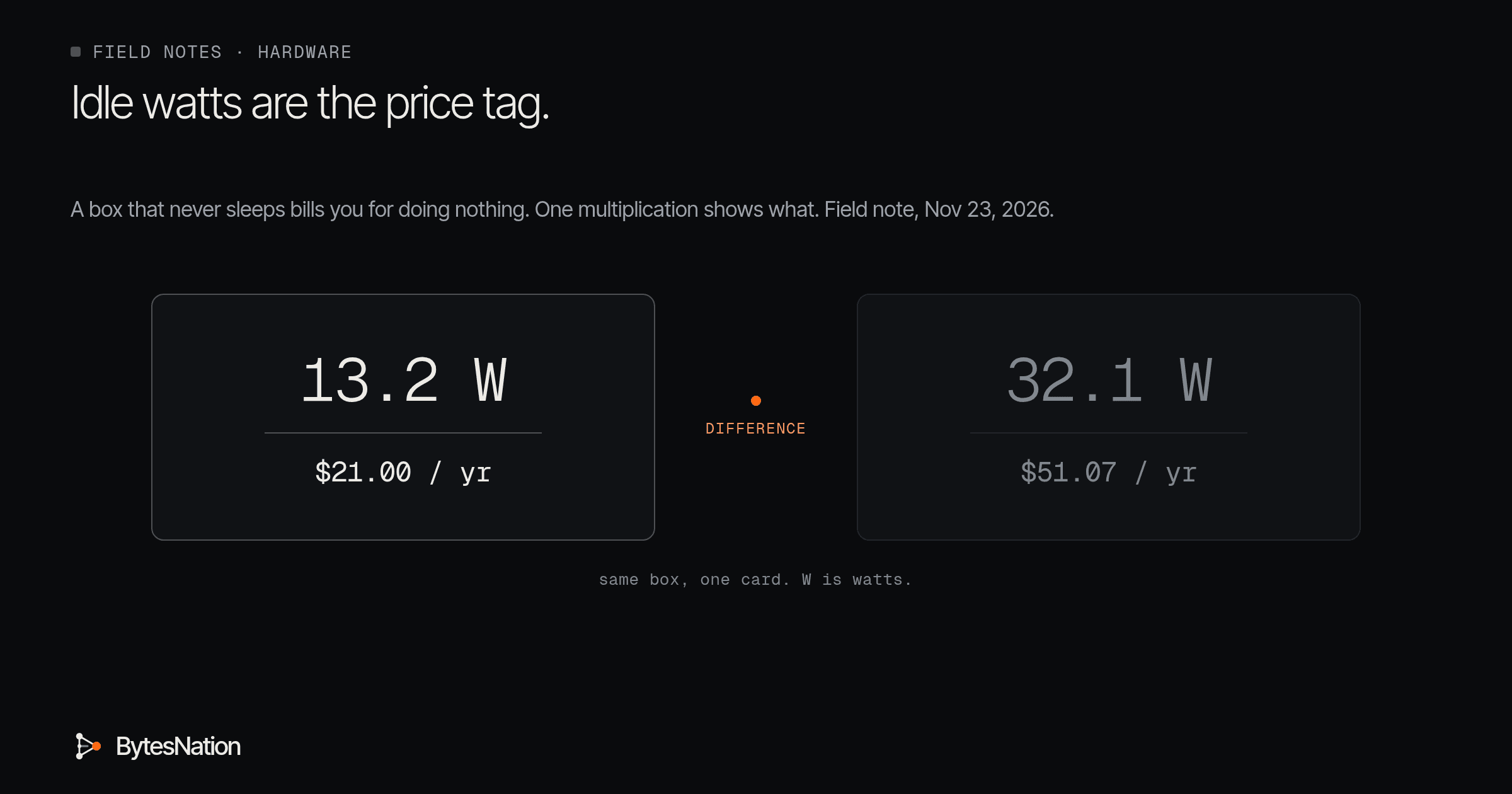
The best example is the same model measured twice. Scott Laird ran two MS-01 units and measured idle at the wall with a managed PDU. His 12600H unit drew 32.1 W with an add-in Mellanox network card installed and 13.2 W with it removed. Same model, one card, about 2.4 times the power. He also notes that the fiber link on one unit should have added about 6 W compared with DAC cables, so write down every cable and card when you compare readings.
That gap is worth about $30 a year at the US average rate. So when your reading looks high, work from the cheapest suspect to the most expensive:
- Add-in cards and attached devices. A PCIe network card, a discrete GPUGraphics Processing Unit: a processor with thousands of small cores built for parallel math, used for displaying graphics and increasingly for AI workloads. Read more → or a USB stick can keep the whole system out of its deepest sleep states. Pull it, or unplug it, and measure again. The number13.de review of a NiPoGi E1 (Intel N150) on Proxmox shows small add-ons moving the needle: 4.6 W with no VMs running, 5 to 6 W with Home Assistant, 7 to 8 W with an active Zigbee stick.
- Disks that never spin down. A hard drive spinning 24/7 adds its own idle draw on top of the box. Check whether your drives ever reach standby. If they don’t, look for the process that keeps waking them, such as a log writer or a SMART poll.
- Power settings. BIOSBasic Input/Output System: the original PC firmware standard that tests hardware and boots from a disk's first sector, now replaced by UEFI. Read more → power limits, a “performance” power plan, or deeper CPU sleep states (C-states) and PCIe link power saving (ASPM) turned off in firmware. Change one setting at a time and measure after each change, so you know which one did it.
Change one thing, wait for the reading to settle, write it down. That’s the whole method. If you change three things at once and the number drops, you’ve learned nothing about which one mattered.
Measure at the wall, not in software
Linux can report CPU power through RAPL (Running Average Power Limit) in the powercap interface. It’s useful, but the kernel powercap docs describe it as covering power zones such as the CPU package, cores and DRAM. That leaves out the power supply, fans, disks and network cards. Your utility bills the wall, so measure the wall.
A fair reading:
- Plug the box into a plug-in power meter.
- Boot it, let it settle for 10 minutes with your normal services running and nobody using it.
- Write down the reading and what was attached: disks, cards, USB devices, monitor.
Run the calculator
The calculator is about 40 lines of Python with no dependencies. Give it your watts, and optionally your rate in cents per kWh from your bill or from the EIA table:
python3 idle_cost.py 13.2 29.75We ran it on our build box (Python 3.13.5) on Nov 23, 2026. At the US average rate:
- 5 W: 43.8 kWh, about $7.95 a year
- 10 W: 87.6 kWh, about $15.91 a year
- 20 W: 175.2 kWh, about $31.82 a year
- 40 W: 350.4 kWh, about $63.63 a year
- 80 W: 700.8 kWh, about $127.27 a year
Your state’s rate changes the answer a lot. In the same EIA table, August 2026 residential prices were 29.75 cents in California and 15.91 cents in Texas. The same 32.1 W box costs about $83.66 a year in California and about $44.74 a year in Texas.
What to do with the number
Compare boxes by watts per service you actually run, not by the box. Three old machines idling at 20 W each cost about $95 a year at the US average. One small box idling at 15 W that runs all three workloads costs about $24. That consolidation saves more than most Black Friday discounts.
And if the box you already own looks expensive, try the three checks above before you buy anything. It’s the same habit as our zram before you buy RAM note: measure first, then spend.
Go deeper: the calculator script and our run
The full script ships with this note as idle_cost.py. Run it with no arguments for the table at the US average rate, one argument for your box’s watts, or two for watts and your rate in cents.
Our run, Nov 23, 2026:
$ python3 idle_cost.py
Rate: 18.16 cents/kWh
     5 W     43.8 kWh/yr  $   7.95/yr  $   39.77 over 5 yrs
    10 W     87.6 kWh/yr  $  15.91/yr  $   79.54 over 5 yrs
    20 W    175.2 kWh/yr  $  31.82/yr  $  159.08 over 5 yrs
    40 W    350.4 kWh/yr  $  63.63/yr  $  318.16 over 5 yrs
    80 W    700.8 kWh/yr  $ 127.27/yr  $  636.33 over 5 yrs

$ python3 idle_cost.py 13.2
  13.2 W    115.6 kWh/yr  $  21.00/yr  $  104.99 over 5 yrs
$ python3 idle_cost.py 32.1
  32.1 W    281.2 kWh/yr  $  51.07/yr  $  255.33 over 5 yrs
$ python3 idle_cost.py 32.1 29.75
  32.1 W    281.2 kWh/yr  $  83.66/yr  $  418.28 over 5 yrs
$ python3 idle_cost.py 32.1 15.91
  32.1 W    281.2 kWh/yr  $  44.74/yr  $  223.69 over 5 yrs
What we could not test: our build box is a cloud VM with no /sys/class/powercap, so there is no live RAPL reading here, and we did not own or meter any of the reviewed devices. Every idle figure above comes from the linked review.
Things the calculator leaves out on purpose: time-of-use rates, tiered pricing, and the extra load an always-on box puts on cooling in summer. If your bill uses tiers, use the rate for the tier you usually land in.
Sources: EIA Table 5.6.A (August 2026 data, released Oct 23, 2026), ServeTheHome NUC BOX-358H, ServeTheHome MS-01, Scott Laird, MS-01 power use, number13.de NiPoGi E1, Linux powercap docs.
Scripts
src/idle_cost.py
#!/usr/bin/env python3
"""idle_cost.py: what an always-on box costs per year at its idle draw.

Usage:
  python3 idle_cost.py                 # table at the US average rate
  python3 idle_cost.py 13.2            # one box, US average rate
  python3 idle_cost.py 13.2 29.75      # one box, your rate in cents per kWh

Default rate: 18.16 cents/kWh, US average residential, August 2026,
EIA Electric Power Monthly Table 5.6.A (released Oct 23, 2026).
No dependencies. Python 3.8+.
"""
import sys

US_AVG_CENTS = 18.16
HOURS_PER_YEAR = 8760


def yearly(watts, cents):
    kwh = watts * HOURS_PER_YEAR / 1000
    return kwh, kwh * cents / 100


def row(watts, cents):
    kwh, dollars = yearly(watts, cents)
    return f"{watts:>6g} W  {kwh:7.1f} kWh/yr  ${dollars:7.2f}/yr  ${dollars * 5:8.2f} over 5 yrs"


def main(argv):
    cents = float(argv[2]) if len(argv) > 2 else US_AVG_CENTS
    print(f"Rate: {cents:g} cents/kWh")
    watts_list = [float(argv[1])] if len(argv) > 1 else [5, 10, 20, 40, 80]
    for w in watts_list:
        print(row(w, cents))


if __name__ == "__main__":
    main(sys.argv)
src/run-2026-11-23.txt
$ python3 idle_cost.py
Rate: 18.16 cents/kWh
     5 W     43.8 kWh/yr  $   7.95/yr  $   39.77 over 5 yrs
    10 W     87.6 kWh/yr  $  15.91/yr  $   79.54 over 5 yrs
    20 W    175.2 kWh/yr  $  31.82/yr  $  159.08 over 5 yrs
    40 W    350.4 kWh/yr  $  63.63/yr  $  318.16 over 5 yrs
    80 W    700.8 kWh/yr  $ 127.27/yr  $  636.33 over 5 yrs

$ python3 idle_cost.py 4.6
Rate: 18.16 cents/kWh
   4.6 W     40.3 kWh/yr  $   7.32/yr  $   36.59 over 5 yrs
$ python3 idle_cost.py 13.2
Rate: 18.16 cents/kWh
  13.2 W    115.6 kWh/yr  $  21.00/yr  $  104.99 over 5 yrs
$ python3 idle_cost.py 32.1
Rate: 18.16 cents/kWh
  32.1 W    281.2 kWh/yr  $  51.07/yr  $  255.33 over 5 yrs

$ python3 idle_cost.py 32.1 29.75
Rate: 29.75 cents/kWh
  32.1 W    281.2 kWh/yr  $  83.66/yr  $  418.28 over 5 yrs
$ python3 idle_cost.py 32.1 15.91
Rate: 15.91 cents/kWh
  32.1 W    281.2 kWh/yr  $  44.74/yr  $  223.69 over 5 yrs