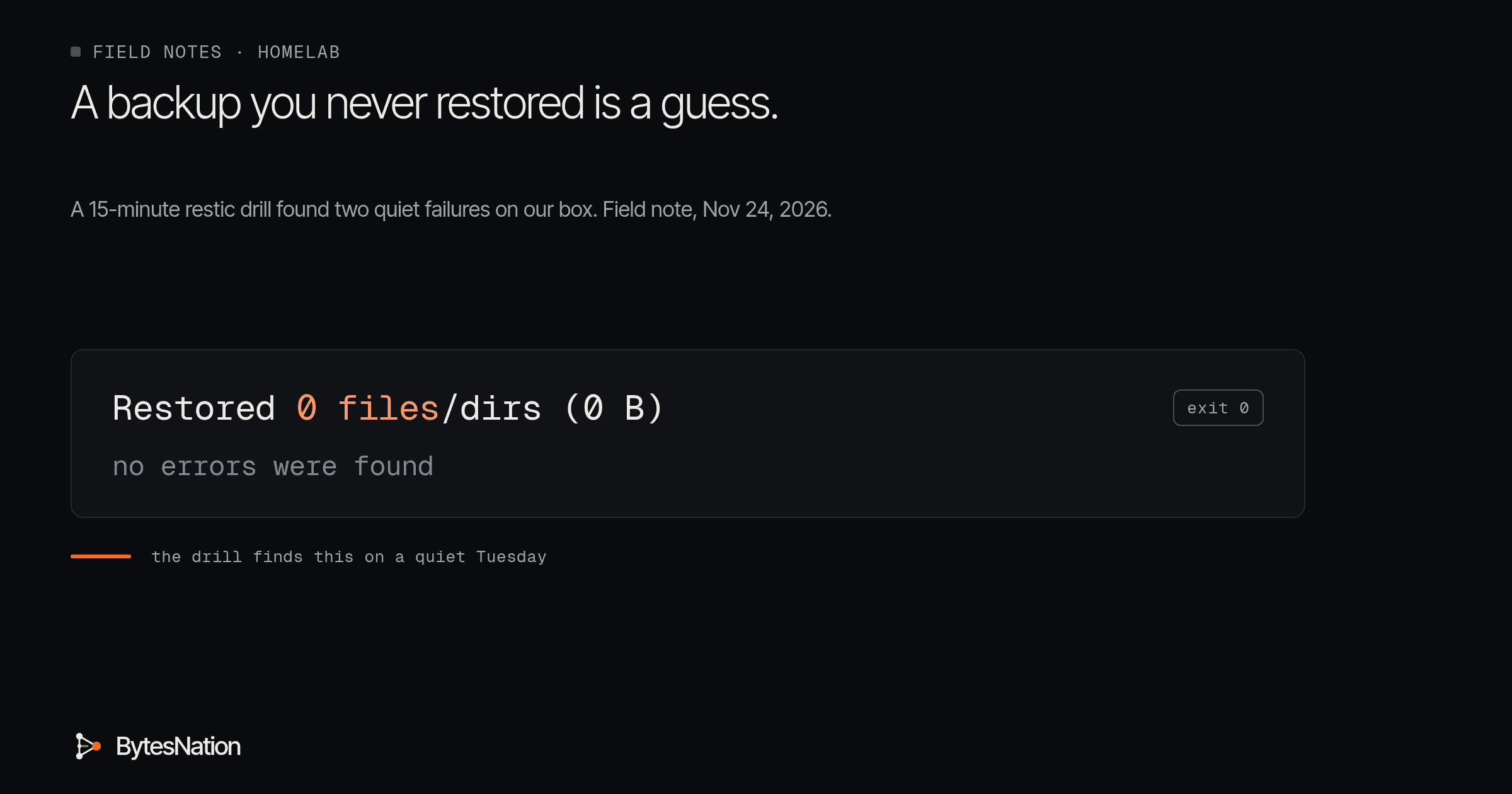
A field note for anyone with family photos, tax PDFs or a homelab config they would hate to rebuild. Every command output below came from restic 0.20.0 on our build box this morning, Tue Nov 24, 2026. Nothing here costs money.
The short version
Most people find out their backupA copy of data stored separately from the original, used to restore systems and files after data loss from hardware failure, deletion, ransomware, or disaster. Read more → is broken on the day they need it. The job ran every night, the log said success, and the restore still comes back empty. A restore drill moves that discovery to a quiet Tuesday.
We ran the drill with restic, a free, open source backup tool that encrypts everything by default. Two results surprised us enough to build this note around them:
- A restore that finds nothing still exits clean. We asked restic to restore a file using the full path we backed up from. It restored 0 files and returned exit codeThe number a program returns when it finishes, where 0 means success and anything else signals a specific kind of failure. Read more → 0. A script that only checks the exit code calls that a success.
- A plain
restic checkdid not see damaged file data. We flipped one byte inside a pack that held file contents.restic checksaid “no errors were found”. Onlyrestic check --read-datacaught it.
Neither one is a restic bug. Both match the restic docs. They are the gap between “the backup ran” and “I can get my files back”, and the drill is how you close it.
Four words you need
- Repository. The folder where restic keeps your backups, encrypted. A USB disk, a NAS share or a cloud bucket.
- SnapshotA saved, point-in-time state of a virtual machine or storage volume that you can roll back to if a change goes wrong. Read more →. One point-in-time copy of the folders you backed up.
- Restore. Copying files out of a snapshot. Always to a separate folder first, never over your live files.
- Pack file. restic stores your data in chunks bundled into pack files. If one pack gets damaged, the files inside it are damaged.
Think of it as a fire drill. The extinguisher on the wall is the backup. Walking everyone out the back door once is the restore drill. You only learn the back door is padlocked when you try it.
How to read a failed drill
When something goes wrong, read the exact message first, then decide which of three things broke. We check them in this order because each one is cheaper to rule out than the next.
- The key. “Fatal: wrong password or no key found” means the password or key file, not your data. In our test that returned exit code 12. Your data is fine. Your access to it is not. If the password is truly lost, restic cannot recover the repository, so keep it in a password manager, not on the backup disk.
- The path. “Restored 0 files/dirs” means your
--includepattern did not match anything inside the snapshot. The data is there. You asked for the wrong name. Runrestic ls latestand copy the path exactly as restic shows it. - The repository. “repository contains errors” or “damaged pack files” means the storage itself. Stop writing to that repository, read the restic troubleshooting guide, and repair it before your next backup.
Key and path problems are about you. Repository problems are about the disk. Knowing which one you have tells you whether to reach for a password manager, a different command or a new drive.
Why the path trap happens
What restic stores inside a snapshot depends on how you named the folder at backup time. We backed up with a relative name, restic backup data. The snapshot header showed the full source path, /tmp/restic-drill.1TRe/data. But restic ls latest showed the files living at /data/photos/img2.jpg inside the snapshot.
So restoring with the full source path matched nothing:
$ restic restore latest --target rt0 --include /tmp/restic-drill.1TRe/data/photos/img2.jpg
Summary: Restored 0 files/dirs (0 B) in 0:00
exit=0
Using the path from ls, data/photos/img2.jpg, brought the file back. The restic restore docs show the same --include pattern with a path inside the snapshot. The lesson is small and easy to miss. Run ls before you restore, and read the “Restored N files” line, not the exit code. If you script restores, make the script fail when that number is 0.
Why plain check missed the damage
By default, restic check verifies the structure of the repository: the index, the snapshots and the folder tree. The docs say it plainly. Checking that every pack file is unmodified requires reading a copy of every pack, so that only happens with --read-data.
That matches what we saw. With one byte flipped in the largest data pack, plain check returned “no errors were found” and exit 0. check --read-data reported a damaged pack, printed the repair commands, and exited 1. Research ran the same test earlier this morning and also damaged a smaller pack that held folder data. Plain check caught that one. So the default check covers structure, and only --read-data covers the bytes of your files.
On a local USB disk, --read-data is cheap. On a cloud repository it means downloading everything, which costs time and possibly bandwidthThe maximum amount of data that can be transmitted over a network connection in a given period, typically measured in megabits or gigabits per second. Read more → fees. That is why --read-data-subset exists. It splits the packs into groups so you can read a slice each day and cover the whole repository over a week. The catch is that a slice only finds damage if the bad pack is in it.
Your first step: a 15-minute drill
Install restic from your distro or grab the official binary from the 0.20.0 release, published Nov 19, 2026. Distro packages are often older. Debian trixie ships 0.18.0, so name your version when you compare notes. Then, with a USB disk mounted:
restic init --repo /mnt/usb/restic-repo
restic --repo /mnt/usb/restic-repo backup ~/Pictures
restic --repo /mnt/usb/restic-repo ls latest | head
restic --repo /mnt/usb/restic-repo restore latest --target /tmp/drill --include <path from ls>
restic --repo /mnt/usb/restic-repo check --read-data
Pick one photo you would miss. Back it up, restore it to /tmp/drill, open it, and run the full check. If all of that works, you have a backup, not a guess. Put the next drill on your calendar for a month from now, and before you travel this week, do it once on the folder you care about most.
One habit worth adopting alongside it: 3-2-1. Three copies of your data, on two kinds of storage, with one copy somewhere else. A ZFSA combined filesystem and volume manager that provides built-in data integrity verification, snapshots, compression, and RAID-like redundancy. Read more → or Btrfs snapshot on the same disk pool is handy, but it fails with that pool, so it does not count as the offsite copy.
Related field note: Postgres 19 REPACK, where the first step is also “take a dump before you change anything.”
Go deeper: the drill script, real output and next steps
The script. restore-drill.sh ships with this note. It makes a throwaway repository in /tmp, backs up three random 200 KB files and a text file, deletes one, restores it two ways, tries a wrong password, flips one byte in the largest pack, runs both checks, and deletes everything at the end. It never touches your real data. Run it with RESTIC_BIN=/path/to/restic ./restore-drill.sh.
Our output, Tue Nov 24, 2026, 7:30 AM ET (restic 0.20.0 official binary, Debian VMA software-based emulation of a complete computer that runs its own operating system and applications, isolated from the host hardware. Read more →, trimmed):
$ restic ls latest
/data
/data/notes.txt
/data/photos
/data/photos/img1.jpg
/data/photos/img2.jpg
/data/photos/img3.jpg
$ restic restore latest --target rt0 --include /tmp/restic-drill.1TRe/data/photos/img2.jpg
Summary: Restored 0 files/dirs (0 B) in 0:00
exit=0
$ restic restore latest --target rt1 --include data/photos/img2.jpg
Summary: Restored 3 / 1 files/dirs (195.312 KiB / 195.312 KiB) in 0:00
exit=0
$ RESTIC_PASSWORD=wrong restic snapshots
Fatal: wrong password or no key found
exit=12
pack size 600395 bytes
$ restic check
no errors were found
exit=0
$ restic check --read-data
restic repair packs ceff194ec26a53a8d282e037a0fc674c30a4bf55cfa2063bf5b4afe66cbbb38a
restic repair snapshots --forget
Fatal: repository contains errors
exit=1
The “Restored 3 / 1” line counts the parent folders restic recreated along with the one file.
Restore a subfolder directly. restic restore latest:data/photos --target rt2 --include img2.jpg puts the file at rt2/img2.jpg without the parent folders. Research confirmed this form on the box this morning.
Rotate subsets. restic check --read-data-subset=1/7 on Monday, 2/7 on Tuesday and so on reads every pack once a week. The docs also accept a percentage or a size.
Add a second key. restic key add creates another password for the same repository, so one lost password is not the end. Store both in your password manager.
Repairing. restic printed restic repair packs <id> and restic repair snapshots --forget for our damaged repo. Read the troubleshooting guide before running them on real data. We did not run repair in this test.
What we did not test. Remote backends (SFTPSSH File Transfer Protocol: encrypted file transfer running inside an SSH connection on port 22. Read more →, S3, rest-server), the repair commands, scheduling with cron or a systemd timer, and Windows.
Tradeoffs. restic encrypts by default, deduplicates, and talks to many backends. Borg is another mature choice, and for remote repositories it expects borg installed on the server side too. Filesystem snapshots are great for undo, and they still need a copy on separate hardware.
Sources: restic 0.20.0 release, Restoring from backup, Working with repositories, Troubleshooting, our run log run-2026-11-24.txt.
Scripts
src/restore-drill.sh
#!/usr/bin/env bash
# restic restore drill, BytesNation field note 2026-11-24. Local only, no network, $0.
set -u
R=${RESTIC_BIN:-restic}
W=$(mktemp -d /tmp/restic-drill.XXXX); cd "$W"
export RESTIC_REPOSITORY="$W/repo" RESTIC_PASSWORD="drill-only-password"
mkdir -p data/photos
for i in 1 2 3; do head -c 200000 /dev/urandom > data/photos/img$i.jpg; done
echo "tax pdf list" > data/notes.txt
echo '$ restic version'; $R version
echo '$ restic init'; $R init -q; echo "exit=$?"
echo '$ restic backup data'; $R backup -q data; echo "exit=$?"
echo '$ restic ls latest'; $R ls latest 2>/dev/null | grep -v '^snapshot'
rm data/photos/img2.jpg
echo '# restore with a path that is not in the snapshot'
echo "\$ restic restore latest --target rt0 --include $W/data/photos/img2.jpg"; $R restore latest --target rt0 --include "$W/data/photos/img2.jpg"; echo "exit=$?"
echo '$ restic restore latest --target rt1 --include data/photos/img2.jpg'; $R restore latest --target rt1 --include data/photos/img2.jpg; echo "exit=$?"
find rt1 -type f
echo '# wrong password'
echo '$ RESTIC_PASSWORD=wrong restic snapshots'; RESTIC_PASSWORD=wrong $R snapshots; echo "exit=$?"
echo '# damage one byte in the largest data pack'
P=$(find repo/data -type f -printf '%s %p\n' | sort -n | tail -1 | cut -d' ' -f2)
S=$(stat -c %s "$P"); printf 'pack size %s bytes\n' "$S"
chmod u+w "$P"; printf '\xff' | dd of="$P" bs=1 seek=$((S/2)) conv=notrunc status=none
echo '$ restic check'; $R check 2>&1 | tail -3; echo "exit=${PIPESTATUS[0]}"
echo '$ restic check --read-data'; $R check --read-data 2>&1 | tail -6; echo "exit=${PIPESTATUS[0]}"
cd /; rm -rf "$W"; echo "teardown: removed $W"
src/run-2026-11-24.txt
Run on the BytesNation build box (Debian VM), Tue Nov 24, 2026, 7:30 AM ET. restic 0.20.0 official linux_amd64 binary, SHA256SUMS verified by Research the same morning. Local repo in /tmp, deleted at the end.

$ restic version
restic 0.20.0 compiled with go1.27.4 on linux/amd64
$ restic init
exit=0
$ restic backup data
exit=0
$ restic ls latest
/data
/data/notes.txt
/data/photos
/data/photos/img1.jpg
/data/photos/img2.jpg
/data/photos/img3.jpg
# restore with a path that is not in the snapshot
$ restic restore latest --target rt0 --include /tmp/restic-drill.1TRe/data/photos/img2.jpg
restoring snapshot d4c12e02 of [/tmp/restic-drill.1TRe/data] at 2026-11-24 07:30:28.389887862 -0500 EST by box@grok-bot-vm-214196370 to rt0
Summary: Restored 0 files/dirs (0 B) in 0:00
exit=0
$ restic restore latest --target rt1 --include data/photos/img2.jpg
restoring snapshot d4c12e02 of [/tmp/restic-drill.1TRe/data] at 2026-11-24 07:30:28.389887862 -0500 EST by box@grok-bot-vm-214196370 to rt1
Summary: Restored 3 / 1 files/dirs (195.312 KiB / 195.312 KiB) in 0:00
exit=0
rt1/data/photos/img2.jpg
# wrong password
$ RESTIC_PASSWORD=wrong restic snapshots
Fatal: wrong password or no key found
exit=12
# damage one byte in the largest data pack
pack size 600395 bytes
$ restic check
check snapshots, trees and blobs
[0:00] 100.00%  1 / 1 snapshots
no errors were found
exit=0
$ restic check --read-data

restic repair packs ceff194ec26a53a8d282e037a0fc674c30a4bf55cfa2063bf5b4afe66cbbb38a
restic repair snapshots --forget

Damaged pack files can be caused by backend problems, hardware problems or bugs in restic. Please open an issue at https://github.com/restic/restic/issues/new/choose for further troubleshooting!
Fatal: repository contains errors
exit=1
teardown: removed /tmp/restic-drill.1TRe