A field note on local cloud practice. Every command output below came from runs on our box on Nov 12, 2026, around 7:47 AM ET. The raw logs ship with this note.
The short version
A lot of people never touch AWS because of one fear: a forgotten resource quietly running up a bill on a credit card. This week AWS released AWS Emulator, a free program that pretends to be AWS on your own computer. You use the normal AWS command line tool and code libraries. They just talk to your laptop instead of Amazon’s data centers. No account, no card, no internet needed, and pressing Ctrl+C wipes everything.
It hit the Hacker News front page with 881 points and 244 comments when we checked this morning, and the repo had 3,754 stars.
I ran it this morning. The setup took a few minutes. The useful part was breaking it. There are four mistakes almost everyone makes first, and each one prints an error that points straight at the fix if you know how to read it. That is the skill this note is about.
Five terms first
- AWS is Amazon Web Services, the rented-computer business behind a big share of apps and sites.
- An APIA set of rules and protocols that allows different software applications to communicate with each other and share data or functionality. Read more → is the list of requests a program can send to a service, like “make a storage bucket.”
- An emulator is a program that answers those requests the way the real service would, well enough that your code can’t tell for most jobs. Think flight simulator: same cockpit, same checklist, and a crash costs nothing.
- S3 is AWS file storage. Files live in buckets. DynamoDB is its key-value database.
- An endpoint is the web address your requests go to. Swapping the endpoint is the whole trick.
How it actually works, and why the errors make sense
Every AWS tool needs three things before it sends a request: where to send it (the endpoint), what keys to sign it with, and whether to trust the server’s certificate. Real AWS fills those in from your account setup. The emulator writes its own versions for you.
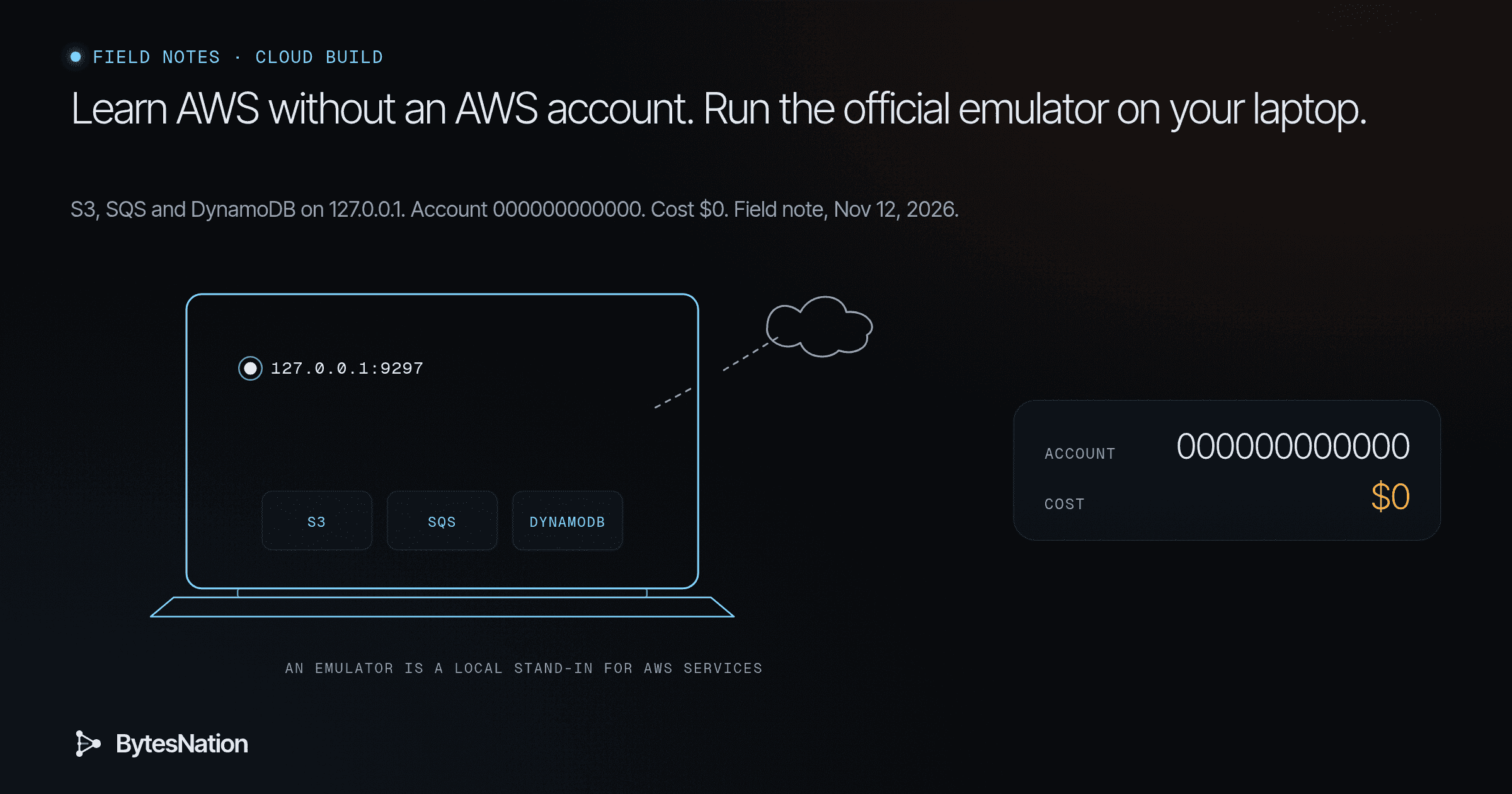
When it starts, it serves HTTPS on 127.0.0.1:9297, which only your own machine can reach. It creates a fresh set of keys for that run and checks every request against them. It also makes its own certificate authorityA trusted entity that issues and signs digital certificates, cryptographically vouching that a public key belongs to a specific identity. The foundation of PKI trust chains. Read more →, so your tools will only trust it if you tell them to. Then it writes a ready-made config file and credentials file under ~/.aws/emulator/9297/ (Linux guide).
Hold that model in your head: endpoint, keys, trust. Every error below is one of those three being wrong, plus one that’s about timing.

The first step
Install it and start it. These are the commands from AWS’s Linux guide. I added --telemetry off, because the emulator sends anonymous usage counts to AWS by default (what it collects). Your call, but know it’s on.
curl -fsSLo aws-emulator.deb https://downloads.aws.com/aws-emulator/packages/aws-emulator/LTS/latest/aws-emulator_amd64.deb
sudo apt-get install -y ./aws-emulator.deb
aws-emulator --telemetry off
In a second terminalThe window or screen where you type text commands and read their output, connected to a shell that runs those commands. Read more →, point the AWS CLI at the files it wrote, then make your first bucket:
export AWS_CONFIG_FILE=~/.aws/emulator/9297/config
export AWS_SHARED_CREDENTIALS_FILE=~/.aws/emulator/9297/emulator_credentials
aws s3 mb s3://my-first-bucket && aws s3 ls
On our box, aws sts get-caller-identity came back as arn:aws:iam::000000000000:user/emulator. Account zero. That’s your proof you’re on the simulator. I copied a file into the bucket and listed it, and it was there. Mac and Windows users can run the same thing in DockerA platform that packages applications into containers, providing a standardized way to build, ship, and run software consistently across any environment. Read more →, per the user guide.
The four errors you’ll hit, and how to read them
I triggered each one on purpose. Here is what the tool printed and the question an operator asks next.
1. “AccessDenied … Sign the request with the emulator credentials.” I ran aws s3 ls with made-up keys. This emulator checks every request against its own keys, and the keys change every run. So the question is about keys: is AWS_SHARED_CREDENTIALS_FILE pointing at this run’s file, on this portA numbered endpoint on a device that identifies a specific application or service, allowing multiple network services to run on the same IP address. Read more →? Old keys from yesterday’s run fail the same way.
2. “SSL validation failed … self-signed certificate.” I used the right keys but skipped the config file, so the CLI had no idea it should trust the emulator’s certificate. That’s the trust part. The generated config sets ca_bundle for you. If you build your own config, set ca_bundle or AWS_CA_BUNDLE yourself. Don’t reach for “skip verification.” You’d be training a habit you never want near real AWS.
3. The quiet one: it’s talking to real AWS. With the emulator config unset, I asked the SDK where it would send an S3 request. It said https://s3.amazonaws.com. With the config set, https://127.0.0.1:9497 (the port I used for testing). Nothing errors here. If real keys are sitting in your shell, your “practice” commands hit your real account. Before you run anything that deletes, check where it’s going. The account ID in aws sts get-caller-identity is the fastest tell.
4. “ResourceNotFoundException” on a table you just made. I created a DynamoDB table and wrote to it right away. The create returned CREATING, and the write failed with “Requested resource not found.” A second later the table was ACTIVE. That isn’t an emulator bug. Real DynamoDB works this way too: table creation is asynchronous and you can only read or write an ACTIVE table. The fix is one line, aws dynamodb wait table-exists --table-name notes, which worked on our run. Learning that on a simulator is the whole point.
The pattern under all four: read the error as a clue about endpoint, keys, trust or timing. Don’t treat it as a wall.
What it won’t tell you
The emulator isn’t AWS, and AWS says so. The README says not to use it for production or to test security. AWS publishes fidelity scores with each release and tracks known gaps in the repo’s issues/things-that-do-not-work/ folder. State lives only in memory. When I stopped it and started it again, my bucket and tables were gone.
So treat it as the fast practice loop. Learn the commands, write your scripts, break things. Before anything matters, run it once against a real account with a budget alarm set. The emulator gets you to that point without spending anything along the way.
Try this today
Install it, make one bucket, then cause error 1 on purpose with fake keys. Read the message and fix it. If you can do that, you’ve already learned the troubleshooting loop you’ll use on real AWS.
Go deeper: verify the package, CI use, and our raw test output
Verify the package before you install it. AWS signs each package. From the Linux guide:
curl -fsSLO https://downloads.aws.com/aws-emulator/packages/aws-emulator/LTS/latest/aws-emulator_amd64.deb
curl -fsSLO https://downloads.aws.com/aws-emulator/packages/aws-emulator/LTS/latest/aws-emulator_amd64.deb.sig
curl -fsSLo aws-publishing.asc https://downloads.aws.com/keys/gpg/current.asc
gpg --import aws-publishing.asc
gpg --fingerprint ssm-publishing@amazon.com
gpg --verify aws-emulator_amd64.deb.sig aws-emulator_amd64.deb
The fingerprint must be 98BC F336 A3BE 53B7 34E9 67C5 2E5B F49B D940 F624. Ours matched, and gpgA free tool that uses asymmetric cryptography to sign files and verify their authenticity, confirming both who published a file and that it has not been modified. Read more → printed Good signature from "SSM Publishing <ssm-publishing@amazon.com>".
What we ran. AWS Emulator 1.0.322, release date 2026.11.10, on Debian x86_64. We extracted the package with dpkg-deb -x instead of installing it system-wide, because the box is shared. We used AWS CLI 1.46.3 and boto3 1.44.1 from pip, on port 9497.
Raw output from our run:
$ aws sts get-caller-identity --output text
000000000000  arn:aws:iam::000000000000:user/emulator  AIDAH5I7GEMO7ADXNFAZU
$ aws s3 mb s3://my-first-bucket
make_bucket: my-first-bucket
# wrong keys
An error occurred (AccessDenied) when calling the ListBuckets operation: Sign the request with the emulator credentials
# right keys, no ca_bundle
SSL validation failed for https://127.0.0.1:9497/ [SSL: CERTIFICATE_VERIFY_FAILED] certificate verify failed: self-signed certificate
# endpoint the SDK resolves: config unset, then set
https://s3.amazonaws.com
https://127.0.0.1:9497
# create-table, then put-item right away
CREATING
An error occurred (ResourceNotFoundException) when calling the PutItem operation: Requested resource not found
# after Ctrl+C and restart
buckets listed: 0
Several emulators at once, or in CI. Run aws-emulator -p 0 to grab a free port and read it from the endpoint_url field in the startup log line. Each port gets its own files under ~/.aws/emulator/<port>/.
Cap its memory. AWS lists about 160 MiB idle. To cap it: systemd-run --user --scope -p MemoryMax=2G -p MemorySwapMax=0 aws-emulator.
Don’t build it from source unless you mean it. The README asks for at least 100 GB of free disk for the build. The signed package is the easy path. The repo doesn’t take pull requests. Bugs and fidelity gaps go to GitHub Issues.
How it was built. The package description says it “is built by autonomous team of agents constantly improving AWS Emulator to behave more like real AWS.” That’s AWS’s own description. We didn’t test that claim, so we’re not repeating secondhand numbers about it.
Where it fits. LocalStack and Moto have covered local AWS testing for years. This one comes from AWS itself, ships signed packages, and checks request signatures by default.
Scripts
src/cli-run.txt
== 1. wired up
000000000000	arn:aws:iam::000000000000:user/emulator	AIDAH5I7GEMO7ADXNFAZU
make_bucket: my-first-bucket
Completed 3 Bytes/3 Bytes (58 Bytes/s) with 1 file(s) remaining
upload: ./hello.txt to s3://my-first-bucket/hello.txt
2026-11-12 07:47:49          3 hello.txt
== 2. wrong keys

An error occurred (AccessDenied) when calling the ListBuckets operation: Sign the request with the emulator credentials
== 3. no CA bundle
Unable to locate credentials. You can configure credentials by running "aws configure".
== 4. no config: where does it go
https://s3.amazonaws.com
https://127.0.0.1:9497
== 5. dynamodb
CREATING
waited
== 3b. no CA bundle, right keys

SSL validation failed for https://127.0.0.1:9497/ [SSL: CERTIFICATE_VERIFY_FAILED] certificate verify failed: self-signed certificate (_ssl.c:1029)
== 6. put right after create (fresh table)
CREATING

An error occurred (ResourceNotFoundException) when calling the PutItem operation: Requested resource not found
(exit code line removed: it was the exit of the pipe, not the aws command)
ACTIVE
== 7. restart wipes state
== 7. after Ctrl+C and restart
buckets listed: 0
src/emulator-startup.log
{"timestamp":"2026-11-12T12:47:35.633578Z","level":"INFO","fields":{"message":"aws-emulator emulator starting"},"target":"aws_emulator"}
This emulator collects usage and error telemetry: disabled (via the embedding configuration) -- to turn it back on, remove every opt-out setting and restart
{"timestamp":"2026-11-12T12:47:35.671961Z","level":"INFO","fields":{"message":"request authentication enabled","credentials_file":"~/.aws/emulator/9497/emulator_credentials"},"target":"aws_emulator_server"}
{"timestamp":"2026-11-12T12:47:35.672037Z","level":"INFO","fields":{"message":"emulator server information","endpoint_url":"https://127.0.0.1:9497","health_check_url":"https://127.0.0.1:9497/__admin/health","config_file":"~/.aws/emulator/9497/config","ca_file":"~/.aws/emulator/9497/ca.pem","java_truststore_file":"~/.aws/emulator/9497/truststore.p12"},"target":"aws_emulator_server"}
{"timestamp":"2026-11-12T12:47:53.226159Z","level":"INFO","fields":{"message":"table created","operation":"CreateTable","akid":"EMULATOR76C53AFDD032","table_name":"notes","billing_mode":"PAY_PER_REQUEST","global_secondary_indexes":0,"local_secondary_indexes":0,"vector_indexes":0,"outcome":"created"},"target":"service_com_amazonaws_dynamodb_dynamodb_20120810::ops::create_table"}
{"timestamp":"2026-11-12T12:48:10.268107Z","level":"INFO","fields":{"message":"table created","operation":"CreateTable","akid":"EMULATOR76C53AFDD032","table_name":"notes2","billing_mode":"PAY_PER_REQUEST","global_secondary_indexes":0,"local_secondary_indexes":0,"vector_indexes":0,"outcome":"created"},"target":"service_com_amazonaws_dynamodb_dynamodb_20120810::ops::create_table"}
{"timestamp":"2026-11-12T12:48:21.434559Z","level":"INFO","fields":{"message":"shutdown signal received; stopping emulator server"},"target":"aws_emulator_server"}
src/test_emulator.py
import os, time, boto3, botocore
from botocore.config import Config
D=os.path.join(os.path.dirname(os.path.abspath(__file__)),"home/.aws/emulator/9397")
os.environ["AWS_CONFIG_FILE"]=f"{D}/config"
os.environ["AWS_SHARED_CREDENTIALS_FILE"]=f"{D}/emulator_credentials"
def t(): return time.strftime("%H:%M:%S")
s=boto3.Session()
print(f"[{t()}] sts caller:", s.client("sts").get_caller_identity()["Arn"])
s3=s.client("s3")
try: s3.create_bucket(Bucket="field-notes-demo")
except botocore.exceptions.ClientError as e: print(f"[{t()}] create_bucket again ->", e.response["Error"]["Code"])
s3.put_object(Bucket="field-notes-demo",Key="hello.txt",Body=b"no AWS account needed")
print(f"[{t()}] s3 get:", s3.get_object(Bucket="field-notes-demo",Key="hello.txt")["Body"].read().decode())
print(f"[{t()}] s3 buckets:", [b["Name"] for b in s3.list_buckets()["Buckets"]])
sqs=s.client("sqs"); q=sqs.create_queue(QueueName="jobs")["QueueUrl"]
sqs.send_message(QueueUrl=q,MessageBody="resize image 42")
m=sqs.receive_message(QueueUrl=q,WaitTimeSeconds=1)["Messages"][0]
print(f"[{t()}] sqs queue url:", q); print(f"[{t()}] sqs received:", m["Body"])
ddb=s.client("dynamodb")
try: pass
except Exception: pass
ddb.create_table(TableName="notes",AttributeDefinitions=[{"AttributeName":"id","AttributeType":"S"}],KeySchema=[{"AttributeName":"id","KeyType":"HASH"}],BillingMode="PAY_PER_REQUEST")
print(f"[{t()}] ddb status right after create:", ddb.describe_table(TableName="notes")["Table"]["TableStatus"])
try: ddb.put_item(TableName="notes",Item={"id":{"S":"0"}})
except botocore.exceptions.ClientError as e: print(f"[{t()}] put before ACTIVE ->", e.response["Error"]["Code"])
t0=time.time(); ddb.get_waiter("table_exists").wait(TableName="notes",WaiterConfig={"Delay":1})
print(f"[{t()}] ddb status after waiter:", ddb.describe_table(TableName="notes")["Table"]["TableStatus"], f"({time.time()-t0:.1f}s)")
ddb.put_item(TableName="notes",Item={"id":{"S":"1"},"title":{"S":"local first"}})
print(f"[{t()}] ddb get:", ddb.get_item(TableName="notes",Key={"id":{"S":"1"}})["Item"]["title"]["S"])
# Troubleshooting 1: wrong keys while auth is on
bad=boto3.Session(aws_access_key_id="AKIAWRONG",aws_secret_access_key="wrong",region_name="us-east-1")
try: bad.client("s3",endpoint_url="https://127.0.0.1:9397",verify=f"{D}/ca.pem").list_buckets()
except botocore.exceptions.ClientError as e: print(f"[{t()}] wrong keys ->", e.response["Error"]["Code"], "|", e.response["Error"].get("Message","")[:120])
# Troubleshooting 2: forget the CA bundle
try: boto3.Session().client("s3",endpoint_url="https://127.0.0.1:9397",verify=True).list_buckets()
except Exception as e: print(f"[{t()}] no ca bundle ->", type(e).__name__, "|", str(e)[:140])
# Troubleshooting 3: forget the endpoint (pointed at real AWS) -- simulate with no network call: show resolved endpoint
c=boto3.Session(aws_access_key_id="x",aws_secret_access_key="y",region_name="us-east-1").client("s3")
print(f"[{t()}] without endpoint_url the SDK would call:", c.meta.endpoint_url)
src/run3.txt
[05:40:16] sts caller: arn:aws:iam::000000000000:user/emulator
[05:40:16] s3 get: no AWS account needed
[05:40:16] s3 buckets: ['field-notes-demo']
[05:40:16] sqs queue url: https://sqs.us-east-1.amazonaws.com/000000000000/jobs
[05:40:16] sqs received: resize image 42
[05:40:16] ddb status right after create: ACTIVE
[05:40:19] ddb status after waiter: ACTIVE (0.0s)
[05:40:19] ddb get: local first
[05:40:20] wrong keys -> AccessDenied | Sign the request with the emulator credentials
[05:40:20] no ca bundle -> SSLError | SSL validation failed for https://127.0.0.1:9397/ [SSL: CERTIFICATE_VERIFY_FAILED] certificate verify failed: self-signed certificate (_ssl.
[05:40:20] without endpoint_url the SDK would call: https://127.0.0.1:9397