The short version
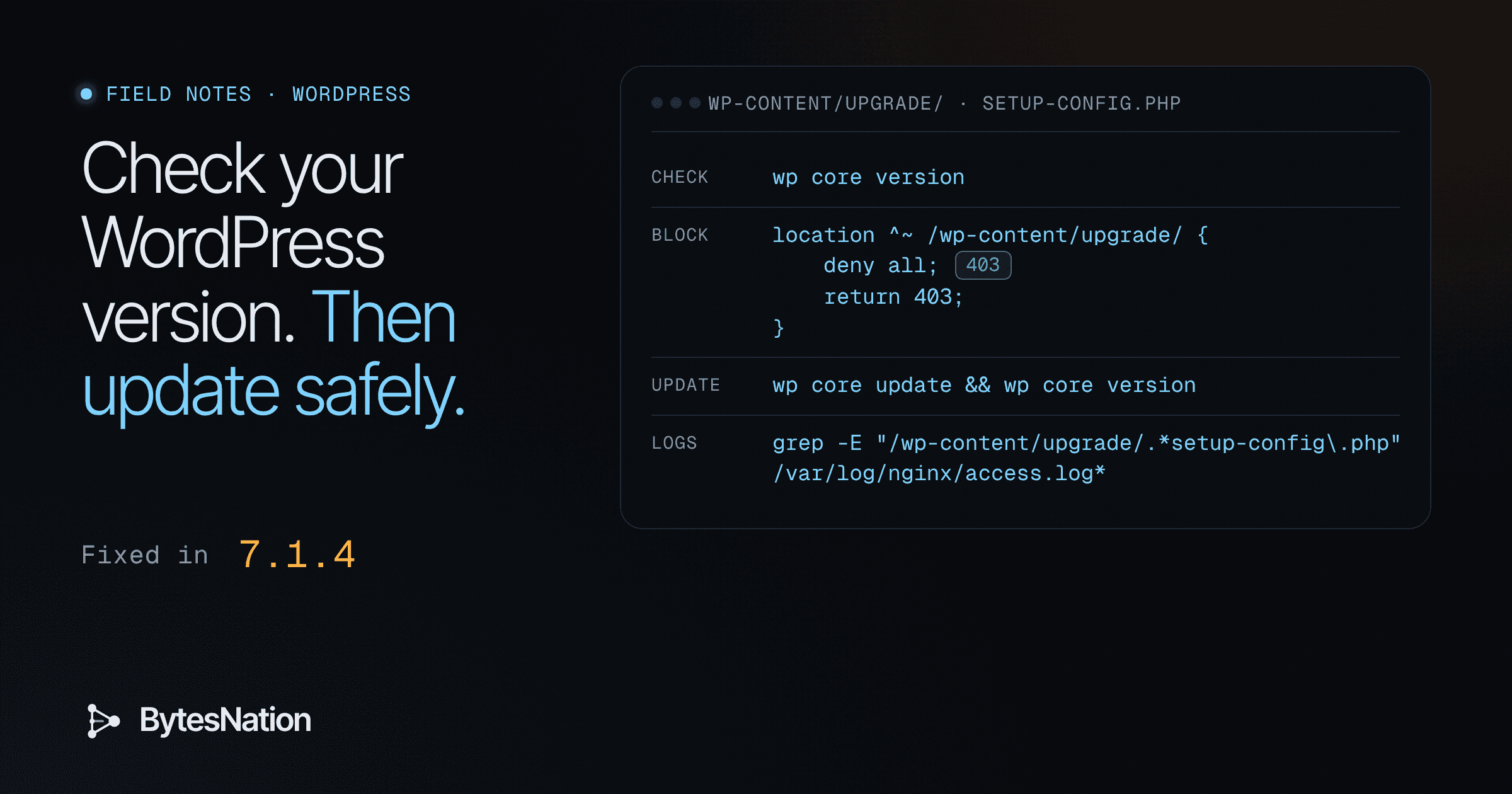
If you run WordPress, open your dashboard and check the version number. If it reads 7.1.4, or the patched release for your branch (list below), you are past this bug. If it reads anything from 4.7 through 7.1.3, update. If you control the web server, block wp-content/upgrade/ first, then update. Then look through your access logs for one specific path.
That’s the whole job. The rest of this note explains why, and gives you the configs and commands. We tested them in a lab before writing them down.
Your first step: go to Dashboard > Updates in wp-admin, or run wp core version on the server.
What the bug is
CVEA standardized identifier for publicly known cybersecurity vulnerabilities, enabling organizations to track and prioritize security patches. Read more →-2026-119977 is a race condition (CWE-367, time-of-check time-of-use) in the WordPress core update process. Wordfence, the CNA for this CVE, describes it this way: during a core update that uses the complete WordPress package, affected versions unpack the new files into a predictable directory under wp-content/upgrade/. That temporary copy includes the WordPress installer, setup-config.php. On many servers that folder is reachable from the web. An attacker who requests the staged installer at the right moment can go from there to running PHP code on the server.
No account is needed. The catch for the attacker is timing. Wordfence says that in lab tests the staging folder normally existed for only seconds. One random request is unlikely to land, so attackers poll the path over and over, hoping to catch an update in progress.
The awkward part: the update that fixes the bug is the moment you’re exposed. That’s why the safe path below blocks the folder before you update.
The facts, with sources
| Item | Value | Source |
|---|---|---|
| Affected | WordPress 4.7 through 7.1.3 | Wordfence, NVD |
| Weakness | CWE-367 (TOCTOU race) | Wordfence, CISA KEV |
| CVSS 3.1 | 8.1 High, AV:N/AC:H/PR:N/UI:N/S:U/C:H/I:H/A:H | Wordfence (CNA) |
| Fix released | WordPress 7.1.4, October 28, 2026 | WordPress.org |
| Exploitation | Wordfence recorded more than 18,500 requests targeting staged setup-config.php paths in the first 21 hours after its firewallA security device or software that monitors and controls incoming and outgoing network traffic based on predefined rules. Read more → rule went live | Wordfence |
| CISA KEV | Added November 3, 2026, federal due date November 6, 2026 | CISA |
| NVD status | Deferred (NVD has not added its own score) | NVD |
The attack complexity is rated High for a reason. Wordfence lists what the attacker needs: a full-package update that contains the installer files, web and PHP access to the staging tree, a predictable or discovered staging path, and enough time to finish before WordPress cleans up. Your own server config decides some of those, and that’s the part you can fix today.
Step 1: find your version
In wp-admin: go to Dashboard > Updates. The page shows the version you’re on. The version also appears at the bottom right of most admin screens.
On the server, with WP-CLI:
wp core versionRun it from the WordPress root, or add --path=/var/www/yoursite. If you manage several sites, loop over them:
for d in /var/www/*/; do printf '%s ' "$d"; wp core version --path="$d" 2>/dev/null || echo "not wordpress"; doneYou are patched if you’re on any of these (from the Wordfence advisory):
4.7.39, 4.8.34, 4.9.35, 5.0.31, 5.1.28, 5.2.30, 5.3.27, 5.4.25, 5.5.24, 5.6.23, 5.7.21, 5.8.19, 5.9.20, 6.0.18, 6.1.16, 6.2.15, 6.3.14, 6.4.14, 6.5.14, 6.6.11, 6.7.11, 6.8.12, 6.9.11, 7.0.8, 7.1.4, or anything newer in the same branch.
WordPress.org published the fix as 7.1.4 and backported it to every branch still eligible for security fixes, back to 4.7. WordPress 4.6 and older get no fix at all. If you’re on one of those, you need a real upgrade, not a patch.
Why 4.7 through 7.1.3 is exposed
Every one of those releases stages a full core update the same way: into a folder under wp-content/upgrade/ with a name an attacker can guess, with the installer inside it. Nothing stops a web request from reaching that folder while it exists. Wordfence says 7.1.4 fixes this in three ways: it randomizes the staging folder name, adds an index guard, and prevents unsafe promotion of staged configuration data. The same fix went to each supported branch.
Two things that follow from this:
- Auto-updates help, but check them anyway. Wordfence recommends confirming the version rather than assuming the background update ran. A site that should have updated itself and didn’t stays exposed every time it tries again.
- The risky moment is a full-package core update. You can’t schedule around a race you don’t control, so the safest update is one where the staging folder can’t be reached from the web at all.
Step 2: block wp-content/upgrade/, then update
WordPress never needs to serve anything from wp-content/upgrade/ over the web. Updates write and read those files on disk. Blocking the folder at the web server costs you nothing, and it shuts the door the attacker needs during the update.
nginx
Put this inside the server { } block for the site, above your PHP location:
# Block the WordPress core upgrade staging folder (CVE-2026-119977 stopgap)
location ^~ /wp-content/upgrade/ {
    deny all;
    return 403;
}
The ^~ matters. In nginxA fast, free web server and reverse proxy. Read more → a regex location like location ~ \.php$ normally beats a plain prefix match, which would hand the request straight to PHP. ^~ tells nginx to stop at this prefix and skip the regex checks. Then test and reload:
sudo nginx -t && sudo systemctl reload nginxApache
In the site’s vhost config, with your real document root:
# Block the WordPress core upgrade staging folder (CVE-2026-119977 stopgap)
<Directory /var/www/yoursite/wp-content/upgrade>
    Require all denied
</Directory>
Then:
sudo apachectl -t && sudo systemctl reload apache2On shared hosting without vhost access, an .htaccess file in wp-content/upgrade/ containing Require all denied does the same job, as long as the host allows overrides for that folder. We didn’t test the .htaccess route in the lab (see below).
Confirm the block, then update
curl -s -o /dev/null -w '%{http_code}\n' https://yoursite.example/wp-content/upgrade/You want 403. Then update from Dashboard > Updates, or:
wp core update && wp core versionLeaving the block in place after you update is fine. It doesn’t get in the way of future updates.
What we tested, and the real output
We ran this on a Debian lab box with nginx 1.26.3 and Apache 2.4 from the stock packages. The web root had a fake staging folder at wp-content/upgrade/wordpress-7.1.4-ab12/wordpress/wp-admin/setup-config.php. That folder name is our stand-in, not WordPress’s real naming scheme. We also added a stand-in PHP handler, location ~ \.php$, to check that the deny wins over it.
nginx config check:
$ nginx -t -c lab/nginx/test.conf
nginx: the configuration file .../lab/nginx/test.conf syntax is ok
nginx: configuration file .../lab/nginx/test.conf test is successful
nginx requests:
$ curl -s -o /dev/null -w '%{http_code}' http://127.0.0.1:8088/wp-content/upgrade/wordpress-7.1.4-ab12/wordpress/wp-admin/setup-config.php
403
$ curl -s -o /dev/null -w '%{http_code}' http://127.0.0.1:8088/wp-content/upgrade/
403
$ curl -s -o /dev/null -w '%{http_code}' http://127.0.0.1:8088/wp-content/uploads/test.txt
200
$ curl -s -w ' %{http_code}' http://127.0.0.1:8088/index.php
php-handler
 200
The staged installer returns 403 even with a PHP handler defined, and the rest of the site still serves normally.
Apache config check and requests:
$ apachectl -t -f lab/apache/test.conf
Syntax OK
$ curl -s -o /dev/null -w '%{http_code}' http://127.0.0.1:8089/wp-content/upgrade/wordpress-7.1.4-ab12/wordpress/wp-admin/setup-config.php
403
$ curl -s -o /dev/null -w '%{http_code}' http://127.0.0.1:8089/wp-content/uploads/test.txt
200
What we didn’t run: we didn’t install WordPress or run a real core update, and we didn’t attempt the exploit. The Apache test served static files only, with no PHP module loaded. We didn’t test the .htaccess route or any CDNA globally distributed network of servers that caches and delivers content from the location closest to each user, reducing latency and origin load. Read more → or WAFA firewall that operates at the application layer (Layer 7) to protect web applications from attacks like SQL injection and cross-site scripting. Read more → rule. The tests prove the block returns 403 for that path. They don’t prove anything about WordPress’s own staging behavior. For that we rely on Wordfence’s write-up.
Step 3: check your logs
Look for requests to setup-config.php inside wp-content/upgrade/. A 404 or 403 means someone probed and missed. A 200 on that path is the one to chase, because it means the staged installer answered.
Common log locations: /var/log/nginx/access.log and /var/log/apache2/access.log (/var/log/httpd/ on RHEL-family systems). Rotated logs end in .1 or .gz. Use zgrep for those.
# every hit on the staged installer path
grep -E "/wp-content/upgrade/.*setup-config\.php" /var/log/nginx/access.log*

# only the ones that got a 200 (combined log format: $7 is the path, $9 the status)
awk '$7 ~ /\/wp-content\/upgrade\/.*setup-config\.php/ && $9 == 200' /var/log/nginx/access.log

# who touched the upgrade folder, and what they got back
awk '$7 ~ /\/wp-content\/upgrade\// {print $1, $9}' /var/log/nginx/access.log | sort | uniq -c
We ran those three commands against a made-up sample log. The IPs are reserved documentation addresses and the lines were written for the test, not taken from a real attack:
$ grep -E "/wp-content/upgrade/.*setup-config\.php" logs/sample-access.log | wc -l
3

$ awk '$7 ~ /\/wp-content\/upgrade\/.*setup-config\.php/ && $9 == 200' logs/sample-access.log
203.0.113.50 - - [29/Oct/2026:02:13:01 +0000] "POST /wp-content/upgrade/wordpress-7.1.4-no-content/wordpress/wp-admin/setup-config.php?step=2 HTTP/1.1" 200 2304 "-" "python-requests/2.31"

$ awk '$7 ~ /\/wp-content\/upgrade\// {print $1, $9}' logs/sample-access.log | sort | uniq -c
      1 198.51.100.90 403
      1 203.0.113.50 200
      2 203.0.113.50 404
The sample also has a normal request to /wp-admin/setup-config.php (not under upgrade/), and the patterns correctly skip it.
If you find a 200 on that path, treat the site as possibly compromised, even if you’re patched now. Patching stops new attacks. It doesn’t undo one that already worked. Wordfence suggests checking for unfamiliar administrator accounts, plugins you didn’t install, and PHP files under wp-content/upgrade/ that you didn’t put there, then running a malwareMalicious software designed to damage, disrupt, or gain unauthorized access to a computer system, including viruses, ransomware, trojans, and worms. Read more → scan. Restoring from a backup taken before the hit is often the cleaner fix.
If you can’t update yet
These shrink the risk. None of them replaces the update.
- Block
wp-content/upgrade/with the nginx or Apache rule above. This is the biggest win and it’s free. - Use a WAF that sees the request first. Wordfence says its firewall rule only helps here if the firewall is optimized with Extended Protection, because the attack goes straight to a PHP file without loading WordPress. Its rule reached paid customers on October 28 and reaches free users on November 27, 2026. A CDN or edge rule that blocks the path also works.
- Watch the logs with the commands above until you’ve patched.
- Don’t trigger a full core update with the folder exposed. If you have to update by hand, block the path first.
Sources
- Wordfence advisory: WordPress Core 4.7.0 - 7.1.3 - Unauthenticated Upgrade-Window Staged-Installer Remote Code Execution
- Wordfence blog: WordPress 7.1.4 Patches Unauthenticated Upgrade-Window RCE; Exploitation Attempts Detected After Release (October 29, 2026)
- CISA: Known Exploited Vulnerabilities Catalog, entry for CVE-2026-119977
- WordPress.org: WordPress 7.1.4 (October 28, 2026)
- NVD: CVE-2026-119977