A field note for anyone who gets handed the family laptop today. Every error message below came from our build box this morning, Thu Nov 26, 2026. Nothing here costs money.
The short version
Someone says “the internet is down.” That sentence covers at least five different problems, and they need five different fixes. Guessing means rebooting things until something changes, then never knowing what fixed it.
There is a faster way. Check one layer at a time, starting at the bottom, and stop at the first check that fails. That check tells you where the problem lives and what to try next.
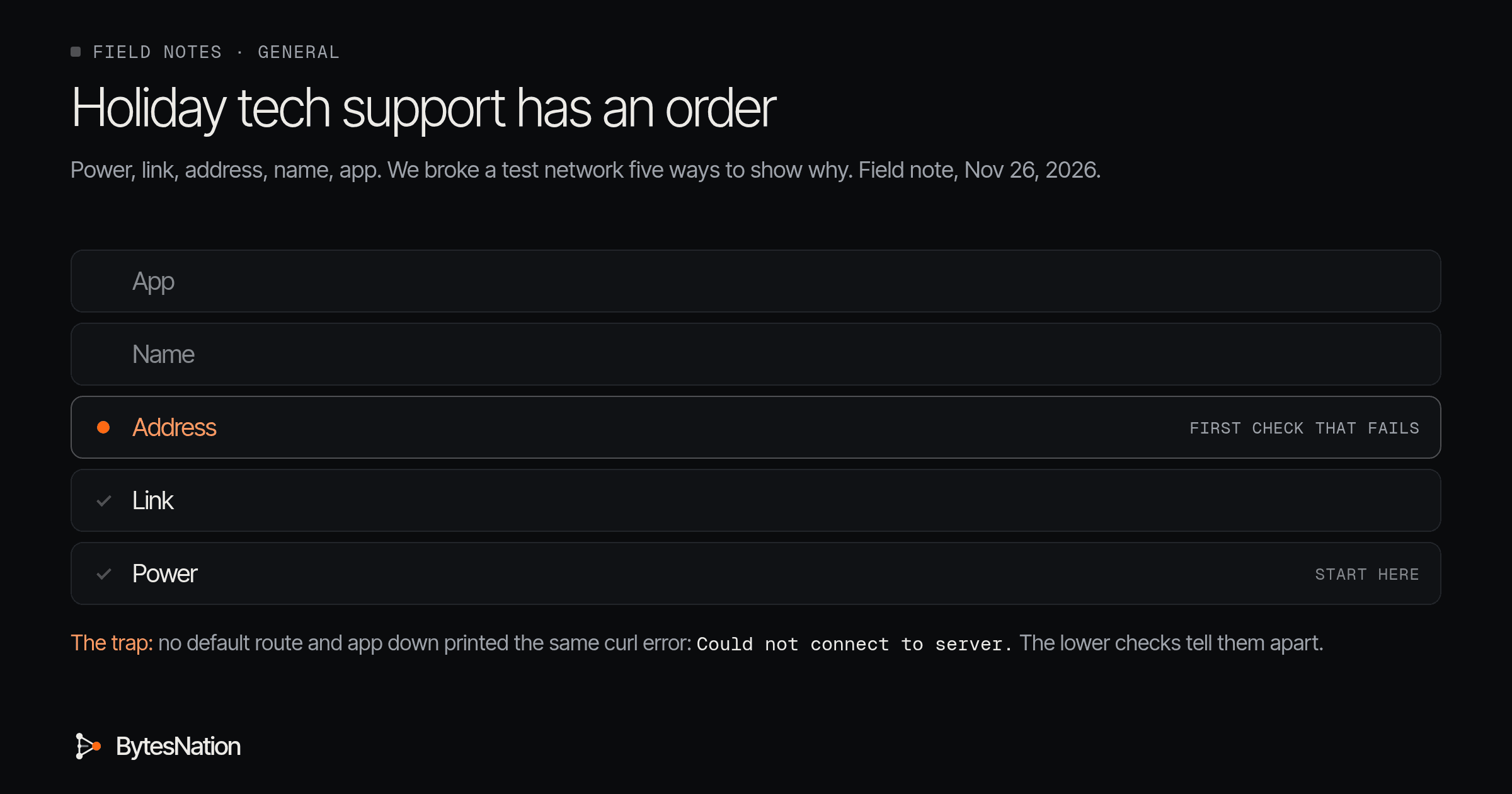
The order is power, link, address, name, app.
Why bottom up? Each layer needs the one below it. If the cable is out, every check above it fails too, and the higher checks fail with misleading messages. We proved that this morning. With the link down, curl reported Could not resolve host. That points at DNSThe system that translates human-readable domain names into IP addresses so devices can find each other on a network. Read more →, and DNS was fine. Start at the top and you spend the afternoon fixing the wrong thing.
The five layers in plain words
- Power. Is the router or modem on? Lights steady, not blinking red or off.
- Link. Is the device actually connected? Cable seated, or Wi-Fi joined with bars showing.
- Address. Did the device get an IP address from the router? An IP address is the number other machines use to reach it. An address starting with 169.254 means the device gave itself one because the router never answered. That range is for talking to the local link only (RFC 3927), so it won’t reach the internet.
- Name. Can the device turn a name like example.com into an address? That lookup is DNS, the system that turns a site name into an address. Your device also needs a route to the router, called the default route or gateway, before any of this leaves the house.
- App. Does the one site or program work? Sometimes everything underneath is fine and only that one thing is broken.
Think of mailing a letter. If there is no road to the postPower-On Self-Test: the quick hardware check firmware runs every time a computer starts, before it looks for an operating system. Read more → office, there is no point blaming the address book.
What we broke, and what each check said
We built a tiny fake home network on one Linux box. Two network namespaces, which are isolated copies of the Linux network stack, played a laptop and a router, joined by a virtual cable called a veth pair (ip-netns(8)). The router ran dnsmasq 2.91 as its DNS server (dnsmasq) and a small web server for a site called site.lab at 203.0.113.10, an address range reserved for documentation (RFC 5737).
Then we broke one thing at a time and ran the same checks from the laptop side, in order:
ip -br link; ip -br addr; ip route show default
ping -c1 10.99.0.1; ping -c1 203.0.113.10
getent hosts site.lab
curl -sS -m5 http://site.lab/
The first line asks: is the link up, do I have an address, do I have a default route? Then pingA tool that checks whether another device on a network is reachable and how long the round trip takes. Read more → the router, then ping the site by its number. Then look up the name. Then try the app.

Here is what failed first for each fault, with the exact text our tools printed (iputils ping 20240905, curl 8.14.1):
- Link down. Check 1 shows the interface
DOWN. Both pings sayping: connect: Network is unreachable. curl sayscurl: (6) Could not resolve host: site.lab, which is the misleading one. - No address. Check 1 is fine, but check 2 shows no IPv4 address. Same ping and curl errors as link down.
- No default route. The router ping works. The site ping says
Network is unreachable. The name lookup works. curl sayscurl: (7) Failed to connect to site.lab port 80 after 0 ms: Could not connect to server. - Wrong DNS server. Both pings work.
getent hosts site.labprints nothing and exits with code 2, which the getent man page defines as “One or more supplied key could not be found.” curl sayscurl: (28) Resolving timed out after 5001 milliseconds. - App down. Every lower check passes. curl says
curl: (7) Failed to connect to site.lab port 80 after 0 ms: Could not connect to server.
The trap that proves the point
Look at the last two. “No default route” and “app down” printed the exact same curl error, word for word. If you only try the website, you cannot tell a broken network from a broken site. Curl’s own docs describe error 7 only as “Failed to connect() to host or proxy” (libcurl errors), so the code doesn’t say which side failed either.
The checks underneath tell them apart in two seconds. With no route, pinging the site’s number fails. With the app down, that ping works and the name resolves, so the network is fine and the problem is the service.
Also worth noting: many people expect “Connection refused” here. Our curl printed “Could not connect to server” instead. Read the text your tools actually print, not the text you remember from a tutorial.
A second trap showed up in the link-down run. Taking the link down also removed the default route, so check 3 failed too. Two failures, one cause. That is why you fix the lowest failure first, then run every check again from the bottom. Change one thing at a time, or you won’t know which change worked.
How an operator reads this
When I don’t know the cause, I go bottom up and don’t skip. Each check takes seconds, and a passing check is information too. “The router answers a ping” rules out power, link and address in one line.
I jump straight to the top in two cases. If every other device on the same Wi-Fi works, the network is fine and I start with this device’s app or settings. If only one site fails, I check that site first.
And I read error text literally. “Network is unreachable” means the packetA small unit of data transmitted over a network, containing both the payload (actual data) and headers with routing information. Read more → never left this machine. “Resolving timed out” means the name lookup got no answer. “Could not connect to server” means curl got no connection, and on its own it doesn’t say why. That’s the trap above, and it’s why the lower checks come first.
Your first step
Run the checks once today while everything works, so you know what good output looks like before you need it:
ip -br link; ip -br addr; ip route show default
ping -c1 <your router IP>; getent hosts example.com; curl -sS -m5 https://example.com >/dev/null && echo app ok
Your router IP is the address after “default via” in the first line. On a family member’s phone or laptop, the home version is the same order: router lights, Wi-Fi bars, an address that doesn’t start with 169.254, the router’s admin page loads, a site loads by name, a different site or app works.
If you want to practice the reasoning on purpose, our earlier note on keeping troubleshooting skills sharp has more free drills. To break things yourself without touching your real network, run the lab below.
Go deeper: run the fault lab
The script. check-order-lab.sh ships with this note. Run it as root on a throwaway Linux box or VMA software-based emulation of a complete computer that runs its own operating system and applications, isolated from the host hardware. Read more →. It needs iproute2, iputils-ping, dnsmasq, curl and python3. It creates two namespaces named lap and rtr, a veth pair, a dnsmasq instance answering only site.lab, and a Python web server on portA numbered endpoint on a device that identifies a specific application or service, allowing multiple network services to run on the same IP address. Read more → 80. It breaks one thing per run (link down, address flushed, default route deleted, resolv.conf pointed at 10.99.0.9 where nothing answers, web server killed), prints the six checks, then deletes everything. Our run ended with teardown: 0 lab namespaces left.
Tested on. Debian, iproute2 6.15.0, iputils 20240905, curl 8.14.1, dnsmasq 2.91, Thu Nov 26, 2026. Research ran the same lab at 5:31 AM ET with a 3 second curl timeout and got identical results apart from the timeout figure. Other curl versions may word errors differently.
Full output, wrong-DNS case.
== FAULT: wrong-dns
  1 link:  vl@if8 UP
  2 addr:  10.99.0.50/24
  3 route: default via 10.99.0.1 dev vl
  4 ping gateway: 1 packets transmitted, 1 received, 0% packet loss, time 0ms
  4b ping site IP: 1 packets transmitted, 1 received, 0% packet loss, time 0ms
  5 name:  getent: no answer (exit 2)
  6 app:   curl: (28) Resolving timed out after 5001 milliseconds
The full run for all six cases is in run-2026-11-26.txt next to the script.
Why getent and not nslookup or dig. getent asks the system resolver the same way your apps do, through /etc/nsswitch.conf, so it also sees /etc/hosts entries. dig and nslookup query DNS servers directly, which is useful for checking a specific server but can disagree with what apps see.
Things real networks add. DHCP failures show up as a 169.254 address. Hotel and airport Wi-Fi captive portals make DNS and the app look broken until you sign in. A device can have working IPv6 and broken IPv4, or the reverse, so one site works and another doesn’t. DNS caches can keep a stale answer after you fix the server. None of these change the order. They change what you see at the name and app steps.
Mac and Windows. We did not test the equivalents for this note, so we aren’t printing commands we didn’t run. The layers and the order are the same on every operating system.
src/check-order-lab.sh
#!/bin/bash
# BytesNation field note lab, Nov 26, 2026. Run as root on a throwaway Linux box or VM.
# Needs: iproute2, iputils-ping, dnsmasq (or dnsmasq-base), curl, python3. Cleans up after itself.
set -u
L=lap; R=rtr
cleanup(){ ip netns del $L 2>/dev/null; ip netns del $R 2>/dev/null; rm -rf /etc/netns/$L; }
cleanup
ip netns add $L; ip netns add $R
ip link add vl type veth peer name vr
ip link set vl netns $L; ip link set vr netns $R
ip -n $R addr add 10.99.0.1/24 dev vr; ip -n $R link set vr up; ip -n $R link set lo up
ip -n $R addr add 203.0.113.10/32 dev lo
mkdir -p /etc/netns/$L; echo "nameserver 10.99.0.1" > /etc/netns/$L/resolv.conf
ip netns exec $R /usr/sbin/dnsmasq --keep-in-foreground --no-resolv --no-hosts --listen-address=10.99.0.1 --bind-interfaces --address=/site.lab/203.0.113.10 --pid-file=/tmp/lab-dnsmasq.pid & DNS=$!
mkdir -p /tmp/www; echo "hello from site.lab" > /tmp/www/index.html
ip netns exec $R python3 -m http.server 80 --bind 203.0.113.10 --directory /tmp/www >/dev/null 2>&1 & WEB=$!
sleep 1
good(){ ip -n $L link set lo up; ip -n $L link set vl up; ip -n $L addr flush dev vl; ip -n $L addr add 10.99.0.50/24 dev vl; ip -n $L route replace default via 10.99.0.1; echo "nameserver 10.99.0.1" > /etc/netns/$L/resolv.conf; }
checks(){
 echo "  1 link:  $(ip -n $L -br link show vl | awk '{print $1, $2}')"
 echo "  2 addr:  $(ip -n $L -br -4 addr show vl | awk '{print $3}' | tr -d '\n')"; [ -z "$(ip -n $L -4 addr show vl | grep inet)" ] && echo "           (no IPv4 address)"
 echo "  3 route: $(ip -n $L route show default | tr -d '\n')"; [ -z "$(ip -n $L route show default)" ] && echo "           (no default route)"
 echo "  4 ping gateway: $(ip netns exec $L ping -c1 -W1 10.99.0.1 2>&1 | grep -E 'transmitted|ping:' | head -1)"
 echo "  4b ping site IP: $(ip netns exec $L ping -c1 -W1 203.0.113.10 2>&1 | grep -E 'transmitted|ping:' | head -1)"
 echo "  5 name:  $(ip netns exec $L getent hosts site.lab || echo 'getent: no answer (exit '$?')')"
 echo "  6 app:   $(ip netns exec $L curl -sS -m5 http://site.lab/ 2>&1 | head -1)"
}
for f in none link-down no-address no-route wrong-dns app-down; do
 good
 case $f in
  link-down) ip -n $L link set vl down;;
  no-address) ip -n $L addr flush dev vl;;
  no-route) ip -n $L route del default;;
  wrong-dns) echo "nameserver 10.99.0.9" > /etc/netns/$L/resolv.conf;;
  app-down) kill $WEB; sleep 0.5;;
 esac
 echo "== FAULT: $f"; checks
done
kill $DNS 2>/dev/null; cleanup; ip link del vl 2>/dev/null; echo "teardown: $(ip netns list | grep -cE '^(lap|rtr)') lab namespaces left"
src/run-2026-11-26.txt
== FAULT: none
  1 link:  vl@if8 UP
  2 addr:  10.99.0.50/24
  3 route: default via 10.99.0.1 dev vl
  4 ping gateway: 1 packets transmitted, 1 received, 0% packet loss, time 0ms
  4b ping site IP: 1 packets transmitted, 1 received, 0% packet loss, time 0ms
  5 name:  203.0.113.10    site.lab
  6 app:   hello from site.lab
== FAULT: link-down
  1 link:  vl@if8 DOWN
  2 addr:  10.99.0.50/24
  3 route:
           (no default route)
  4 ping gateway: ping: connect: Network is unreachable
  4b ping site IP: ping: connect: Network is unreachable
  5 name:  getent: no answer (exit 2)
  6 app:   curl: (6) Could not resolve host: site.lab
== FAULT: no-address
  1 link:  vl@if8 UP
  2 addr:
           (no IPv4 address)
  3 route:
           (no default route)
  4 ping gateway: ping: connect: Network is unreachable
  4b ping site IP: ping: connect: Network is unreachable
  5 name:  getent: no answer (exit 2)
  6 app:   curl: (6) Could not resolve host: site.lab
== FAULT: no-route
  1 link:  vl@if8 UP
  2 addr:  10.99.0.50/24
  3 route:
           (no default route)
  4 ping gateway: 1 packets transmitted, 1 received, 0% packet loss, time 0ms
  4b ping site IP: ping: connect: Network is unreachable
  5 name:  203.0.113.10    site.lab
  6 app:   curl: (7) Failed to connect to site.lab port 80 after 0 ms: Could not connect to server
== FAULT: wrong-dns
  1 link:  vl@if8 UP
  2 addr:  10.99.0.50/24
  3 route: default via 10.99.0.1 dev vl
  4 ping gateway: 1 packets transmitted, 1 received, 0% packet loss, time 0ms
  4b ping site IP: 1 packets transmitted, 1 received, 0% packet loss, time 0ms
  5 name:  getent: no answer (exit 2)
  6 app:   curl: (28) Resolving timed out after 5001 milliseconds
== FAULT: app-down
  1 link:  vl@if8 UP
  2 addr:  10.99.0.50/24
  3 route: default via 10.99.0.1 dev vl
  4 ping gateway: 1 packets transmitted, 1 received, 0% packet loss, time 0ms
  4b ping site IP: 1 packets transmitted, 1 received, 0% packet loss, time 0ms
  5 name:  203.0.113.10    site.lab
  6 app:   curl: (7) Failed to connect to site.lab port 80 after 0 ms: Could not connect to server
teardown: 0 lab namespaces left